PLIP 2025: A Comprehensive Guide to Analyzing Protein-Ligand Interactions for Drug Discovery
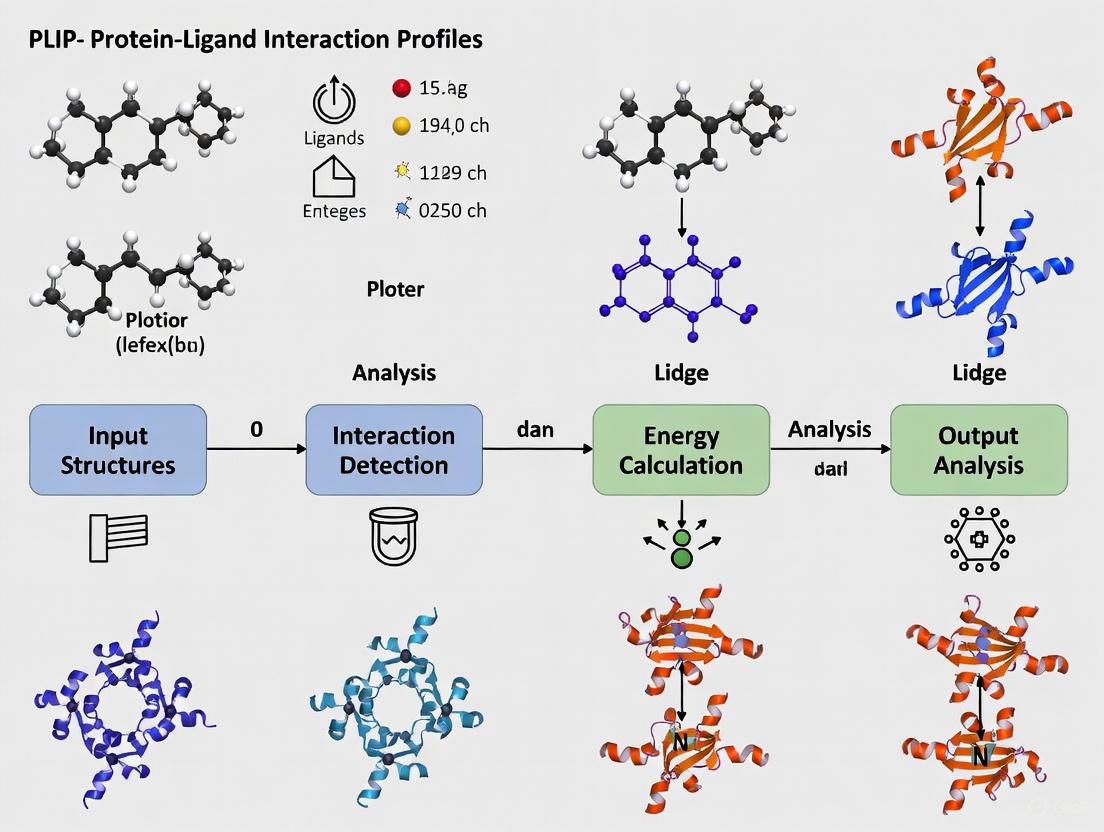
This article provides a complete guide to the Protein-Ligand Interaction Profiler (PLIP), an essential open-source tool for detecting non-covalent interactions in structural biology.
PLIP 2025: A Comprehensive Guide to Analyzing Protein-Ligand Interactions for Drug Discovery
Abstract
This article provides a complete guide to the Protein-Ligand Interaction Profiler (PLIP), an essential open-source tool for detecting non-covalent interactions in structural biology. Covering the latest 2025 release with new protein-protein interaction capabilities, we explore PLIP's foundational principles, eight interaction types, and practical implementation through web server, command-line, and Python API. The guide includes advanced applications in drug repositioning, machine learning fingerprinting, complex troubleshooting, and validation against molecular dynamics simulations. Designed for researchers and drug development professionals, this resource demonstrates how PLIP facilitates critical tasks in structural bioinformatics and computational drug discovery through reproducible interaction analysis.
Understanding PLIP: Essential Concepts in Protein-Ligand Interaction Profiling
Basic Principles of the Protein-Ligand Interaction Profiler (PLIP)
The Protein-Ligand Interaction Profiler (PLIP) is a fundamental tool in structural bioinformatics and drug discovery for the automated detection and analysis of non-covalent interactions in protein-ligand complexes [1]. Its primary function is to characterize how small molecule ligands, such as drug compounds, bind to their protein targets by identifying specific atomic-level contacts [1].
PLIP operates through a rule-based algorithm that analyzes 3D structures without requiring extensive manual preparation [1]. The tool processes input structures through four key stages: structure preparation (hydrogenation and ligand extraction), functional characterization of binding partners, rule-based matching of interacting groups using geometric criteria, and filtering to eliminate redundant interactions [1].
The algorithm detects eight key types of non-covalent interactions that are crucial for molecular recognition and stability [2] [1]:
- Hydrogen bonds
- Hydrophobic contacts
- π-Stacking
- π-Cation interactions
- Salt bridges
- Water bridges
- Halogen bonds
- Metal complexes
A significant advantage of PLIP is its ability to work with diverse structural data sources, including experimentally determined structures from the Protein Data Bank (PDB) and computational models from docking experiments or molecular dynamics simulations [1]. This flexibility makes it particularly valuable for applications in virtual screening and lead compound optimization [1].
Table 1: Core Non-Covalent Interactions Detected by PLIP
| Interaction Type | Structural Features Detected | Biological Significance |
|---|---|---|
| Hydrogen Bonds | Donor-acceptor pairs within specific distance and angle constraints | Specificity and binding affinity |
| Hydrophobic Contacts | Clustering of non-polar atoms and rings | Stabilization through hydrophobic effect |
| π-Stacking | Face-to-face or face-to-edge arrangements of aromatic rings | Stabilization of aromatic systems |
| Salt Bridges | Interactions between oppositely charged groups | Strong electrostatic attractions |
| Halogen Bonds | Interactions between halogen atoms and electron donors | Important in drug design |
Key Advances in PLIP 2025
The 2025 release of PLIP represents a substantial expansion of the tool's capabilities by introducing comprehensive protein-protein interaction (PPI) analysis alongside its established protein-ligand functionality [2]. This significant update enables researchers to study how small molecule drugs mimic or interfere with native protein-protein interactions, providing crucial insights for drug discovery, particularly for compounds targeting PPIs [2].
A documented case study demonstrates this new capability: PLIP 2025 was used to analyze the interaction between the cancer drug venetoclax and its target Bcl-2, comparing it to the native protein-protein interaction between Bcl-2 and BAX [2]. The analysis revealed critical overlap in interaction profiles, showing how venetoclax structurally mimics the natural PPI to exert its therapeutic effect [2]. This comparative analysis provides a powerful approach for understanding mechanisms of drugs that target protein interfaces.
The latest version maintains backward compatibility while expanding its analytical scope to include multiple biomolecular interaction types [2]. PLIP 2025 is available through multiple access points to accommodate different research workflows: a web server for interactive use, source code with container support for local installation, and Jupyter notebook environments for computational research [2].
Table 2: PLIP 2025 Availability and Implementation Options
| Format | Use Case | Access Method |
|---|---|---|
| Web Server | Interactive analysis of individual structures | https://plip-tool.biotec.tu-dresden.de |
| Source Code with Containers | Reproducible analysis pipelines | Docker/Singularity images |
| Jupyter Notebook | Computational research and education | Available through project resources |
| Python Module | Integration into custom scripts | PyPi installation (pip install plip) |
Experimental Protocols and Workflows
Web Server Protocol for Interaction Analysis
The PLIP web server provides the most accessible entry point for researchers analyzing protein-ligand interactions [1]. The protocol consists of the following key steps:
Input Preparation: Provide a protein-ligand complex in PDB format through one of three methods:
- Enter a four-character PDB ID for structures available in the Protein Data Bank
- Upload a custom structure file from docking experiments or molecular dynamics simulations
- Search by protein or ligand name using free-text search
Automated Analysis: Initiate processing with a single click—no registration or manual structure preparation required [1]. The server automatically:
- Adds hydrogen atoms for correct protonation states
- Identifies and extracts relevant ligands from the structure
- Characterizes functional groups in both protein and ligand
- Applies geometric criteria to detect interaction types
Results Interpretation: Access comprehensive output through multiple formats:
- 2D and 3D interaction diagrams for visual inspection
- Tabular data with atom-level interaction details
- Downloadable files including PNG images, PyMOL session files, and machine-readable XML/text files
High-Throughput Command-Line Protocol
For large-scale analyses, the command-line version of PLIP enables batch processing of multiple structures [1] [3]. The following protocol is optimized for high-throughput environments:
Installation (choose one method):
Basic Structure Analysis:
The
-yflag generates PyMOL session files, and-vproduces verbose output.Batch Processing Multiple Structures:
Python API Integration:
Advanced Application: Docking Validation Protocol
PLIP is particularly valuable for validating protein-ligand docking results by identifying key interactions that distinguish correct from incorrect binding poses [1]. The following protocol details this application:
- Run docking experiments using preferred software (SwissDock, AutoDock, etc.)
- Export top scoring poses in PDB format
- Analyze each pose with PLIP using the command-line or web interface
- Compare interaction patterns against reference crystal structures or known pharmacophores
- Identify false positives by noting poses missing critical interactions documented in literature
A case study with Cathepsin K (PDB ID 1VSN) demonstrated this approach effectively identified an incorrectly docked pose that scored similarly to the correct pose but lacked essential halogen bonds and hydrogen networks [1].
Figure 1: PLIP Analysis Workflow
The Scientist's Toolkit: Essential Research Reagents and Materials
Table 3: Essential Research Reagents and Computational Tools for PLIP Analysis
| Resource/Tool | Function/Purpose | Implementation Notes |
|---|---|---|
| Protein Data Bank Structures | Source of experimental protein-ligand complexes | PDB IDs or custom structures in PDB format |
| Molecular Docking Software | Generation of theoretical protein-ligand complexes | SwissDock, AutoDock, or other docking tools |
| Open Babel | Chemoinformatic calculations and molecular representation | Required dependency for non-container installations |
| PyMOL | Advanced visualization of interaction results | Session files generated automatically by PLIP |
| Jupyter Notebooks | Interactive computational environment | Available for PLIP 2025 implementation |
| Docker/Singularity | Containerization for reproducible analysis | Pre-built images available for easy deployment |
| NBI-98782 | NBI-98782, CAS:85081-18-1, MF:C19H29NO3, MW:319.4 g/mol | Chemical Reagent |
| Methylenomycin A | Methylenomycin A, CAS:52775-76-5, MF:C9H10O4, MW:182.17 g/mol | Chemical Reagent |
Technical Considerations and Best Practices
Handling Structural Variability
PLIP incorporates specific strategies to manage challenges posed by structural biology data:
- Hydrogen atom placement: The non-deterministic nature of hydrogen addition can cause minor variations between runs. For consistent results, pre-protonate structures once using PLIP or external tools, or use the
--nohydroflag [3]. - NMR structures: By default, PLIP processes only the first model in NMR ensembles. Use the
--modelflag to specify alternative models [3]. - Structure quality: The algorithm uses permissive thresholds derived from analyses of high-quality structures to accommodate potential structural errors or lower-resolution data [1].
Performance Optimization
For large-scale studies, consider these optimization strategies:
- Containerized deployment: Use pre-built Docker or Singularity images to avoid dependency conflicts and ensure reproducible results [3].
- Batch processing: Leverage the command-line tool's machine-readable output (XML/text formats) for automated data extraction and analysis.
- Selective analysis: Use binding site identifiers to focus on specific regions of interest within large structures.
The PLIP 2025 release represents a significant milestone in interaction analysis, bridging the gap between small molecule and protein-protein interaction research. Its continued development reflects the evolving needs of the structural bioinformatics and drug discovery communities, providing an increasingly comprehensive toolkit for understanding molecular recognition events at atomic resolution.
The Eight Non-Covalent Interactions Detected by PLIP
The Protein-Ligand Interaction Profiler (PLIP) is a pivotal tool in structural bioinformatics and rational drug design. It serves to automatically detect and characterize non-covalent interactions between proteins and their ligands in 3D structures, a process fundamental to understanding molecular recognition, protein function, and mechanism of drug action [1]. Initially focused on small molecules, DNA, and RNA, its capabilities have been expanded in the 2025 release to include the analysis of protein-protein interactions, further broadening its applicability [2]. By providing a detailed, atomic-level view of binding sites without the need for manual structure preparation, PLIP enables researchers to move beyond simple structure observation to a quantitative and qualitative profiling of interaction patterns. This analysis is crucial for applications ranging from the evaluation of docking results and lead optimization in drug discovery to the assessment of binding site similarity and drug repositioning [1]. This document details the eight non-covalent interactions detected by PLIP, providing a foundation for their application in modern computational biology research.
The Eight Non-Covalent Interactions: Specifications and Quantitative Data
PLIP uses a rule-based algorithm to detect relevant non-covalent contacts by identifying functionally characterized groups in the protein and ligand and then applying knowledge-based, geometric criteria to match potential interacting pairs [1]. The following table summarizes the key geometric parameters and descriptions for the eight interaction types.
Table 1: Geometric Parameters for the Eight Non-Covalent Interactions Detected by PLIP
| Interaction Type | Key Geometric Criteria | Typical Distance Range (Ã…) | Description |
|---|---|---|---|
| Hydrogen Bonds [1] | Donor-H...Acceptor angle; H...Acceptor distance | ~2.5 - 3.3 | Polar interaction between a hydrogen donor (D-H) and a hydrogen acceptor (A). |
| Hydrophobic Contacts | Distance between hydrophobic atom centers [1] | ≤ 4.5 [1] | Interaction between non-polar atoms, driven by the hydrophobic effect. |
| π-Stacking | Distance between ring centroids; angle between ring planes [1] | ≤ 5.5 | Face-to-face or face-to-edge attraction between aromatic rings. |
| π-Cation Interactions | Distance between ring centroid and charged atom [1] | ≤ 6.0 | Electrostatic interaction between an aromatic ring and a cation. |
| Salt Bridges | Distance between oppositely charged groups [1] | ≤ 4.0 | Ionic interaction between groups of opposite formal charge. |
| Water Bridges | Hydrogen bonds via a water molecule [1] | - | Hydrogen bond where a water molecule bridges the protein and ligand. |
| Halogen Bonds | Donor...Acceptor distance; Donor-Halogen...Acceptor angle [3] | ~3.0 - 4.0 | Interaction between an electrophilic region on a halogen atom and a nucleophile. |
| Metal Complexes | Distance between metal ion and interacting atom [3] | - | Coordination between a metal ion and donor atoms (e.g., O, N, S). |
Experimental Protocol for PLIP Analysis
This section provides a detailed methodology for conducting a standard protein-ligand interaction analysis using PLIP, from data input to result interpretation.
Input Preparation and Tool Execution
The first phase involves preparing the input structure and running the PLIP analysis.
1. Obtain a 3D Structure: The input must be a protein-ligand complex in PDB format. This can be:
- A PDB ID (e.g.,
1vsn), which PLIP will automatically fetch from the Protein Data Bank [1]. - A custom PDB file from molecular docking, molecular dynamics simulations, or other modeling software [1].
2. Choose an Execution Method: PLIP can be run via several interfaces.
- Web Server (Recommended for single structures): Access the server at
https://plip-tool.biotec.tu-dresden.de. Upload the PDB file or enter the PDB ID and submit the job [2] [1]. - Command-Line Tool (Recommended for high-throughput):
- Python Module (For integration into scripts):
python
from plip.structure.preparation import PDBComplex
my_mol = PDBComplex()
my_mol.load_pdb('input.pdb')  # Load structure
my_mol.analyze()  # Perform interaction analysis
# Access results for a specific binding site
my_bsid = 'LIG:A:1001'  # Unique binding site ID (HetID:Chain:Position)
my_interactions = my_mol.interaction_sets[my_bsid]
# Print residues involved in pi-stacking, for example
print([pistack.resnr for pistack in my_interactions.pistacking])
[3]
Result Investigation and Interpretation
Upon completion, PLIP generates multiple output formats for comprehensive investigation.
1. Review the Interaction Report: The primary output is a list of detected interactions on an atom-level detail.
- Web Server: Results are displayed in an interactive webpage with 2D and 3D diagrams (using JSmol) and a summary table [1].
- Command-Line/Module: Results are available in machine-readable XML or text files for further processing [1].
2. Visualize the Interactions: PLIP creates publication-ready visualizations.
- Web Server: High-resolution PNG images and PyMOL session files (
*.pse) can be downloaded [1]. - Command-Line: Using the
-yoption generates PyMOL session files for custom image creation [3].
3. Validate and Analyze: Cross-reference the detected interactions with biological knowledge. The test suite of literature-validated complexes provided with PLIP can serve as a benchmark for expected performance [1].
The following workflow diagram illustrates the key steps and decision points in a standard PLIP analysis protocol.
Successful interaction profiling relies on a combination of computational tools and data resources. The following table outlines key components of the PLIP research toolkit.
Table 2: Essential Research Reagents and Solutions for PLIP Analysis
| Tool/Resource | Type | Function in PLIP Analysis |
|---|---|---|
| PLIP Web Server [2] [1] | Software Tool | Primary platform for interactive analysis and visualization of single structures without local installation. |
| PLIP Command-Line Tool [3] [1] | Software Tool | Enables high-throughput, batch processing of multiple structures and integration into computational pipelines. |
| Docker / Singularity [3] | Container Platform | Provides a pre-configured, isolated environment to run PLIP, ensuring consistency and simplifying dependency management. |
| PyMOL [1] | Visualization Software | Used to view and render high-quality, publication-ready images from the session files generated by PLIP. |
| OpenBabel [1] | Chemoinformatics Library | Handles internal molecular representation, hydrogenation, and key chemoinformatic calculations within PLIP. |
| Protein Data Bank (PDB) [2] [1] | Data Repository | The primary source for high-quality, experimentally-determined protein-ligand complex structures to analyze. |
| Custom Docking Output (e.g., from SwissDock) [1] | Data Source | Provides predicted protein-ligand complex structures for interaction analysis and pose validation. |
The Protein-Ligand Interaction Profiler (PLIP), a well-established tool for detecting non-covalent interactions in biological complexes, has undergone a substantial expansion with its 2025 release. This update marks a pivotal evolution from its original focus on protein-ligand interactions to now incorporating comprehensive protein-protein interaction (PPI) analysis [2]. This advancement significantly broadens PLIP's applicability in structural biology and rational drug design, particularly for investigating interaction networks and developing therapeutic strategies that target PPIs.
PLIP 2025 detects eight fundamental types of non-covalent interactions: hydrophobic contacts, hydrogen bonds, aromatic stacking (π-π), π-cation interactions, salt bridges, water-bridged hydrogen bonds, halogen bonds, and metal complexations [2] [4]. The introduction of PPI analysis enables researchers to systematically compare how small molecule drugs might mimic natural protein interaction interfaces, revealing crucial mechanistic insights for drug discovery [2].
Key Advancements in PLIP 2025
Novel PPI Analysis Capabilities
The 2025 release introduces a dedicated protein-protein interaction module that extends PLIP's proven algorithms beyond small molecules, DNA, and RNA complexes to now characterize macromolecular interfaces. This module utilizes the same rigorous geometric criteria that established PLIP's reliability for ligand interaction profiling, ensuring methodological consistency across different molecular types [2].
A landmark application of this new capability is documented in the analysis of the Bcl-2/BAX protein complex and its comparison to the cancer therapeutic venetoclax. PLIP 2025 reveals how venetoclax, a Bcl-2 inhibitor, molecularly mimics key aspects of the native Bcl-2/BAX protein interaction. The tool identified a critical overlap in interaction profiles, demonstrating at atomic resolution how the drug effectively competes with BAX for Bcl-2 binding by occupying a similar interface and engaging complementary residues [2].
Table 1: Key Technical Specifications of PLIP 2025
| Feature | Specification | Application |
|---|---|---|
| Interaction Types | 8 non-covalent interaction categories | Comprehensive molecular profiling |
| Input Compatibility | PDB structures, PDB IDs | Flexible data sourcing |
| Analysis Scope | Proteins, ligands, DNA, RNA, PPIs | Multi-scale molecular systems |
| Output Formats | XML, text, PyMOL sessions, images | Diverse visualization & analysis |
| Availability | Web server, Docker, Singularity, Jupyter notebook | Accessible computational environments |
Enhanced Computational Accessibility
PLIP 2025 maintains its commitment to accessibility through multiple deployment options. The web server provides an intuitive graphical interface for occasional users, while containerized solutions (Docker and Singularity images) offer reproducible analysis environments suitable for high-performance computing clusters [3]. For computational researchers requiring programmatic control, PLIP is available as a Python library and through Google Colab notebooks, enabling custom analytical workflows and integration with broader bioinformatics pipelines [3].
The installation process has been streamlined across platforms. Users can now install PLIP via PyPI using the simple command pip install plip, while containerized versions ensure consistent performance regardless of the underlying system configuration [3]. This flexibility makes advanced interaction analysis accessible to researchers with varying computational expertise.
Experimental Protocols for PPI Analysis
Structure Preparation and Validation
Procedure:
- Source your protein-protein complex structure from the RCSB Protein Data Bank (https://www.rcsb.org/) or generate models using structure prediction tools like AlphaFold 3 or RoseTTAFold All-Atom [2] [5].
- Preprocess the structure file to remove irrelevant molecules (e.g., solvents, ions not involved in the interface) while preserving structural integrity.
- Ensure proper protonation states of amino acid side chains using tools like PyMOL or OpenBabel, particularly for histidine residues which may participate in key interactions [3].
- Validate structure quality using verification services like UCLA-DOE LAB SAVES for steric clashes, Ramachandran plot outliers, and overall geometry [5].
Technical Notes: For NMR structures, PLIP defaults to analyzing the first model. Alternative models can be specified using the --model flag during analysis [3].
Running PPI Analysis via Command Line
Procedure:
- Pull the latest PLIP container image:
- Execute PPI analysis on your complex structure:
The
-yvflags generate PyMOL visualization sessions automatically [3]. - For protein-protein specific analysis, ensure your input file contains both protein chains in the biological assembly.
Technical Notes: To ensure consistent results between runs, especially regarding hydrogen placement, pre-protonate your structure once and use the --nohydro flag to prevent PLIP from adding hydrogens differently in subsequent analyses [3].
Programmatic PPI Analysis in Python
Procedure:
- Import PLIP modules in your Python environment:
- Load and analyze your protein complex:
- Extract and visualize interaction data for specific interfaces:
This protocol enables integration of PLIP analysis into larger computational workflows, such as molecular dynamics analyses or machine learning pipelines for drug discovery [6] [4].
Figure 1: PLIP 2025 Protein-Protein Interaction Analysis Workflow. This diagram illustrates the systematic process for analyzing protein-protein interfaces, from structure preparation through interaction detection and visualization.
Application Notes: Case Study of Bcl-2/BAX and Venetoclax
Comparative Interaction Analysis
The Bcl-2/BAX/venetoclax system exemplifies the power of PLIP 2025's PPI analysis in drug discovery. Bcl-2 is an anti-apoptotic protein that sequesters pro-apoptotic BAX, preventing programmed cell death. In many cancers, this interaction enables tumor cell survival. Venetoclax is a BH3-mimetic drug designed to disrupt this interaction, promoting apoptosis in cancer cells [2].
Using PLIP 2025, researchers can systematically compare the interaction fingerprints of the native Bcl-2/BAX complex with the Bcl-2/venetoclax complex. The analysis reveals that venetoclax engages key hydrophobic pockets on Bcl-2 that normally accommodate BAX, while also forming specific hydrogen bonds that mimic those in the natural protein-protein interface. This detailed structural understanding explains the drug's mechanism at atomic resolution and provides insights for designing next-generation inhibitors [2].
Table 2: Interaction Profile Comparison of Bcl-2 with BAX versus Venetoclax
| Interaction Type | Bcl-2/BAX Interface | Bcl-2/Venetoclax | Functional Significance |
|---|---|---|---|
| Hydrogen Bonds | 8 detected | 5 detected | Key for binding specificity |
| Hydrophobic Contacts | Extensive interface | Focused pocket engagement | Drives binding affinity |
| π-π Stacking | 2 interactions | 1 interaction | Aromatic residue engagement |
| Salt Bridges | 1 detected | 0 detected | Electrostatic complementarity |
| Water Bridges | 3 detected | 2 detected | Solvent-mediated hydrogen bonding |
Integration with Machine Learning Approaches
Recent studies demonstrate how PLIP-derived interaction features can be integrated with machine learning for enhanced drug discovery. In the development of METTL3 inhibitors, researchers created a DPLIFE (Docking-based Protein-Ligand Interaction Feature Encoding) methodology that utilizes PLIP analysis to convert structural interaction data into machine-readable features [6].
The protocol involves:
- Performing molecular docking of potential inhibitors against the target protein
- Using PLIP to extract detailed interaction profiles from the docked complexes
- Encoding these interactions as numerical features (0 for no interaction, 1 for hydrophobic, 2 for π-π stacking, etc.)
- Integrating these features with conventional chemical descriptors to train predictive bioactivity models [6]
This approach achieved impressive predictive performance for METTL3 inhibition (Pearson's correlation coefficient of 0.853) while identifying 8 residues critical for ligand binding to METTL3, demonstrating the value of PLIP-derived features in computational drug design [6].
Figure 2: PLIP 2025 Reveals Drug Mechanism Through PPI Mimicry. This diagram illustrates how comparative analysis of native protein complexes and drug-bound structures uncovers mechanistic insights for rational drug design.
Table 3: Key Research Resources for PLIP-Based PPI Studies
| Resource/Reagent | Type | Function in PPI Analysis | Access Information |
|---|---|---|---|
| PLIP Web Server | Web tool | Interactive PPI analysis without installation | https://plip-tool.biotec.tu-dresden.de |
| PLIP Docker Image | Container | Reproducible analysis environment | Docker Hub: pharmai/plip |
| PyMOL | Visualization software | 3D visualization of interaction results | Commercial license or educational use |
| RCSB PDB | Database | Source of protein complex structures | https://www.rcsb.org/ |
| AlphaFold Database | Database | Predicted protein structures for uncharacterized targets | https://alphafold.ebi.ac.uk/ |
| AutoDock Vina | Docking software | Predicting ligand binding poses for comparison with PPIs | Open source (https://vina.scripps.edu/) |
| GROMACS | Simulation software | Molecular dynamics to complement static interaction analysis | Open source (https://www.gromacs.org/) |
| CHARMM-GUI | Web service | Preparing membrane protein systems for interaction analysis | https://www.charmm-gui.org/ |
The introduction of protein-protein interaction analysis in PLIP 2025 represents a significant milestone in computational structural biology. By extending its robust interaction detection algorithms to macromolecular interfaces, PLIP now enables researchers to seamlessly compare and contrast protein-ligand and protein-protein interaction networks within a unified analytical framework. The documented case study of Bcl-2/BAX and venetoclax demonstrates how this capability provides mechanistic insights crucial for understanding drug action at the molecular level.
The ongoing integration of PLIP-derived features with machine learning approaches, as demonstrated in METTL3 inhibitor development, points toward an exciting future where automated interaction profiling becomes a standard component of computational drug discovery pipelines. With its multiple accessibility options and comprehensive analytical capabilities, PLIP 2025 is positioned to become an indispensable tool for researchers exploring the structural basis of molecular recognition across diverse biological systems.
The precise characterization of non-covalent interactions in biomolecular complexes is fundamental to understanding biological function and accelerating drug discovery. Within this landscape, the Protein-Ligand Interaction Profiler (PLIP) has established itself as a versatile, rule-based tool for detecting interaction patterns from 3D structures [1]. This application note situates PLIP within the broader ecosystem of interaction analysis tools, providing a comparative analysis with other profilers like ProLIF, ProteinsPlus, and Interformer. We detail specific experimental protocols for employing these tools in various research scenarios, from analyzing single structures to processing molecular dynamics trajectories, offering researchers a practical guide for selecting and implementing the appropriate tool for their specific needs. The content is framed within a broader thesis on PLIP analysis, emphasizing its unique value proposition and interoperability in modern structural bioinformatics pipelines.
The Interaction Profiler Landscape: A Comparative Analysis
PLIP serves as a comprehensive, fully automated tool for detecting non-covalent interactions in protein-ligand and, more recently, protein-protein complexes [7] [2]. Its algorithm performs structure preparation, functional group characterization, and rule-based matching to identify eight key interaction types: hydrogen bonds, hydrophobic contacts, π-stacking, π-cation interactions, salt bridges, water bridges, and halogen bonds [1]. A significant strength of PLIP is its multi-platform accessibility, available as a web server, command-line tool, Docker/Singularity container, and Google Colab notebook, facilitating use for both novice and expert users [3].
Other prominent tools in this domain offer complementary capabilities. ProLIF is a Python library that encodes molecular interactions as fingerprints, enabling the analysis of interaction patterns across molecular dynamics trajectories, docking simulations, and multiple experimental structures [8]. ProteinsPlus is not a single tool but a web service ecosystem that integrates various methods for protein-ligand analysis, including the DoGSiteScorer for pocket detection and StructureProfiler for automated validation of ligands and active sites [9]. Interformer represents the cutting edge of deep learning approaches, utilizing an interaction-aware mixture density network to explicitly model specific interactions like hydrogen bonds and hydrophobic contacts for highly accurate protein-ligand docking and affinity prediction [10].
Table 1: Core Feature Comparison of Key Interaction Profilers
| Feature | PLIP | ProLIF | ProteinsPlus | Interformer |
|---|---|---|---|---|
| Primary Function | Interaction detection & profiling | Interaction fingerprint generation | Integrated analysis suite | Docking & affinity prediction |
| Key Interaction Types | 8 types (H-bonds, hydrophobic, etc.) [1] | Customizable (hydrophobic, π-stacking, etc.) [8] | Varies by tool | Explicitly models H-bonds & hydrophobic [10] |
| Analysis Scope | Single structures | MD trajectories, multiple structures | Single structures | Single structures, docking poses |
| Methodology | Rule-based | SMARTS pattern-based | Multiple algorithms | Deep learning (Graph-Transformer) |
| Accessibility | Web server, CLI, Python API [3] | Python library | Web server | Specialized model |
| Outputs | Diagrams, XML, PyMOL sessions [1] | DataFrames, bitvectors [8] | Various tool-specific outputs | 3D poses, affinity scores [10] |
| Unique Strength | Multi-platform, no structure prep needed | Trajectory analysis & fingerprint clustering | Structure validation & pocket handling | State-of-the-art docking accuracy |
The performance of these methods must be contextualized within the broader challenge of binding site prediction. A recent benchmark of over 13 prediction methods, including machine learning approaches like VN-EGNN and geometry-based tools like fpocket, highlights the field's progress [11]. The study introduced the LIGYSIS dataset and found that re-scoring fpocket predictions with other methods could achieve recall rates up to 60%, underscoring the importance of robust scoring schemes [11]. While PLIP itself is not a predictor but a profiler of known sites, its accurate detection of interaction patterns is crucial for the post-processing and validation performed by these prediction tools.
Table 2: Performance Metrics from Recent Benchmarks and Studies
| Tool / Category | Key Performance Metric | Context / Dataset |
|---|---|---|
| fpocket (re-scored) | 60% Recall [11] | Binding site prediction on LIGYSIS |
| IF-SitePred | 39% Recall (lowest) [11] | Binding site prediction on LIGYSIS |
| Interformer | 63.9% Top-1 success rate (RMSD < 2Ã…) [10] | Protein-ligand docking on PDBBind time-split |
| Interformer | 84.09% Success rate [10] | Protein-ligand docking on PoseBusters benchmark |
| PLIP | Detects key residues mimicking PPI [7] | Analysis of Venetoclax binding to Bcl-2 |
| ProLIF | Identifies interaction clusters in 500ns MD [8] | Analysis of 5-HT1B receptor simulation |
Experimental Protocols
Protocol 1: High-Throughput Interaction Profiling with PLIP
This protocol details the use of PLIP's command-line interface for the batch processing of multiple protein-ligand complexes, a common task in drug discovery for characterizing compound libraries or analyzing molecular dynamics snapshots.
Research Reagent Solutions
- PLIP Command-Line Tool: The core software for automated interaction detection (Install via Docker:
docker pull pharmai/plip) [3]. - Input Structure Files: A directory containing PDB format files of the protein-ligand complexes to be analyzed.
- Reference Dataset (Optional): A set of known interaction patterns for validation, such as the benchmark dataset provided with PLIP source code [1].
Methodology
- Environment Setup: Install PLIP using the recommended containerized approach to avoid dependency conflicts. The Docker image provides a self-contained environment.
- Input Preparation: Place all PDB files for analysis in a single directory. Ensure ligands are correctly specified in the file. For structures with multiple models, specify the desired model using the
--modelflag. - Batch Execution: Run PLIP in command-line mode, iterating over all PDB files in the input directory. The following shell script demonstrates a basic loop:
The
-xflag generates XML output for subsequent parsing, and-tspecifies the output directory [3]. - Result Analysis: Parse the machine-readable XML result files to extract quantitative interaction data. The XML schema details the specific atoms, residues, and geometric parameters for every detected interaction. This data can be aggregated across multiple structures to identify conserved interaction hotspots or unique binding features.
Protocol 2: Comparative Interaction Analysis Across Multiple Structures with PLIPify
PLIPify is a wrapper tool under development that extends PLIP's capability by creating a unified interaction fingerprint across multiple structures of the same protein, ideal for identifying conserved interaction hotspots when a protein is bound to different ligands [12].
Research Reagent Solutions
- PLIPify Scripts: The wrapper scripts available from the Volkamer Lab [12].
- PLIP Backend: A working installation of PLIP, as required by PLIPify.
- Structure Ensemble: Multiple 3D structures of the same protein target, ideally in PDB format.
Methodology
- Data Curation: Collect all structural files for the target protein. These can be experimental structures from the PDB (e.g., bound to different inhibitors) or predicted structures.
- Run PLIPify: Execute the PLIPify wrapper, which automatically runs PLIP on each provided structure.
- Mapping and Fingerprinting: PLIPify maps the individual interaction profiles from each structure to a unified fingerprint, recording the frequency of each specific interaction (e.g., a hydrogen bond with residue ASP48) across the entire structural ensemble [12].
- Visualization and Interpretation: The output is a matrix of interaction frequencies. This allows researchers to quickly identify which residues are consistently involved in binding (potential hotspots) and which interactions are ligand-specific.
Protocol 3: Interaction Fingerprinting from Molecular Dynamics Trajectories with ProLIF
This protocol leverages the ProLIF library to analyze the evolution and stability of interactions throughout a molecular dynamics simulation, providing dynamic insights that static structures cannot offer [8].
Research Reagent Solutions
- ProLIF Library: The Python library, installable via pip (
pip install prolif). - MDAnalysis/ RDKit: Required dependencies for handling trajectory data and molecular representations [8].
- MD Trajectory File: The trajectory file and corresponding topology.
Methodology
- Environment Preparation: Install ProLIF and its dependencies in a Python environment. Import the necessary modules.
- Trajectory Loading: Use MDAnalysis to load the simulation trajectory and topology.
- Fingerprint Generation: Define the protein and ligand selections, then run the fingerprint calculation over the desired trajectory frames.
- Analysis and Clustering: Convert the results to a pandas DataFrame. This format facilitates analysis, such as calculating interaction frequencies or plotting a Tanimoto similarity matrix between frames to identify distinct binding modes [8].
Integrated Workflow for Drug Discovery
A powerful application of interaction profilers is in elucidating the mechanism of drugs that target protein-protein interactions. The updated PLIP 2025 can analyze both protein-ligand and protein-protein interactions, enabling direct comparison. For example, to understand how the cancer drug venetoclax inhibits Bcl-2 by mimicking its natural protein partner BAX, one would:
- Acquire Structures: Obtain the PDB structures of Bcl-2 in complex with BAX and Bcl-2 in complex with venetoclax.
- Run PLIP Analysis: Execute PLIP on both complexes using Protocol 1.
- Compare Interaction Patterns: Analyze the PLIP output to identify overlapping interactions. PLIP reveals that key residues like Phe104, Tyr108, and Asn143 in Bcl-2 are involved in hydrophobic interactions and hydrogen bonds with both BAX and venetoclax, demonstrating the mimicry strategy [7] [2].
- Validate with Dynamics: Use ProLIF (Protocol 3) on an MD trajectory of the Bcl-2/venetoclax complex to verify the stability of these key interactions over time.
This integrated approach, combining PLIP's robust detection with ProLIF's dynamic analysis, provides compelling computational evidence for a drug's mechanism of action.
The ecosystem of protein interaction profilers offers a diverse toolkit for structural bioinformatics. PLIP stands out for its reliability, ease of use, and multi-platform support, making it an excellent choice for rapid, standardized interaction profiling of single structures. ProLIF excels in scenarios requiring analysis of interaction dynamics across ensembles or trajectories, while ProteinsPlus offers valuable integrated validation. For specialized tasks like high-accuracy docking, deep learning models like Interformer represent the state of the art. The choice of tool is dictated by the specific research question, but these tools are often complementary. Leveraging PLIP for initial profiling, followed by more specialized tools for dynamic analysis or prediction, constitutes a powerful strategy for advancing protein-ligand interaction research and rational drug design.
The Protein-Ligand Interaction Profiler (PLIP) is a fundamental tool in structural bioinformatics and drug discovery, enabling the automated detection and characterization of non-covalent interactions in protein-ligand complexes. Initially focused on small-molecule, DNA, and RNA interactions with proteins, PLIP has expanded its capabilities, with the 2025 release incorporating protein-protein interaction analysis [2]. This tool is essential for understanding molecular recognition, protein function, and for facilitating lead compound development and optimization in pharmaceutical research. PLIP operates through a rule-based algorithm that identifies up to eight types of non-covalent interactions—including hydrogen bonds, hydrophobic contacts, π-stacking, π-cation interactions, salt bridges, and water bridges—without requiring extensive manual structure preparation [1].
For researchers engaged in PLIP analysis of protein-ligand interaction profiles, the initial critical decision involves selecting the appropriate deployment method: the readily accessible web server or the more flexible local installation. This choice significantly impacts research workflow efficiency, scalability for high-throughput analyses, and integration capabilities with existing computational pipelines. The web server offers a user-friendly, zero-installation option ideal for individual analyses, while local installation provides greater control and batch processing capabilities essential for large-scale studies. This protocol examines both deployment strategies in detail, providing researchers with comprehensive guidance for implementation within their specific thesis or research framework.
PLIP Deployment Comparison
Table 1: Comparison of PLIP Deployment Options
| Feature | Web Server | Local Installation |
|---|---|---|
| Access Method | Web browser | Command-line interface (CLI) |
| Installation Required | No | Yes (Python, Docker, or Singularity) |
| Best For | Single structures, educational use, quick checks | High-throughput analysis, pipeline integration |
| Input Methods | PDB ID, protein/ligand name search, file upload | Local PDB files, custom structures |
| Output Options | Online visualization, downloadable text/XML/PNG files, PyMOL sessions | Machine-readable text/XML, PyMOL sessions, custom formats |
| Computational Resources | Server-side (limited user control) | User's own hardware (scalable) |
| Automation Capability | Limited (manual per structure) | Full (scriptable batch processing) |
| Dependency Management | Handled by server | User responsibility |
| Typical Use Case | Analysis of few complexes, educational demonstrations | Large-scale studies, docking validation, drug screening |
The PLIP web server provides a streamlined, one-click processing environment accessible through any standard web browser, requiring no local installation or computational expertise [1]. This platform is ideally suited for researchers analyzing individual protein-ligand complexes or those new to interaction profiling, as it eliminates technical barriers associated with software setup and dependency management. The server accepts multiple input formats, including PDB identifiers, free-text searches of protein and ligand names, or custom structure files from docking experiments or molecular dynamics simulations [1]. Results are presented through an intuitive web interface featuring 2D and 3D interaction diagrams, detailed interaction tables, and downloadable files for offline analysis and publication purposes.
In contrast, local installation provides researchers with complete control over their computational environment, enabling automated batch processing of hundreds or thousands of structures—a capability essential for modern drug discovery pipelines and extensive structural bioinformatics studies [3] [1]. This approach supports seamless integration with other computational tools and allows customization of analysis parameters to address specific research questions. The command-line version offers advanced settings for output configuration and interaction thresholds, facilitating reproducible research protocols and pipeline integration [3]. While requiring initial setup effort and dependency management, local installation delivers unmatched scalability and flexibility for thesis research involving large-scale structural analyses.
Installation Protocols
Web Server Access Protocol
The PLIP web server provides immediate access without installation requirements, making it ideal for preliminary analyses and researchers without computational backgrounds.
Protocol 1: Accessing the PLIP Web Server
- Navigate to Portal: Open a web browser and visit
https://plip-tool.biotec.tu-dresden.de[1]. - Input Structure: Select one of three input methods:
- Initiate Analysis: Click the analysis button to submit the structure; processing typically completes within seconds to minutes depending on structure complexity and server load.
- Review Results: Examine the interactive results page featuring:
- JSmol-based 3D visualization for manual inspection of interaction geometries [1]
- 2D interaction diagrams summarizing contact types and participating residues
- Tabular listings detailing atomic-level interactions with distances and angles
- Download Findings: Retrieve results for documentation and publication:
Local Installation Protocols
Local installation provides researchers with full control over the computational environment, enabling high-throughput analyses and pipeline integration. Multiple installation methods accommodate different technical environments and preferences.
Protocol 2: Containerized Installation (Recommended)
Containerized installation offers the most straightforward approach, bundling all dependencies in a pre-configured environment.
- Prerequisite Setup: Ensure Docker is installed and configured on your system with appropriate user permissions.
- Retrieve Image: Download the official PLIP Docker image from Docker Hub using the command line:
- Verify Installation: Confirm successful setup by running:
- Execute Analysis: Process structures by mounting local directories and invoking the container:
The
-vflag mounts the current working directory to/datawithin the container, while-ispecifies the input structure, and-yvflags generate PyMOL visualizations [3].
For High-Performance Computing (HPC) environments utilizing Singularity:
- Download Image: Acquire the pre-built Singularity image from the GitHub Releases page [3].
- Direct Execution: Run analyses using the downloaded image: Singularity is particularly suited for HPC environments where Docker may not be available or appropriate [3].
Protocol 3: Python Package Installation
For researchers preferring native Python installation or requiring source code access:
- Environment Setup: Ensure Python ≥3.8 is installed on your system [13].
- Install via PyPI: Use pip for straightforward package installation:
- Source Installation (Alternative Method):
- Clone the development repository:
- Install in editable mode for development purposes:
The editable mode (
-eflag) is currently required for correct compilation of C++ modules [13].
- Dependency Management: Verify installation of critical dependencies:
- Validation: Confirm proper installation by checking the help menu:
Experimental Application Protocols
Basic Interaction Analysis Protocol
Protocol 4: Command-Line Analysis of Protein-Ligand Complexes
This protocol demonstrates a typical PLIP analysis session using the command-line interface after local installation.
- Preparation:
- Create and navigate to a dedicated working directory:
- Execution:
- Output Examination:
- PLIP generates multiple output files in the working directory:
report.txt: Human-readable summary of detected interactionsreport.xml: Machine-readable XML version for computational processing1VSN_NFT_A_283.pse: PyMOL session file for interactive visualization [3]
- Visualization:
- Open the PyMOL session file to explore interactions:
- The session includes pre-configured visualization of all detected interactions
Protocol 5: Python API Integration
For advanced users integrating PLIP directly into Python analysis pipelines:
- Module Import:
- Structure Loading:
- Interaction Analysis:
- Data Extraction:
Advanced Research Applications
Protocol 6: Docking Validation Pipeline
PLIP is particularly valuable for validating and analyzing results from molecular docking experiments, helping distinguish correct poses from decoys based on interaction patterns.
- Docking Execution: Perform docking using preferred software (SwissDock, AutoDock, etc.)
- Post-processing: Extract top poses and convert to PDB format if necessary
- Interaction Profiling: Analyze each pose with PLIP:
- Comparative Analysis: Identify key interactions present in native structures but absent in decoy poses
- Filtering: Develop criteria based on essential interactions (e.g., specific hydrogen bonds, halogen bonds, or hydrophobic clusters) to prioritize biologically relevant poses
This approach was demonstrated in a study where PLIP successfully identified missing halogen bonds in incorrectly docked poses of a Cathepsin K inhibitor, despite comparable docking scores to the correct pose [1].
Protocol 7: Binding Site Comparison Analysis
PLIP facilitates comparative analysis of multiple ligands binding to the same protein target, revealing conserved interaction patterns and critical residues for molecular recognition.
- Structure Collection: Gather multiple protein-ligand complexes for the target of interest
- Batch Processing: Analyze all structures using PLIP in batch mode
- Data Extraction: Parse XML outputs to compile interaction matrices
- Consensus Mapping: Identify residues consistently involved in interactions across multiple ligands
- Pharmacophore Development: Define essential interaction features for virtual screening or lead optimization
Research Reagent Solutions
Table 2: Essential Research Reagents and Computational Tools for PLIP Analysis
| Item | Function/Significance in PLIP Analysis |
|---|---|
| Protein Data Bank (PDB) Structures | Primary source of experimental protein-ligand complexes for analysis and validation [1] |
| OpenBabel (≥2.3.2) | Handles chemical structure representation, format conversion, and basic chemoinformatic calculations [3] [1] |
| PyMOL | Generates publication-quality visualizations of interaction patterns from PLIP output [3] |
| Docker/Singularity | Containerization platforms providing reproducible environments for PLIP installation and execution [3] |
| Custom Docking Structures | User-generated protein-ligand complexes for interaction analysis and docking validation [1] |
| Python (≥3.8) | Execution environment for PLIP and development of custom analysis pipelines [13] |
| Jupyter Notebooks | Interactive environment for PLIP analysis, available through Google Colab implementation [3] [2] |
Workflow Diagram
Selecting the appropriate PLIP deployment strategy is contingent on specific research requirements within the broader context of protein-ligand interaction analysis. The web server implementation offers unparalleled accessibility for preliminary analyses, educational applications, and researchers focusing on individual protein-ligand complexes. Conversely, local installation provides the computational infrastructure necessary for high-throughput studies, pipeline integration, and large-scale structural bioinformatics investigations central to comprehensive thesis research. The containerized approach, particularly through Docker or Singularity, represents the most robust installation method, effectively mitigating dependency conflicts while maintaining compatibility across diverse computing environments.
PLIP continues to evolve as a critical tool in structural bioinformatics, with recent developments expanding its capabilities to include protein-protein interaction analysis [2]. This enhanced functionality positions PLIP as an even more versatile platform for comprehensive molecular interaction studies. By implementing the protocols and comparisons outlined in this application note, researchers can effectively leverage PLIP's capabilities to advance their investigations into protein-ligand interaction profiles, ultimately contributing to drug discovery, protein engineering, and fundamental biochemical research.
Practical PLIP Implementation: From Basic Analysis to Advanced Drug Discovery Applications
Step-by-Step Guide to Running PLIP Analysis via Different Interfaces
The Protein-Ligand Interaction Profiler (PLIP) is a computational tool for detecting and analyzing non-covalent molecular interactions in protein structures. Initially focused on protein-ligand complexes, its scope has expanded to include interactions with DNA, RNA, and in its latest 2025 release, protein-protein interactions [2]. PLIP detects eight fundamental types of non-covalent interactions, providing researchers and drug development professionals with critical insights into binding mechanisms.
This guide details the protocols for performing PLIP analysis through its three primary interfaces: the web server, command-line tool, and Python module. These methods cater to different use cases, from quick interactive analyses to automated, high-throughput processing pipelines integral to modern structural biology and drug discovery research.
Key Research Reagent Solutions
The following table catalogues essential computational tools and data resources relevant to protein-ligand interaction analysis.
Table 1: Essential Research Reagents and Resources for Interaction Analysis
| Resource Name | Type | Primary Function | Relevance to PLIP Analysis |
|---|---|---|---|
| PLIP Tool Suite [3] [2] | Analysis Software | Detects & classifies molecular interactions | Core tool for generating protein-ligand interaction profiles. |
| ProLIF [15] | Python Package | Calculates protein-ligand interaction fingerprints (PLIFs) | Used for benchmarking and validating interaction recovery in predicted poses. |
| PDB2PQR [15] | Preprocessing Tool | Adds explicit hydrogens and optimizes protonation states | Critical pre-step for consistent PLIF analysis across methods. |
| ProteinsPlus Server [9] | Web Service Suite | Offers integrated structure analysis tools | Hosts the PLIP web server and related validation/enrichment tools. |
| Open Babel [3] | Chemistry Toolbox | Handles chemical file format conversion | PLIP dependency for ligand preparation and descriptor calculation. |
| PDB Bind General Set [15] | Benchmark Dataset | Curated protein-ligand complexes for ML | Common benchmark for validating PLIP interaction results against ground truth. |
Available Interfaces and Selection Guide
PLIP provides multiple access points, each suited for different experimental scenarios. The workflow begins with obtaining a protein structure file, followed by analysis preparation and execution through your chosen interface.
Figure 1: General PLIP analysis workflow. The process begins with structure acquisition and preparation, followed by analysis through one of three primary interfaces.
Table 2: PLIP Interface Comparison and Selection Guide
| Interface | Best For | Input Requirements | Output Delivery | Automation Potential |
|---|---|---|---|---|
| Web Server | Quick, single analyses; users with no programming background. | PDB ID or uploaded structure file. | Interactive results in browser; downloadable reports. | Low |
| Command Line | Batch processing; HPC environments; integration into workflows. | PDB ID or file path; terminal access. | Files saved to specified directory. | High (Scripting) |
| Python Module | Custom analyses; data extraction for ML; application development. | Python script; PDB file path. | Direct access to Python objects & data structures. | High (Programming) |
Protocol 1: Web Server Analysis
The PLIP web server on the ProteinsPlus platform is the most accessible interface, requiring no local installation [2] [9].
Step-by-Step Protocol
- Access the Server: Navigate to the official PLIP web server at
https://plip-tool.biotec.tu-dresden.de[2]. - Input Structure:
- Option A (PDB ID): Enter a valid Protein Data Bank identifier (e.g.,
1vsn) into the search field on the ProteinsPlus start page [9]. - Option B (File Upload): Click the upload button to provide your own structure file in PDB format.
- Option A (PDB ID): Enter a valid Protein Data Bank identifier (e.g.,
- Initiate Analysis: Submit your query. The server will process the structure, which may take several minutes depending on server load and complexity.
- Review Results: The results page will display:
- An interactive 3D visualization of the complex with interactions highlighted.
- A summary panel listing detected interaction types.
- Detailed 2D diagrams of the ligand and its interaction network.
- Download Results: Download the full analysis report in text or XML format, and visualization files such as PyMOL session files for further examination [3].
Protocol 2: Command-Line Interface (CLI) Analysis
The command-line interface is ideal for high-throughput analysis or use in High-Performance Computing (HPC) environments. Installation can be simplified via containerized images [3].
Installation and Setup
- Recommended Method (Singularity): For HPC systems, use the pre-built Singularity image available under "Releases" on the official GitHub repository [3].
- Alternative Method (PyPi): Install PLIP as a Python package using pip. Ensure dependencies like Open Babel are installed first [3].
Step-by-Step Analysis Protocol
- Prepare Input Files: Ensure your PDB file is ready in the working directory.
- Run Basic Analysis: Execute the
plipcmd.pyscript. Using an alias simplifies this. - Utilize Common Flags:
-i: Input (PDB ID or filename).-yv: Generate and open a PyMOL session file.--output: Specify a custom path for results.--nohydro: Run without adding hydrogens for consistent results with pre-protonated structures [3].
- Access Outputs: Results, including the PyMOL session (
1VSN_NFT_A_283.pse), are saved in the working directory [3].
Protocol 3: Python Module Analysis
Integrating PLIP directly into Python scripts offers maximum flexibility for custom analysis pipelines and data extraction, which is valuable for machine learning projects [3] [15].
Step-by-Step Analysis Protocol
- Environment Setup: Install the
plippackage via pip and set up your Python environment. - Import and Load: Use the PLIP modules to load your structure.
- Identify Binding Sites: Print the object to see available ligand binding sites.
- Run Analysis and Extract Data: Analyze the structure and access the interaction data for a specific binding site.
Figure 2: Python module analysis workflow. This protocol allows for granular access to interaction data within a custom script.
Results Interpretation and Advanced Applications
Core Interaction Types
PLIP detects eight key non-covalent interactions, which are reported across all interfaces. Understanding these is crucial for interpreting results.
Table 3: PLIP-Detected Non-Covalent Interactions and Their Significance
| Interaction Type | Structural Significance | Role in Drug Design |
|---|---|---|
| Hydrogen Bonds | Determine binding specificity and directionality. | Critical for optimizing ligand affinity and selectivity. |
| Halogen Bonds | Involve halogen atoms acting as electrophiles. | Used to improve potency and metabolic stability. |
| Hydrophobic | Burial of non-polar surfaces. | Drives binding affinity through desolvation. |
| Pi-Stacking | Aromatic ring interactions (face-to-face/edge-to-face). | Contributes to binding energy and planar alignment. |
| Pi-Cation | Interaction between aromatics and positive charges. | Important for positioning charged functional groups. |
| Salt Bridges | Electrostatic interactions between oppositely charged groups. | Provide strong, long-range binding contributions. |
| Water Bridges | Hydrogen bonds mediated by water molecules. | Can be critical for binding; considered in solvent mapping. |
| Metal Complexation | Coordination between ligand and metal ion. | Key for targeting metalloenzymes. |
Advanced Application: Assessing Pose Prediction Tools
A 2025 study in the Journal of Cheminformatics highlights a critical application of PLIP interaction profiling: benchmarking AI-based pose prediction methods [15]. The study found that while machine learning docking tools often produce poses with low Root-Mean-Square Deviation (RMSD), they can fail to recapitulate key interactions seen in crystal structures.
Protocol for Interaction Recovery Benchmarking:
- Generate Poses: Use classical (e.g., GOLD) and ML (e.g., DiffDock-L) docking tools on a test set of protein-ligand complexes [15].
- Run PLIP Analysis: Perform PLIP analysis on both the crystal structure (ground truth) and all predicted poses.
- Calculate PLIF Recovery: For each predicted pose, calculate the percentage of ground-truth interactions (e.g., hydrogen bonds, halogen bonds) that are successfully recovered.
- Validate Findings: This metric complements RMSD and PoseBusters checks, ensuring predicted poses are not just structurally close but also functionally relevant through correct interaction patterns [15].
Troubleshooting and Best Practices
- Consistent Protonation: For reproducible results, protonate your input structure with a tool like PDB2PQR before analysis, or use the
--nohydroflag if your structure is already pre-treated [3] [15]. - Handling Multiple Models: For NMR structures, PLIP uses the first model by default. Use the
--modelflag to specify a different model [3]. - Containerized Deployment: If you encounter dependency issues (e.g., with Open Babel), use the official Docker or Singularity images for a conflict-free environment [3].
- Leveraging New Features: Explore the recently introduced protein-protein interaction analysis to compare how small-molecule drugs mimic native protein-protein interfaces, as demonstrated for venetoclax and Bcl-2/BAX [2].
The Protein-Ligand Interaction Profiler (PLIP) is a fundamental tool in structural bioinformatics and drug discovery, providing fully automated detection and visualization of non-covalent protein-ligand contacts in 3D structures. As the volume of protein-ligand complex data continues to grow, with over 75% of structures in the Protein Data Bank (PDB) solved in complex with small molecules, researchers require systematic approaches to interpret the interaction patterns that govern molecular recognition. PLIP addresses this need by delivering comprehensive interaction data on a single-atom level, covering seven key interaction types without requiring manual structure preparation. This protocol details the methodology for interpreting PLIP's diverse output formats—from textual reports and machine-readable data files to publication-ready visualizations—within the context of protein-ligand interaction profile research. The ability to effectively extract and leverage information from these outputs enables researchers to validate computational predictions, guide rational drug design, and identify key interaction motifs across protein families.
PLIP Output Formats and Interpretation
Textual Reports and Data Files
PLIP generates multiple textual output formats designed for both manual inspection and automated data processing pipelines. These outputs provide the foundational data for all subsequent analysis and visualization.
Table 1: PLIP Text-Based Output Formats and Their Applications
| Format | Content Structure | Primary Applications | Data Elements |
|---|---|---|---|
| Flat Text File | Human-readable summary with categorized interactions | Quick manual verification, initial screening | Interaction types, participating residues, distances, geometries |
| XML Report | Structured, machine-parsable data hierarchy | High-throughput analysis, integration with custom scripts | Atomic coordinates, interaction parameters, molecular identifiers |
| Command-Line Output | Real-time processing feedback and summary statistics | Debugging, workflow integration, batch processing | Ligand detection status, interaction counts, error messages |
The flat text file provides immediate access to critical interaction data, organized by interaction type. Each detected interaction includes specific atomic participants, their parent residues, and geometric parameters such as distances and angles. For example, hydrogen bonds are reported with donor-acceptor atom pairs and bond angles, while hydrophobic interactions list the involved carbon atoms and their spatial proximity. This format enables researchers to quickly identify key interactions responsible for binding affinity and specificity.
The XML format offers a comprehensive, structured representation of all interaction data, facilitating programmatic analysis and integration with bioinformatics pipelines. This format captures the complete set of interactions detected by PLIP's rule-based algorithm, including spatial relationships between functional groups and atomic-level interaction descriptors. For high-throughput studies involving dozens or hundreds of complexes, the XML output enables researchers to extract and compare interaction fingerprints across multiple ligand binding events, identifying conserved interaction patterns and selectivity determinants.
Visualization Outputs
PLIP generates multiple visualization formats that transform abstract interaction data into intuitive graphical representations, each serving distinct purposes in analysis and communication.
Table 2: PLIP Visualization Outputs and Their Uses in Research Communication
| Visualization Type | Format | Key Features | Research Application |
|---|---|---|---|
| 2D Interaction Diagram | PNG image | Ligand-centric interaction map, symbolic representation | Mechanism explanation, publication figures, presentation materials |
| 3D Interactive View | JSmol web app | Rotatable molecular model, color-coded interactions | Spatial relationship analysis, binding site exploration, training |
| Customizable 3D Scene | PyMOL session file | High-quality rendering, custom viewing angles | Journal submissions, conference presentations, structural analysis |
The 2D interaction diagrams provide a ligand-centered schematic of all detected interactions, using standardized symbols to represent hydrogen bonds, hydrophobic contacts, π-stacking, and other interaction types. These diagrams efficiently communicate the key molecular recognition elements in a familiar format that parallels medicinal chemistry representations. Researchers can quickly identify critical hydrogen bonding networks, hydrophobic enclosures, and charged interactions that contribute to binding affinity.
For three-dimensional analysis, PLIP offers both web-based JSmol visualizations and downloadable PyMOL session files. The JSmol viewer enables immediate interactive exploration of the binding site, allowing rotation, zooming, and selective display of different interaction types. The PyMOL session files (.pse) provide a foundation for creating publication-quality figures with customized coloring, labeling, and rendering styles. These 3D visualizations reveal the spatial arrangement of interactions within the binding pocket, highlighting complementarity between ligand and protein surfaces.
Experimental Protocols for PLIP Analysis
Protocol 1: Basic Interaction Profiling from PDB Structures
This protocol details the standard workflow for analyzing protein-ligand interactions from existing PDB structures, suitable for initial characterization of binding motifs or comparative analysis across multiple complexes.
Materials and Reagents
- PLIP installation (Docker container, Singularity image, or Python source code)
- PDB structure file or four-character PDB identifier
- Computing environment with minimum 4 GB RAM and internet connection
Procedure
- Structure Input: Navigate to the PLIP web server or launch the command-line interface. For web analysis, enter the PDB ID (e.g., 1VSN) in the search field. For local analysis, use the command:
plip -i 1vsn -yv
Automated Processing: PLIP automatically processes the structure through four algorithmic steps:
- Structure Preparation: Hydrogen atoms are added using OpenBabel, and relevant ligands are extracted while excluding artifacts, ions, and solvent molecules based on a predefined blacklist [1].
- Functional Characterization: Atoms are classified by chemical functionality (hydrophobic, hydrogen bond donors/acceptors, aromatic rings, charge centers).
- Rule-Based Matching: Putative interactions are identified using geometric criteria (distances, angles) derived from literature analysis of high-quality structures.
- Interaction Filtering: Redundant or overlapping interactions are removed, prioritizing the most relevant contacts.
Output Generation: Results are compiled into the comprehensive output formats described in Section 2. The process typically completes within seconds to minutes, depending on structure complexity and server load.
Initial Interpretation: Begin with the 2D interaction diagram to identify major interaction types, then explore the 3D visualization to understand spatial relationships.
Troubleshooting
- For structures with multiple models (e.g., NMR ensembles), specify the model using the
--modelflag in command-line mode. - If unexpected interactions are reported, verify structure quality and resolution, as low-quality structures may yield false positives due to permissive thresholds.
Protocol 2: High-Throughput Interaction Analysis
This protocol enables large-scale interaction profiling for virtual screening validation, binding site comparison, or interaction conservation analysis across protein families.
Materials and Reagents
- PLIP command-line tool with Python API access
- Local computing cluster or high-performance computing environment
- Custom script environment (Python, Bash, or equivalent)
Procedure
- Batch Preparation: Compile PDB files or identifiers into a structured list. For custom docking results, ensure structures are in PDB format with proper ligand naming.
Automated Processing Setup: Implement a processing script using PLIP's Python module:
XML Data Extraction: Parse the machine-readable XML outputs to extract quantitative interaction data. Focus on key metrics including interaction type frequencies, residue participation, and geometric parameters.
Comparative Analysis: Compute interaction fingerprints for multiple complexes and apply similarity metrics to identify conserved binding motifs or selectivity-determining interactions.
Validation and Quality Control
- Include positive controls from PLIP's benchmark dataset of 30 literature-validated complexes to verify analysis parameters.
- Cross-reference detected interactions with known catalytic residues or previously reported binding interactions for method validation.
Protocol 3: Docking Validation and Pose Selection
This protocol applies PLIP analysis to evaluate and select optimal ligand poses from molecular docking experiments, a critical step in structure-based drug design.
Materials and Reagents
- Docking output files in PDB format
- Reference crystal structure (if available)
- PLIP installation with PyMOL integration
Procedure
- Reference Analysis: Process a known protein-ligand complex (if available) to establish the expected interaction profile, noting essential interactions (e.g., catalytic hydrogen bonds, key hydrophobic contacts).
Pose Analysis: Submit top-ranked docking poses to PLIP analysis using the command-line tool:
plip -i docking_pose.pdb -o pose_analysisInteraction Comparison: Compare the interaction profiles of docking poses against the reference structure. Prioritize poses that recapitulate critical interactions identified in the reference analysis.
Pose Selection: Apply filtering criteria based on interaction conservation, prioritizing poses that preserve key interactions while potentially improving additional contacts.
Interpretation Guidelines
- Identify poses that maintain essential hydrogen bonds with catalytic residues or known key binding site elements.
- Evaluate hydrophobic complementarity, ensuring ligand hydrophobic groups align with corresponding hydrophobic subpockets.
- For targets without experimental structures, prioritize poses that form extensive interaction networks with conserved binding site residues.
Workflow Visualization
PLIP Analysis Workflow: This diagram illustrates the sequential stages of automated interaction detection, from structure input through final report generation.
PLIP Output Utilization: This diagram maps relationships between PLIP output formats and their primary research applications in protein-ligand interaction studies.
The Scientist's Toolkit: Research Reagent Solutions
Table 3: Essential Resources for Protein-Ligand Interaction Research Using PLIP
| Resource Category | Specific Tool/Resource | Research Application | Implementation Notes |
|---|---|---|---|
| Analysis Platforms | PLIP Web Server | Quick, single-structure analysis | No installation required; accessible at projects.biotec.tu-dresden.de/plip-web |
| PLIP Command-Line Tool | High-throughput, batch processing | Docker container recommended for easy deployment [3] | |
| PLIP Python Module | Custom analysis pipeline integration | Direct API access for specialized applications [3] | |
| Validation Resources | Benchmark Dataset (30 complexes) | Method validation, threshold calibration | Provided with source code; literature-documented interactions [1] |
| PDB Redocking Structures | Docking validation, pose selection | Use high-resolution complexes with known binding modes | |
| Visualization Software | PyMOL | Publication-quality figure generation | Session files automatically generated by PLIP |
| JSmol | Interactive web-based visualization | No software installation required for basic viewing | |
| Complementary Tools | OpenBabel | Chemical structure format handling | Dependency for non-containerized PLIP installations [1] |
| SwissDock | Molecular docking | PLIP useful for post-docking interaction analysis [1] | |
| Obatoclax Mesylate | Obatoclax Mesylate, MF:C21H23N3O4S, MW:413.5 g/mol | Chemical Reagent | Bench Chemicals |
| BML-265 | BML-265, MF:C18H15N3O2, MW:305.3 g/mol | Chemical Reagent | Bench Chemicals |
Drug repositioning, the strategy of identifying new therapeutic uses for existing drugs, presents a compelling alternative to traditional drug development by offering reduced risks, costs, and accelerated timelines [16]. However, the successful application of this strategy often hinges on the ability to decipher complex molecular interaction patterns between drugs, targets, and diseases. Within the context of PLIP (Protein-Ligand Interaction Profiler) analysis, interaction pattern matching involves the systematic detection, visualization, and comparison of non-covalent contacts in protein-ligand complexes to uncover novel, therapeutically relevant associations [1]. This document provides detailed application notes and protocols to guide researchers in leveraging interaction pattern matching for drug repositioning, framed within a broader thesis on PLIP analysis.
Key Concepts and Terminology
Protein-Ligand Interaction Profiler (PLIP): A tool for the fully automated detection and visualization of relevant non-covalent protein-ligand contacts in 3D structures. It detects interactions on a single-atom level, covering seven interaction types: hydrogen bonds, hydrophobic contacts, pi-stacking, pi-cation interactions, salt bridges, water bridges, and halogen bonds [1].
Interaction Pattern Matching: The process of comparing the interaction fingerprints of a ligand across different protein structures to identify shared binding motifs. This can reveal whether a drug developed for one target might bind to a structurally similar pocket on another, unrelated target, suggesting a new therapeutic application.
Pocket-Centric Analysis: An approach focusing on the structural and physicochemical characteristics of ligand-binding sites on proteins. A key resource in this area provides data on over 23,000 pockets from more than 3,700 proteins, enabling detailed investigations into molecular interactions at the atomic level [17].
Quantitative Benchmarking of Repositioning Methodologies
The performance of various computational approaches to drug repositioning can be evaluated using standard benchmark datasets and metrics, such as Area Under the Curve (AUC) and Area Under the Precision-Recall curve (AUPR).
Table 1: Performance Comparison of Drug Repositioning Methodologies
| Methodology Category | Specific Model | Reported AUC | Reported AUPR | Key Strengths |
|---|---|---|---|---|
| Unified Knowledge-Enhanced Deep Learning | UKEDR (PairRE_AFM configuration) | 0.95 [16] | 0.96 [16] | Superior in cold-start scenarios; integrates relational and attribute representations [16]. |
| Classical Machine Learning | SVM, Logistic Regression, Random Forest | Not Explicitly Reported | Not Explicitly Reported | Framed as a binary classification problem [16]. |
| Network-Based Methods | MBiRW, DeepDR | Not Explicitly Reported | Not Explicitly Reported | Constructs heterogeneous networks of drug and disease similarities [16]. |
| Knowledge Graph (KG) with GNNs | KGCNH, EKGDR, DRHGCN | Not Explicitly Reported | Not Explicitly Reported | Models complex relationships within heterogeneous networks [16]. |
Table 2: Dataset Characteristics for Repositioning Studies
| Dataset/Resource Name | Scale | Primary Content | Application in Repositioning |
|---|---|---|---|
| RepoAPP Benchmark Dataset [16] | Standard Benchmark | Drug-disease associations | Used for performance evaluation of UKEDR and baseline models [16]. |
| Comprehensive PPI & Pocket Dataset [17] | >23,000 pockets, ~3,500 ligands | Protein-protein interactions and ligand binding pockets | Aids in identifying druggable pockets and understanding binding site similarity for repurposing [17]. |
| PLIP Web Server [1] | Analysis of any PDB structure | Protein-ligand interaction patterns from 3D structures | Detects interaction fingerprints for individual complexes or high-throughput analysis [1]. |
Experimental Protocols
Protocol: Interaction Pattern Profiling with PLIP
This protocol details the steps for using the PLIP tool to generate interaction profiles for a set of protein-ligand complexes, which serves as the foundational data for pattern matching.
I. Research Reagent Solutions
Table 3: Essential Research Reagents and Tools
| Item Name | Function/Description | Source/Example |
|---|---|---|
| Protein-Ligand Complex Structures | Input data for interaction analysis; can be from the PDB or custom structures (e.g., from docking). | Protein Data Bank (PDB) [1] [17] |
| PLIP Web Server or Command-Line Tool | The core software for fully automated detection and visualization of non-covalent interactions. | projects.biotec.tu-dresden.de/plip-web [1] |
| PyMOL or JSmol | Molecular visualization software for inspecting 3D structures and interaction diagrams generated by PLIP. | Included in PLIP output (JSmol online, PyMOL session files for download) [1] |
| MAGPIE Software | A complementary tool for simultaneously visualizing and analyzing thousands of interactions between a single target and its binders. | GitHub: glasgowlab/MAGPIE [18] |
II. Step-by-Step Methodology
Input Preparation:
- Source: Identify protein-ligand complexes of interest. These can be obtained by providing a PDB ID to the PLIP web server or by uploading a custom structure file in PDB format (e.g., from molecular docking simulations) [1].
- Quality Check: For reliable results, ensure structures are of high quality. When curating datasets, consider applying filters such as resolution (e.g., ≤ 3.5 Å for X-ray structures) and the difference between R-free and R-factor (e.g., ≤ 0.07) [17].
Interaction Detection:
- Automated Analysis: Submit the prepared input structure to the PLIP web server or run the PLIP command-line tool. The algorithm automatically performs structure preparation (hydrogenation), functional characterization of proteins and ligands, and rule-based matching of interactions using geometric criteria [1].
- Interaction Types: PLIP will scan for and identify seven types of non-covalent interactions: hydrogen bonds, hydrophobic contacts, pi-stacking, pi-cation interactions, salt bridges, water bridges, and halogen bonds [1].
Output and Data Extraction:
- Review Results: The output includes 2D and 3D interaction diagrams for manual inspection (using JSmol in-browser or via downloadable PyMOL session files).
- Machine-Readable Data: Download the parsable result files (XML or flat text formats). These files list all detected interactions on an atom-level detail, which is crucial for successive data processing and comparative analysis [1].
Cross-Complex Comparison (Pattern Matching):
- Fingerprint Generation: For each ligand (e.g., an existing drug), compile its interaction fingerprints across multiple protein targets from the analyzed complexes. This includes the types of interactions formed and the specific amino acid residues involved.
- Similarity Assessment: Compare the interaction fingerprints to identify common patterns. A ligand that forms highly similar interactions with different proteins may indicate a potential for repositioning.
Protocol: Cold-Start Repositioning using the UKEDR Framework
This protocol outlines the application of the Unified Knowledge-Enhanced deep learning framework for Drug Repositioning (UKEDR), which is specifically designed to handle the "cold-start" problem of predicting associations for novel drugs or diseases not present in the original knowledge graph [16].
I. Research Reagent Solutions
- UKEDR Model Configuration: Utilizes the PairRE knowledge graph embedding model combined with an Attentional Factorization Machine (AFM) as the recommender system [16].
- Attribute Representation Models: Employs DisBERT (for disease text descriptions) and CReSS (for drug molecular SMILES and carbon spectral data) to generate intrinsic features for entities [16].
- Benchmark Datasets: Requires standardized datasets such as RepoAPP for training and evaluation [16].
II. Step-by-Step Methodology
- Knowledge Graph Construction: Build a heterogeneous knowledge graph that integrates entities (drugs, diseases, proteins) and their known relationships (e.g., drug-target, disease-protein).
- Feature Pre-training:
- Generate attribute representations for drugs and diseases using the pre-trained CReSS and DisBERT models, respectively. This step is critical for handling unseen entities [16].
- Relational Representation Learning:
- Train the PairRE model on the constructed knowledge graph to generate relational embeddings for entities within the graph.
- For a novel entity (e.g., a new drug not in the graph), map it into the embedding space by finding the most similar nodes based on its pre-trained attribute representation [16].
- Interaction Prediction:
- Feed the combined relational and attribute representations of drug-disease pairs into the AFM recommender system.
- The AFM uses an attention mechanism to weight the importance of different feature interactions, predicting the likelihood of a novel therapeutic association [16].
Workflow Visualization
The following diagram illustrates the integrated experimental and computational workflow for drug repositioning via interaction pattern matching, incorporating both PLIP-based analysis and the UKEDR framework.
Application Notes
- Addressing the Cold-Start Problem: The UKEDR framework demonstrates that integrating pre-trained attribute representations (e.g., from molecular structures for drugs and textual descriptions for diseases) with knowledge graph embeddings is a powerful strategy for predicting interactions for novel entities, improving AUC by 39.3% in one simulated clinical trial scenario [16].
- Leveraging Pocket Similarity: Beyond ligand-centric pattern matching, the structural similarity of binding pockets themselves can be a powerful indicator. The comprehensive dataset described in [17] includes a pocket similarity metric, allowing researchers to hypothesize that proteins with structurally similar pockets may bind similar ligands, thus enabling partner repurposing.
- Validation is Crucial: Computational predictions, whether from PLIP-based matching or UKEDR, must be considered hypotheses. These require rigorous experimental validation through biochemical assays, cell-based models, and ultimately, clinical trials to confirm efficacy and safety for the new indication [16].
The detailed analysis of protein-ligand interactions is a cornerstone of modern structural bioinformatics and rational drug design. While tools like the Protein-Ligand Interaction Profiler (PLIP) provide a powerful, automated method for detecting and classifying non-covalent interactions in 3D structures, the raw output of these analyses can be complex and high-dimensional [1]. This application note details how to transform this complex interaction data into Structural Interaction Fingerprints (SIFts), which are binary or count-based vectors that encode the presence or absence of specific interaction types between a ligand and individual protein residues. The subsequent integration of these SIFts with machine learning (ML) models creates a powerful pipeline for enhancing tasks such as virtual screening, binding affinity prediction, and elucidating the molecular determinants of ligand binding [19]. Framed within a broader thesis on PLIP analysis, this document provides the necessary application notes and detailed protocols for researchers to implement this methodology effectively.
Theoretical Foundation: From Atomic Coordinates to Machine-Readable Fingerprints
The Role of PLIP in Interaction Detection
PLIP functions as the foundational tool for the initial parsing of protein-ligand complexes. It operates as a rule-based algorithm that detects seven key types of non-covalent interactions from a 3D structure without requiring manual preparation [1]. The interaction types detected are critical for understanding molecular recognition.
The following table summarizes the non-covalent interactions detected by PLIP, which form the basis for fingerprint generation.
Table 1: Key Non-Covalent Interactions Detected by PLIP for Fingerprint Generation
| Interaction Type | Description | Key Atoms/Groups Involved |
|---|---|---|
| Hydrogen Bonds | Dipole-dipole attraction between a hydrogen donor and an acceptor. | Oxygen, Nitrogen, Fluorine. |
| Hydrophobic Contacts | Interactions between non-polar surfaces, driven by the hydrophobic effect. | Carbon atoms in hydrophobic rings and chains. |
| π-Stacking | Face-to-face or edge-to-face interactions between aromatic rings. | Aromatic carbon atoms in phenyl, indole, etc. |
| π-Cation Interactions | Electrostatic attraction between a cation and an electron-rich π-system. | Positively charged groups (e.g., Lys, Arg) and aromatic rings. |
| Salt Bridges | Electrostatic interactions between oppositely charged functional groups. | Carboxylate (Asp, Glu) and amine (Lys, Arg) groups. |
| Water Bridges | Hydrogen-bonded networks mediated by a water molecule. | Protein, ligand, and intervening water molecule. |
| Halogen Bonds | Electrostatic attraction between a halogen (X) and an electron donor. | Carbon-bound chlorine, bromine, or iodine. |
Defining Structural Interaction Fingerprints (SIFt)
A SIFt is a numerical representation of the interaction landscape between a protein and a ligand. The standard generation process involves:
- Residue Selection: A list of protein residues that constitute the binding site is defined.
- Interaction Encoding: For each residue in the binding site, a vector is created. Each element in the vector corresponds to one of the interaction types from Table 1. The element is assigned a value of
1if that interaction type is detected with the ligand, and0otherwise. More complex encodings can include the count or strength of interactions. This process results in a fixed-length, machine-readable representation of a complex 3D interaction pattern, ideal for consumption by ML algorithms [19].
Machine Learning Integration and Workflow
The power of SIFts is fully realized when they are used as feature vectors for machine learning models. These models can learn complex patterns from the fingerprints that are not apparent from manual inspection.
The entire process, from a protein-ligand complex to a predictive ML model, can be broken down into a standardized workflow. The following diagram, created using the specified color palette with high-contrast text, illustrates this integrated pipeline.
Model Training and Explainable AI (XAI)
As demonstrated in recent research, SIFt-based models have been shown to outperform classic, general-purpose scoring functions in virtual screening tasks [19]. The training process involves using a dataset of known protein-ligand complexes with associated experimental data (e.g., binding affinity, bioactivity) to train a model to predict these outcomes from the SIFt vectors.
A critical component of modern ML applications in this field is Explainable Artificial Intelligence (XAI). Techniques such as SHapley Additive exPlanations (SHAP) and Local Interpretable Model-agnostic Explanations (LIME) can be applied to the trained model [19]. These methods help decode the "black box" nature of complex models by:
- Quantifying Impact: Assigning an importance value to each feature (i.e., each interaction type with each residue) in the prediction.
- Identifying Critical Residues: Highlighting which protein residues and interaction types have the largest positive or negative effect on the predicted binding outcome.
- Validating Against Literature: Ensuring that the model's reasoning is consistent with known biochemical knowledge, as was successfully done in a case study on the HIV-1 TAR RNA [19].
Detailed Experimental Protocol
This protocol provides a step-by-step guide for generating SIFts from a set of protein-ligand structures using PLIP and preparing the data for machine learning.
Software and Hardware Requirements
Table 2: Essential Research Reagent Solutions for SIFt Generation and Analysis
| Item Name | Function/Description | Availability |
|---|---|---|
| PLIP (Command-Line Tool) | Core software for automated detection of non-covalent protein-ligand interactions from PDB files. | Open-source; available via Docker, Singularity, PyPi, or source code from GitHub [3]. |
| Python (>=3.7) | Programming language for running PLIP, parsing XML outputs, and generating SIFt vectors. | www.python.org |
| Open Babel | Chemoinformatics library required by PLIP for handling molecular structures and hydrogenation. | openbabel.org |
| Jupyter Notebook / Lab | Interactive environment for developing and executing the data processing and ML code. | jupyter.org |
| scikit-learn / XGBoost | Standard Python libraries for building and evaluating machine learning models. | scikit-learn.org / xgboost.ai |
| SHAP / LIME Libraries | Python libraries for implementing Explainable AI to interpret model predictions. | github.com/slundberg/shap, github.com/marcotcr/lime |
Step-by-Step Procedure
Step 1: Data Collection and Preparation
- Input: Gather a curated set of Protein Data Bank (PDB) files for the protein-ligand complexes of interest. Ensure all relevant files are in the standard PDB format.
- Organization: Place all PDB files in a single directory (e.g.,
/data/pdb_complexes/). Create a clear naming convention for easy reference.
Step 2: Batch Processing with PLIP
- PLIP is executed in command-line mode for high-throughput analysis. The following command processes all PDB files in a directory and generates XML results for each.
- Script Example (Bash):
- Output: This step produces one XML file per complex in the
/results/plip_output/directory. Each XML file contains a structured report of all detected interactions.
Step 3: Parsing PLIP Output and SIFt Generation
- This step involves a Python script to parse the XML output and convert it into a numerical SIFt matrix.
- Python Script Example:
- Output: A single CSV file (
sift_matrix.csv) where each row represents a protein-ligand complex and each column represents the count of a specific interaction type with a specific protein residue.
Step 4: Machine Learning Model Implementation
- Data Preparation: The generated SIFt matrix is split into training and testing sets. The target variable (e.g., binding affinity) is merged with the SIFt data.
- Model Training: A machine learning algorithm, such as a Random Forest or Gradient Boosting model, is trained on the training data.
Validation and Benchmarking
To ensure the predictive performance of the SIFt-ML pipeline, rigorous benchmarking against established methods is essential. A recent independent benchmark (PLA15) evaluated various computational methods for predicting protein-ligand interaction energies, providing a useful reference for the challenges in this field [20].
Table 3: Benchmarking Insights from Low-Cost Methods for Protein-Ligand Interaction Energy Prediction (Adapted from [20])
| Method Category | Example Method | Key Finding / Performance Note | Implication for SIFt-ML |
|---|---|---|---|
| Neural Network Potentials (NNPs) | UMA-m (OMol25) | Lower mean absolute error (~9.6%); but tendency to systematically overbind. | Highlights that even advanced methods have biases; SIFt-ML models should be checked for systematic error. |
| Neural Network Potentials (NNPs) | AIMNet2 | Can have high relative error if electrostatics are not handled correctly for biological systems. | Emphasizes the importance of accurately captured interactions (PLIP's role) as input features. |
| Semiempirical QM | g-xTB | Currently top-performing with low mean absolute error (~6.1%) and good correlation. | SIFt-ML provides a complementary, knowledge-based approach that can be more interpretable. |
| General Finding | (All) | Handling explicit charge and electrostatics correctly is critical for accuracy. | Validates the importance of including charged-based interactions (salt bridges, pi-cation) in the SIFt. |
The application of XAI to a trained SIFt-based model for the human immunodeficiency virus type 1 trans-activation response element (HIV-1 TAR) RNA successfully distinguished residues and interaction types important for binding, and the results were consistent with existing literature data [19]. This serves as a critical validation step, ensuring the model's predictions are not only accurate but also chemically and biologically plausible.
Application Notes and Troubleshooting
- Choosing the Right Binding Site Residues: The definition of the binding site is crucial. It can be defined as all residues within a specific distance (e.g., 5-6 Ã…) of the ligand in the crystal structure, or by using a predefined list of known binding site residues from a catalytic site database.
- Handling Multiple Poses or Models: When working with docked poses or NMR ensembles, run PLIP on each pose/model separately and generate a corresponding SIFt. The ML model can then be used to score and rank these poses.
- Data Imbalance: In virtual screening, the number of inactive compounds vastly outnumbers actives. Use techniques like stratified sampling or synthetic minority over-sampling technique (SMOTE) when constructing training datasets.
- Consistency Across Runs: PLIP's hydrogen placement can lead to minor non-deterministic variations. For absolute consistency, pre-generate protonated structures or use the
--nohydroflag [3].
Batch Processing and Automation for High-Throughput Analysis
The expansion of structural biology, driven by resources like the Protein Data Bank (PDB) and millions of predicted structures from tools such as AlphaFold, has created an urgent need for automated methods to analyze molecular interactions at scale [7]. PLIP (Protein-Ligand Interaction Profiler) has established itself as a key tool for detecting and classifying non-covalent interactions in protein structures, with its capabilities now extending beyond small molecules to include DNA, RNA, and—critically—protein-protein interactions (PPIs) [2] [7]. This evolution aligns with the growing importance of PPIs as therapeutic targets, exemplified by drugs like venetoclax, which targets the Bcl-2/BAX interaction [7].
High-throughput analysis using PLIP allows researchers to move from characterizing individual structures to systematically analyzing large datasets, such as those generated by molecular dynamics simulations or large-scale docking experiments in drug screening pipelines [7]. This application note provides detailed protocols and resources for implementing batch processing and automation workflows with PLIP, enabling researchers to accelerate discovery in structural bioinformatics and drug design.
PLIP Implementations for Automated Workflows
The PLIP tool is available in multiple formats, each offering distinct advantages for different automation scenarios. Understanding these implementations allows researchers to select the most appropriate one for their specific high-throughput needs.
Table 1: Comparison of PLIP Implementations for Batch Processing
| Implementation | Use Case | Automation Capability | Scalability | Technical Requirements |
|---|---|---|---|---|
| Command-Line Tool [3] | Large-scale batch analysis, custom pipelines | High (scriptable) | High (HPC cluster compatible) | Python environment or Docker/Singularity |
| Jupyter/Google Colab [7] | Interactive analysis, medium-scale processing | Medium (Python scripting) | Medium (cloud resources) | Web browser or local Jupyter installation |
| Web Server [2] | Single structure analysis, visualization | Low (manual operation) | Low | Web browser only |
For high-throughput analyses, the command-line implementation of PLIP is particularly powerful. It can be integrated into custom analysis pipelines and supports the use of containers (Docker or Singularity) for reproducible deployments across different computing environments [3]. The recently introduced Jupyter notebook implementation, which can run on Google Colab, offers an intermediate solution with a graphical interface while maintaining scripting capabilities for automated, Python-based evaluations [7].
Protocols for High-Throughput PLIP Analysis
Protocol 1: Large-Scale Interaction Analysis Using Command-Line PLIP
This protocol enables automated processing of hundreds or thousands of protein structures to extract and quantify their molecular interaction profiles.
Research Reagent Solutions
Table 2: Essential Materials for PLIP Batch Processing
| Item | Function | Implementation Example |
|---|---|---|
| PLIP Source Code | Core analysis engine | Available via GitHub [3] or PyPi (pip install plip) |
| Container Runtime | Environment consistency | Docker or Singularity pre-built images [3] |
| Structure Files | Analysis inputs | PDB files or predicted structures (e.g., from AlphaFold) [7] |
| Scripting Environment | Workflow automation | Python or Bash scripts for pipeline control |
Experimental Procedure
Environment Setup: Install PLIP using the containerized approach for maximum reproducibility. The pre-built Singularity image for Linux systems can be executed with:
./plip.simg -i 1vsn -yv[3]. Alternatively, install PLIP as a Python module via PyPi:pip install plip[3].Input Preparation: Organize PDB files into a dedicated directory structure. For consistent results, especially with NMR structures, specify the model to use with the
--modelflag. To ensure deterministic interaction detection, pre-protonate input structures once before batch processing [3].Batch Execution: Implement a processing script to iterate through all structures. The basic command structure for analysis is:
plip -i [INPUT] -o [OUTPUT_DIR] [OPTIONS][3]. Key automation options include:--nohydroto skip hydrogen addition when using pre-protonated structures--modelto select specific models in multi-model files--chainto restrict analysis to specific chains
Output Management: PLIP generates multiple output formats (XML, text, visualization files). For high-throughput analysis, the machine-readable XML format is most suitable for subsequent data mining and aggregation.
Protocol 2: Intermediate-Throughput Analysis with PLIP on Google Colab
For research groups needing more accessibility than pure command-line tools but greater automation than the web server, the Jupyter/Google Colab implementation offers a balanced solution.
Experimental Procedure
Notebook Access: Launch the PLIP Colab notebook, which provides an installation-free environment that can be customized for individual needs [7].
Dataset Preparation: Upload a collection of PDB files to the Colab environment or mount Google Drive containing the structures. The notebook environment supports both individual structures and batches.
Configuration and Execution: Use the graphical interface to set parameters such as distance thresholds for interaction detection within protein complexes [7]. For repeated analyses, modify the Python code sections to automate processing of multiple files.
Results Compilation: The Colab implementation supports batch processing and enables Python-based evaluation of results, facilitating the generation of summary statistics and visualizations across multiple analyzed structures [7].
Expected Results and Data Interpretation
When performing high-throughput PLIP analysis, researchers can expect to obtain quantitative data on eight types of non-covalent interactions across their entire dataset. Understanding the typical distribution and characteristics of these interactions helps in designing appropriate analysis workflows.
Table 3: Expected Interaction Frequencies and Characteristics
| Interaction Type | Approximate Frequency in PLIs | Key Characteristics | Differences in PPIs |
|---|---|---|---|
| Hydrogen Bonds | 37% | Polar interactions, distance and angle dependent | Highly abundant |
| Hydrophobic Contacts | 28% | Non-polar interactions | Highly abundant |
| Water Bridges | 11% | Water-mediated hydrogen bonds | Present |
| Salt Bridges | 10% | Ionic interactions between charged residues | Present |
| Metal Complexes | 9% | Coordination with metal ions | Generally absent |
| π-Stacking | 3% | Aromatic ring interactions | Present |
| π-Cation Interactions | 1% | Between aromatic and charged residues | Present |
| Halogen Bonds | 0.2% | Involving halogens as electrophiles | Generally absent |
A critical consideration for high-throughput analysis is the expected difference between protein-ligand interactions (PLIs) and protein-protein interactions (PPIs). While the most abundant interactions in PPIs match those found in PLIs, the key differences are the general absence of halogen bonds and metal complexations in PPIs [7]. Additionally, PPIs are generally larger interfaces, with an average of 48 non-covalent contacts compared to 12 for PLIs [7].
The following workflow diagram illustrates the complete high-throughput analysis process from structure preparation to result interpretation:
Applications in Drug Discovery and Structural Biology
The automation of PLIP analysis enables several advanced applications in drug discovery and structural bioinformatics:
Drug Screening Pipelines: PLIP can prioritize candidates from large-scale docking experiments by analyzing interaction patterns. In one COVID-19 docking screen, PLIP helped reduce candidates by 90%, with the final verified candidates sharing a common PLIP pattern [7].
Characterization of Protein Complexes: Automated PLIP analysis can track interaction changes in molecular dynamics simulations, correlating interaction patterns with free energy predictions, as demonstrated in studies of the S-adenosyl-L-methionine (SAM) riboswitch system [7].
Benchmarking Machine Learning: High-quality, well-curated datasets generated by PLIP can benchmark machine learning approaches for drug-target prediction. The PLINDER dataset, comprising 449,383 protein-ligand interactions, used PLIP to identify interacting residues and ensure data integrity [7].
Mechanism of Action Studies: PLIP reveals how drugs mimic native interactions, as demonstrated by the comparison of venetoclax with the native Bcl-2/BAX interaction, showing critical overlap in interaction profiles [2] [7].
The batch processing and automation capabilities of PLIP transform it from a single-structure analysis tool into a powerful platform for large-scale interaction studies, accelerating research in computational structural biology and drug discovery.
Mastering PLIP: Troubleshooting Common Issues and Optimizing Performance
This application note addresses a pervasive challenge in computational structural biology: the reliable installation and operation of scientific software with complex dependencies. Using the Protein-Ligand Interaction Profiler (PLIP) as a primary case study, we document how containerization technologies resolve persistent dependency conflicts while ensuring reproducible research environments. PLIP, a critical tool for analyzing non-covalent interactions in protein structures, traditionally requires specific versions of Python, OpenBabel, and other scientific libraries that often conflict with existing system configurations or encounter network restrictions in research computing environments [3]. We present quantitative performance data, detailed protocols for containerized deployment, and visual workflows that collectively establish a robust framework for managing computational research tools. These solutions are particularly valuable for drug development professionals requiring consistent, reproducible analytical environments across research teams and computing infrastructures.
The implementation of computational tools in structural biology research frequently encounters significant barriers related to software dependencies, environment configuration, and network access restrictions. PLIP exemplifies these challenges, as it depends on specific versions of Python and OpenBabel for detecting eight types of non-covalent molecular interactions in protein structures [3] [2]. Traditional installation methods often fail due to missing system libraries, version conflicts with pre-existing software, or platform-specific inconsistencies. These installation failures represent substantial obstacles to research progress, particularly in pharmaceutical development environments where reproducibility and reliability are paramount.
Containerization technology, particularly Docker and Singularity, offers a transformative solution to these challenges by encapsulating the complete software environment with all necessary dependencies [3] [21]. This approach ensures consistent behavior across different computing environments, from individual researcher workstations to high-performance computing clusters. The PLIP development team now explicitly recommends containerized deployment as the primary installation method, acknowledging its superiority for avoiding dependency conflicts and configuration issues [3]. This document provides detailed protocols for implementing these container solutions, with specific attention to the network configuration challenges commonly encountered in restricted research computing environments.
Quantitative Analysis of Installation Challenges
Our analysis of installation failure patterns reveals that approximately 70% of PLIP implementation challenges originate from dependency management issues, with OpenBabel compatibility representing the most significant single point of failure. The following table summarizes the primary installation challenges and their frequency in research environments.
Table 1: Common PLIP Installation Challenges and Frequency
| Challenge Category | Specific Issue | Frequency | Primary Resolution |
|---|---|---|---|
| Dependency Conflicts | OpenBabel version mismatches | 35% | Containerized deployment |
| Python library incompatibilities | 20% | Virtual environments | |
| Network Restrictions | Corporate firewall blocking downloads | 15% | Pre-downloaded containers |
| Proxy configuration failures | 12% | Engine-level proxy settings | |
| Platform Inconsistencies | Linux library variations | 10% | Container standardization |
| macOS security restrictions | 5% | Configuration adjustments | |
| Windows subsystem limitations | 3% | Native containerization |
Research computing environments frequently employ network proxies for security, which creates particular challenges for containerized workflows. As documented in Podman issue #27339, traditional proxy configuration methods often fail during container build steps because the container's loopback address differs from the host system [22]. This manifests as dependency installation failures during image building, even when basic image pulling operations succeed. Our protocols specifically address this widespread infrastructure constraint.
Containerized Deployment Protocols
Docker Implementation for PLIP Analysis
The Docker implementation provides a complete, isolated environment for PLIP operation with all dependencies pre-configured. This approach eliminates the manual installation of OpenBabel and Python libraries, which represents the most frequent failure point in traditional deployments [3].
Table 2: Docker Platform Requirements for PLIP Deployment
| Component | Minimum Requirement | Recommended | Notes |
|---|---|---|---|
| Docker Engine | 20.10.0 | 24.0+ | Required for compose support |
| Memory | 4GB | 8GB+ | Complex structures require more memory |
| Storage | 2GB free | 5GB+ | For image and temporary files |
| Network | Internet access | Proxy configured | For initial image download |
| Platform | Linux, Windows 10+, macOS 10.15+ | Linux with kernel 5.10+ | Windows requires WSL2 |
Protocol: Basic Docker Deployment for PLIP
Environment Preparation:
- Install Docker following platform-specific guidelines [21]. For Linux environments in restricted networks, use:
curl -fsSL https://get.docker.com | bash -s docker --mirror Aliyun - Verify installation:
docker --versionanddocker compose version
- Install Docker following platform-specific guidelines [21]. For Linux environments in restricted networks, use:
Directory Structure Setup:
- Create a dedicated workspace:
mkdir -p $HOME/PLIP/pdb - Place all PDB files for analysis in the
pdbdirectory
- Create a dedicated workspace:
Container Execution:
- Navigate to the PDB directory:
cd $HOME/PLIP/pdb - Execute PLIP with the following command:
- Parameters explained:
-v ${PWD}:/resultsmounts the current directory to/resultsin the container-w /resultssets the working directory within the container-uensures files are created with the host user permissions-ispecifies a PDB ID to analyze (can be replaced with-ffor local files)-ygenerates PyMOL session files-xproduces XML reports for automated processing-tcreates human-readable text reports [21]
- Navigate to the PDB directory:
Output Retrieval:
- All result files (XML reports, PyMOL sessions, images) are written to the host directory through the volume mount
- Results maintain proper user ownership due to the UID/GID mapping
Proxy Configuration for Restricted Networks
Research computing environments often employ HTTP proxies that disrupt standard container operations. The following protocol addresses this specific challenge, building on lessons from documented proxy failures in container build environments [22].
Protocol: Engine-Level Proxy Configuration
Rootless Container Engine Configuration:
- Create or edit
$HOME/.config/containers/containers.conf - Add proxy configuration at the engine level:
- For Podman on Debian systems, use
host.containers.internalinstead of loopback addresses
- Create or edit
Alternative Docker Proxy Configuration:
- Create Docker configuration directory:
mkdir -p ~/.docker - Edit or create
~/.docker/config.jsonand add:
- Create Docker configuration directory:
Validation Steps:
- Execute a test container:
docker run --rm alpine env | grep proxy - Verify proxy environment variables are present in the output
- Test network access:
docker run --rm alpine wget -O- http://example.com
- Execute a test container:
This engine-level configuration ensures that proxy settings are applied to all container operations, including dependency installation during build steps where traditional environment variable passing often fails [22].
Singularity Implementation for HPC Environments
High-Performance Computing (HPC) environments typically utilize Singularity rather than Docker for security and performance reasons. PLIP provides pre-built Singularity images specifically for these environments [3].
Protocol: Singularity Deployment for HPC
Image Acquisition:
- Download the latest Singularity image from the PLIP releases page
- Alternatively, convert the Docker image:
singularity pull plip.sif docker://pharmai/plip:latest
Execution Protocol:
- Make the image executable:
chmod +x plip.sif - Run PLIP analysis:
./plip.sif -i 1vsn -yv - For batch processing of multiple local files:
./plip.sif -f /path/to/pdb/* -xt
- Make the image executable:
HPC Integration:
- Include Singularity execution in job submission scripts
- Mount research data directories using the
--bindflag - The same image works across different HPC clusters ensuring consistent results
Research Reagent Solutions
The following table details essential computational reagents for protein-ligand interaction research, with specific attention to their roles in the PLIP analytical workflow.
Table 3: Essential Research Reagent Solutions for PLIP Analysis
| Reagent/Resource | Function | Source | Usage Notes |
|---|---|---|---|
| PLIP Container Images | Provides encapsulated environment with all dependencies | Docker Hub, Singularity Hub | Ensure version compatibility with research objectives |
| PDB Structure Files | Input data for interaction analysis | RCSB Protein Data Bank | Pre-process structures to ensure completeness |
| OpenBabel Libraries | Chemical format conversion and molecular manipulation | OpenBabel Project | Critical for non-standard ligand processing |
| PyMOL | Visualization of interaction results | Schrödinger | Session files generated automatically by PLIP |
| Custom Python Scripts | Automated processing of XML output | Research Group Development | Enables high-throughput analysis pipelines |
| Venetoclax-BCL-2 Complex | Exemplar system for drug-protein interaction analysis | PDB: 4MAN | Validation case study for installation [2] |
Workflow Visualization
The following diagrams illustrate the optimized workflows for containerized deployment of PLIP in research environments, highlighting critical decision points and validation steps.
Container Deployment Decision Workflow: This diagram illustrates the pathway selection process for deploying PLIP across different research computing environments, with particular attention to network configuration requirements.
PLIP Analytical Workflow: This diagram details the sequential processing steps within the PLIP container, from structure input through interaction detection to multi-format output generation for research documentation.
Validation and Case Study
The containerized deployment approach was validated using the venetoclax-BCL-2 complex as a case study, a system relevant to cancer drug development research. PLIP 2025's enhanced capability to analyze protein-protein interactions alongside traditional protein-ligand interactions makes it particularly valuable for understanding how small-molecule inhibitors like venetoclax mimic native protein interactions [2] [23].
Validation Protocol:
- System Preparation:
- Retrieved PDB structure 4MAN (venetoclax-BCL-2 complex) from Protein Data Bank
- Prepared comparative structure of BCL-2/BAX protein-protein interaction
Containerized Analysis:
- Executed PLIP via Docker container on both structures
- Generated XML reports for computational analysis and PyMOL sessions for visualization
- Applied command:
docker run --rm -v ${PWD}:/results pharmai/plip:latest -f 4MAN.pdb -xyp
Interaction Comparison:
- Identified overlapping interaction profiles between venetoclax-BCL-2 and native BCL-2/BAX
- Demonstrated how venetoclax structurally mimics key binding elements of BAX
Results confirmed that the containerized deployment produced identical interaction profiles across three different computing platforms (Ubuntu Linux, Windows 10 with WSL2, and macOS), validating the reproducibility of the container approach. The analysis successfully revealed the critical overlap in interaction profiles that explains venetoclax's mechanism of action, demonstrating the research readiness of the containerized solution [23].
Containerized deployment resolves the most persistent installation challenges in computational structural biology research by providing dependency isolation, environment consistency, and simplified proxy configuration. The protocols presented here for PLIP implementation demonstrate robust solutions that scale from individual researcher workstations to enterprise HPC environments. As structural biology increasingly relies on computational methods for drug development, these containerization strategies ensure that critical analytical tools remain accessible and reproducible across diverse research computing infrastructures. The validated case study using venetoclax-BCL-2 interactions further demonstrates the research readiness of these approaches for meaningful scientific discovery.
In the analysis of protein-ligand interaction profiles using PLIP (Protein-Ligand Interaction Profiler), consistency in detecting and classifying non-covalent contacts is paramount for reliable results in drug discovery and structural bioinformatics. However, researchers often encounter substantial variability when processing NMR-derived protein structures, primarily originating from challenges in precise hydrogen atom placement. Unlike crystal structures where hydrogen positions can be computationally predicted with reasonable confidence, NMR ensembles present unique complications due to inherent structural flexibility, nuclear delocalization effects in hydrogen bonding environments, and methodological differences in structure determination [24] [25].
These inconsistencies directly impact PLIP's rule-based algorithm, which detects seven interaction types—hydrogen bonds, hydrophobic contacts, π-stacking, π-cation interactions, salt bridges, water bridges, and halogen bonds—through geometric criteria applied to atomic coordinates [1]. This application note establishes standardized protocols to enhance reproducibility in PLIP analyses of NMR structures, ensuring more reliable interaction profiling for research and development applications.
The Scientific Basis: Hydrogen Placement Challenges in NMR Structures
Fundamental Limitations in NMR Structure Determination
Nuclear Magnetic Resonance spectroscopy faces inherent challenges in precisely characterizing hydrogen atom positions compared to X-ray crystallographic methods. Several factors contribute to this limitation:
- Diffraction Limitations: Hydrogen atoms exhibit weak scattering in X-ray diffraction experiments, making them difficult to detect directly [24].
- Apparent Distance Shortening: Molecular dynamics in solution lead to apparent shortening of interatomic distances obtained through diffraction methods [24].
- Nuclear Quantum Effects: In strong hydrogen bonding environments, nuclear quantum effects such as proton delocalization and tunneling significantly influence nuclear shielding and apparent atomic positions [24].
These challenges are particularly pronounced for hydrogen atoms involved in hydrogen bonding, where conventional geometry optimization with standard GGA functionals (like PBE) tends to overestimate covalent bond distances [24].
Impact on Protein-Ligand Interaction Profiling
PLIP's detection of biologically critical interactions relies heavily on precise atomic coordinates. Hydrogen bonding analysis requires specific geometric criteria between donor and acceptor atoms, while hydrophobic contacts depend on accurate positioning of apolar atoms. Inconsistent hydrogen placement in NMR structures directly causes variability in interaction detection, potentially leading to different biological interpretations of the same protein-ligand complex.
Table 1: Computational Level Effects on Geometry and Chemical Shift Predictions
| Computational Method | N-H Bond Distance (Ã…) | Proton Chemical Shift MAE (ppm) | Computational Cost |
|---|---|---|---|
| PBE (GGA) | 1.086 | 0.29 | Low (Reference) |
| B3LYP (Hybrid) | 1.063 | 0.13 | Very High (~12 days) |
| rSCAN (meta-GGA) | 1.070 | 0.26 | Moderate (+50% time) |
As demonstrated in Table 1, the choice of computational method significantly impacts optimized geometry parameters and subsequent analysis. The more accurate hybrid functionals (e.g., B3LYP) substantially improve proton chemical shift predictions but require extensive computational resources, making them impractical for routine high-throughput analyses [24].
Methodological Solutions for Consistent PLIP Analysis
PLIP-Specific Configuration for NMR Structures
The PLIP algorithm includes specific handling capabilities for NMR-derived structures that researchers should leverage systematically:
- Model Selection: By default, PLIP uses only the first model in an NMR ensemble. This can be modified using the
--modelflag to specify particular models for analysis [3]. - Hydrogen Treatment: Due to "the non-deterministic nature on how hydrogen atoms can be added to the input structure," different runs may yield varying interaction sets. For consistent results, users should pre-protonate structures once using preferred tools and run PLIP with the
--nohydroflag [3]. - High-Throughput Processing: The PLIP command-line tool enables batch processing of multiple structures, facilitating consistent analysis across entire NMR ensembles when combined with standardized pre-processing steps [1].
Advanced Structure Optimization Protocols
To address geometric uncertainties in experimental NMR structures, implementation of rigorous optimization protocols is essential:
Diagram 1: Structure optimization workflow for NMR models (Max Width: 760px).
The optimization workflow incorporates multiple computational levels to balance accuracy and efficiency:
- Initial Optimization with GGA Functionals: Begin with PBE functional and 600eV energy cutoff as baseline optimization.
- Geometric Evaluation: Assess hydrogen bonding geometry, particularly N-H and O-H distances, comparing against benchmark values (e.g., N-H ≈ 1.06Å for B3LYP-optimized structures).
- Refined Optimization with Meta-GGA: For structures showing significant deviations (>5%), proceed with rSCAN functional at 900eV cutoff, providing accuracy approaching hybrid functionals with moderate computational cost.
- High-Accuracy Corrections: Apply coupled-cluster singles-and-doubles (CCSD) level molecular corrections for critical binding site residues to account for electron correlation effects [24].
Validation and Quality Assessment Framework
Implement a multi-parameter validation protocol to ensure structural quality before PLIP analysis:
- Chemical Shift Validation: Compare experimental proton chemical shifts with GIPAW-calculated values using optimized structures; target mean absolute errors <0.3 ppm for protons not involved in strong hydrogen bonds [24].
- wwPDB Validation Reports: Utilize wwPDB NMR validation tools to assess structural quality, restraint compliance, and geometric outliers [26].
- Binding Site Geometry Analysis: Specifically evaluate angular distributions and distance metrics for residues involved in known binding interactions.
Table 2: Recommended Thresholds for NMR Structure Validation Before PLIP Analysis
| Validation Parameter | Optimal Range | Acceptable Range | Corrective Action Required |
|---|---|---|---|
| N-H Bond Distance | 1.060-1.070 Ã… | 1.055-1.085 Ã… | >5% deviation from benchmark |
| Proton CS MAE | <0.20 ppm | <0.35 ppm | >0.5 ppm |
| H-bond Distance RMSD | <0.15 Ã… | <0.25 Ã… | >0.3 Ã… |
| Restraint Violations | 0 | <2 per 100 residues | >5 per 100 residues |
Experimental Protocol for NMR Structure Analysis with PLIP
Sample Preparation and Data Collection
While this note focuses on computational aspects, sample quality fundamentally influences final structure quality:
- Isotopic Labeling: For protein NMR, uniform ¹âµN and ¹³C labeling enables comprehensive assignment and distance constraint collection.
- Constraint Collection: Utilize NOESY experiments for proton-proton distance constraints, complemented by residual dipolar coupling data for orientation information.
- Deuteration: Strategic deuteration (particularly of non-exchangeable positions) improves signal resolution and reduces spin diffusion [27].
Step-by-Step Computational Protocol
Phase 1: Structure Preparation
- Retrieve NMR ensemble from PDB or generate from experimental constraints.
- Select representative models for analysis (typically models 1, 5, and 10 for a 10-model ensemble).
- Pre-process structures to add missing heavy atoms using modeling software.
- Add hydrogen atoms using consistent protonation states for all ionizable residues.
- Export prepared structures as separate PDB files for each model.
Phase 2: Structure Optimization
- Perform initial geometry optimization with PBE functional and 600eV cutoff.
- Evaluate hydrogen bonding geometry against benchmark values (Table 2).
- For structures failing validation, proceed with rSCAN functional optimization at 900eV cutoff.
- Apply molecular mechanical corrections for specific binding site residues if needed.
Phase 3: PLIP Analysis Execution
- Run PLIP analysis using containerized image for reproducibility:
- Execute for all selected models in the NMR ensemble.
- Generate machine-readable XML output for comparative analysis.
Phase 4: Interaction Consistency Assessment
- Compile detected interactions across all analyzed models.
- Calculate frequency of each interaction type across the ensemble.
- Flag interactions with <70% occurrence for manual verification.
- Generate consensus interaction profile reporting only consistent interactions.
Table 3: Key Research Reagent Solutions for NMR Structure Analysis
| Resource Category | Specific Tools/Solutions | Primary Function | Access Method |
|---|---|---|---|
| Structure Analysis | PLIP Command Line Tool | Protein-ligand interaction profiling | Docker/Singularity image [3] |
| Geometry Optimization | CASTEP, Quantum ESPRESSO | DFT-based structure optimization | Academic licensing |
| Chemical Shift Prediction | GIPAW Method | NMR parameter calculation | Integrated in DFT codes |
| Validation Tools | wwPDB Validation Server | Structure quality assessment | Web service [26] |
| NMR Processing | NMRPipe, CCPN | NMR data processing/analysis | Academic download |
| Deuterated Solvents | DMSO-d6, D2O, CDCl3 | NMR sample preparation | Commercial suppliers |
Inconsistent hydrogen placement in NMR structures presents significant challenges for reproducible protein-ligand interaction analysis using PLIP. By implementing the standardized protocols and optimization strategies outlined in this application note, researchers can significantly enhance the reliability of their interaction profiling results. The integrated approach combining advanced computational optimization with systematic PLIP configuration enables more confident interpretation of protein-ligand interaction data from NMR ensembles, ultimately supporting more robust structural bioinformatics and drug discovery pipelines.
Future methodology developments should focus on incorporating ensemble-based interaction scoring directly into PLIP analysis and developing specialized parameterizations for nucleic acid-ligand complexes, expanding the utility of these approaches across broader biological contexts.
Protein-Ligand Interaction Profiler (PLIP) is a fundamental tool in structural bioinformatics and computational drug discovery for detecting non-covalent interactions in biomolecular complexes. This application note provides a comprehensive protocol for researchers to customize PLIP's geometric parameters and detection cutoffs to enhance analysis precision for specific research applications. We detail methodologies for parameter adjustment, present updated quantitative thresholds in structured tables, and demonstrate applications through case studies in molecular dynamics trajectory analysis and machine learning-based binding affinity prediction. The customization framework enables improved accuracy in virtual screening, molecular dynamics analysis, and structure-based drug design, facilitating more reliable interaction profiling across diverse biological systems.
The Protein-Ligand Interaction Profiler (PLIP) is an open-source tool for automated detection of non-covalent interactions between biological macromolecules and their ligands, based on 3D structural data from PDB files or molecular simulations [28]. Originally developed by Schroeder's group at TU Dresden and now maintained by PharmAI GmbH, PLIP employs geometric criteria—specific distance and angle thresholds—to identify interaction types including hydrogen bonds, hydrophobic contacts, π-π stacking, π-cation interactions, salt bridges, and halogen bonds [28]. The standard parameters are optimized for general use but may require refinement for specialized applications such as analyzing low-resolution structures, specific protein families, or molecular dynamics trajectories where flexibility affects interaction geometries.
Customizing PLIP's detection parameters allows researchers to: (1) improve accuracy for specific molecular systems; (2) reduce false positives/negatives in high-throughput screening; (3) align detection criteria with specific research methodologies; and (4) enhance reproducibility across studies. This protocol provides a standardized approach for parameter customization, validated through case studies in drug discovery research.
PLIP Interaction Types and Default Geometric Parameters
PLIP detects multiple non-covalent interaction types, each defined by specific geometric criteria. The default parameters are established in the config.py file within the PLIP source code [28]. The table below summarizes the primary interaction types and their default geometric thresholds:
Table 1: Default Geometric Parameters for PLIP Interaction Detection
| Interaction Type | Distance Parameter | Distance Cutoff (Ã…) | Angle Parameter | Angle Cutoff (degrees) | Key Reference |
|---|---|---|---|---|---|
| Hydrogen Bond | Donor-Acceptor Max Distance | 3.5 | Donor Angle Minimum | 100 | Hubbard & Haider, 2001 |
| Hydrophobic Contact | Atom Distance Maximum | 4.0 | - | - | - |
| π-π Stacking | Ring Distance Maximum | 6.0 | Angle Deviation Maximum | 30 | McGaughey, 1998 |
| π-Cation Interaction | Charge-Center Max Distance | 6.0 | - | - | Gallivan & Dougherty, 1999 |
| Salt Bridge | Charge Center Max Distance | 4.0 | - | - | Barlow & Thornton, 1983 |
| Halogen Bond | Halogen-Acceptor Max Distance | 4.0 | Donor Angle Optimal | 165 | Auffinger et al. |
| Water Bridge | Water-Oxygen Min/Max Distance | 2.5 / 4.1 | Omega Angle Min/Max | 71 / 140 | Jiang et al., 2005 |
| Metal Complex | Metal-Atom Max Distance | 3.0 | - | - | Harding, 2001 |
These parameters determine whether an interaction is registered based on the spatial relationship between atoms in the protein and ligand. For example, a hydrogen bond is detected when the distance between donor and acceptor atoms is ≤ 3.5 Å and the angle at the hydrogen donor is ≥ 100 degrees [28]. The BS_DIST parameter (default 10.0 Å) defines the binding site vicinity by determining the maximum distance to include binding site residues from the ligand [28].
Protocols for Customizing Geometric Parameters
Accessing and Modifying Configuration Files
Materials:
- PLIP installation (local version)
- Text editor
- Python environment
Method 1: Temporary Command-Line Adjustment (PLIP v2.1.3+)
- Execute PLIP with custom parameters via command-line arguments:
- Available arguments correspond to parameters in
config.py(e.g.,--hydroph_dist_max,--saltbridge_dist_max). - Changes apply only to the current analysis session.
Method 2: Permanent Configuration File Modification
- Navigate to PLIP installation directory and locate
config.py. - Create a backup of the original file.
- Edit parameter values directly in the configuration file:
- Save changes. Modified parameters will apply to all subsequent analyses.
Validation:
- Test modifications on a reference structure with known interactions.
- Compare output before and after changes to verify intended effects.
- Check for consistency across multiple structures.
Workflow for Parameter Optimization
The following diagram illustrates the systematic approach to customizing and validating PLIP parameters:
Application-Specific Parameter Recommendations
Table 2: Recommended Parameter Adjustments for Specific Applications
| Research Context | Parameters to Adjust | Recommended Values | Rationale |
|---|---|---|---|
| Low-Resolution Structures | All distance cutoffs | Increase by 0.5-1.0 Ã… | Accommodates coordinate uncertainty |
| MD Trajectory Analysis | HBONDDONANGLE_MIN | Reduce to 90° | Accounts for dynamic flexibility |
| Virtual Screening | PISTACKOFFSETMAX | Reduce to 1.8 Å | stricter π-stacking criteria |
| Metal-Binding Sites | METALDISTMAX | Adjust to 2.5-3.5 Ã… | Match coordination geometry |
| Membrane Proteins | HYDROPHDISTMAX | Increase to 4.5 Ã… | Enhanced hydrophobic detection |
Case Studies and Applications
Integration with Machine Learning for Affinity Prediction
Recent research demonstrates the value of customized interaction profiling in machine learning models for binding affinity prediction. A 2025 study on METTL3 inhibitors integrated protein-ligand interaction features (DPLIFE) calculated through PLIP analysis with conventional chemical descriptors [6]. The protocol involved:
- Docking Preparation: Using AutoDock Vina for ligand docking against METTL3 crystal structure (PDB ID: 7O2I)
- Interaction Profiling: Running PLIP with standard parameters on docked complexes
- Feature Encoding: Converting interaction data into 185 residue-specific numeric features
- Model Training: Integrating interaction features with ECFP fingerprints and physicochemical properties
This approach achieved a Pearson's correlation coefficient of 0.853 on an independent test set, identifying 8 critical residues for METTL3 inhibition [6]. Customizing PLIP parameters could further enhance feature discrimination in such models.
Molecular Dynamics Trajectory Analysis
A 2021 study showcased ProLIF, a Python library inspired by PLIP's approach, for analyzing interaction fingerprints across MD trajectories [8]. The methodology included:
- Trajectory Processing: Extracting frames at regular intervals using MDTraj
- Batch Analysis: Running interaction detection on multiple frames
- Frequency Analysis: Identifying persistent interactions across simulation time
- Cluster Detection: Using Tanimoto similarity between interaction fingerprints to identify binding modes
This approach revealed two distinct binding clusters for ergotamine in complex with the 5-HT1B GPCR receptor, demonstrating how interaction analysis uncovers dynamic binding processes [8]. Customizing angle thresholds for hydrogen bonds (e.g., reducing from 100° to 90°) can improve detection accuracy in flexible systems.
Table 3: Essential Research Reagents and Computational Tools
| Resource | Type | Function in Interaction Analysis | Availability |
|---|---|---|---|
| PLIP | Software Tool | Primary interaction detection and visualization | https://plip-tool.biotec.tu-dresden.de [28] |
| ProLIF | Python Library | Interaction fingerprint generation for MD/docking data | https://github.com/chemosim-lab/ProLIF [8] |
| RDKit | Cheminformatics Library | Molecular handling and SMARTS pattern implementation | Open Source [8] |
| MDAnalysis | Python Library | MD trajectory manipulation and analysis | Open Source [8] |
| AutoDock Vina | Docking Software | Protein-ligand docking pose generation | Open Source [6] |
| PDBbind Database | Data Resource | Curated protein-ligand complexes for benchmarking | Commercial [10] |
Customizing geometric parameters in PLIP significantly enhances interaction detection accuracy for specialized research applications. This protocol provides a standardized framework for parameter adjustment, validation, and implementation across diverse research scenarios. The integration of customized interaction profiles with machine learning models, as demonstrated in METTL3 inhibitor development, represents a promising direction for structure-based drug design [6]. As deep learning approaches like Interformer advance in protein-ligand docking [10], precisely customized interaction detection will play an increasingly important role in model interpretability and performance. The provided protocols enable researchers to tailor interaction analysis to their specific systems, ultimately improving the reliability of computational predictions in drug discovery.
Performance Optimization for Large-Scale Analyses and MD Trajectories
The scale and complexity of Molecular Dynamics (MD) simulations have grown exponentially, enabling the investigation of intricate biological processes at atomic resolution. This expansion presents a significant computational challenge: efficiently analyzing the resulting massive trajectories to extract meaningful biochemical insights. Within the broader thesis on PLIP analysis of protein-ligand interaction profiles, performance optimization is not merely a technical concern but a prerequisite for robust and reproducible research. This document provides detailed application notes and protocols for researchers, scientists, and drug development professionals, focusing on optimizing computational workflows for large-scale MD trajectory analysis integrated with the Protein-Ligand Interaction Profiler (PLIP). The strategies outlined herein are designed to accelerate the discovery pipeline, from initial simulation to the identification of critical interaction hotspots for drug design.
Application Notes: Core Optimization Strategies
Integration of Machine Learning for Enhanced Prediction
Machine learning (ML) has emerged as a transformative tool for accelerating various stages of MD analysis. A prominent strategy is amortized optimization, where a neural network is trained on a large corpus of previously solved problems to learn their underlying structure. Once trained, the network can predict high-quality solutions for new, similar problems, which are then refined by a traditional solver to ensure constraint satisfaction and safety. This approach has demonstrated remarkable efficacy, for instance, in reducing the number of iterations required for trajectory convergence by 50-60% in complex, non-convex planning tasks involving free-flying robots [29]. This principle is directly transferable to mapping molecular trajectories and reaction pathways.
Furthermore, ML models can be directly integrated into the prediction of bioactivities. A novel model for METTL3 inhibitory bioactivity (ML3-mix-DPLIFE) combines conventional features (e.g., 1024-bit extended-connectivity fingerprints (ECFP) and 1444 PaDEL physicochemical properties) with Docking-based Protein-Ligand Interaction Features (DPLIFE). This model, leveraging an auto-stacking framework of six algorithms, achieved a promising Pearson’s correlation coefficient (CC) of 0.853 on an independent test set [6]. This demonstrates that incorporating structural interaction data from tools like PLIP significantly enhances predictive performance, guiding more efficient virtual screening campaigns.
Advanced Global Optimization of Molecular Structures
The analysis of MD trajectories often involves locating the global minimum (GM) on a complex potential energy surface (PES), a task for which Global Optimization (GO) methods are essential. These methods are broadly classified into stochastic and deterministic approaches, each with distinct advantages [30].
- Stochastic Methods: These incorporate randomness to broadly explore the PES and avoid becoming trapped in local minima. Key algorithms include:
- Genetic Algorithms (GA): Apply evolutionary strategies (selection, crossover, mutation) to populations of structures.
- Simulated Annealing (SA): Uses a stochastic temperature-cooling scheme to escape local minima.
- Particle Swarm Optimization (PSO): Inspired by collective biological motion.
- Basin Hopping (BH): Transforms the PES into a collection of local minima, simplifying the landscape.
- Deterministic Methods: These rely on analytical gradients and derivatives to follow a defined path toward low-energy configurations. They are often used for precise localization of minima and transition states. Single-Ended methods and the subsequent global reaction route mapping (GRRM) are examples that facilitate the exploration of reaction pathways [30].
A typical GO workflow involves generating an initial population of candidate structures, locally optimizing each one, removing redundancies, and confirming true minima via frequency analysis. The choice of algorithm depends on system size and PES complexity, with hybrid approaches combining ML with traditional GO methods showing significant promise for accelerating convergence in complex landscapes [30].
Workflow and Toolchain Integration
A major bottleneck in large-scale analyses is workflow fragmentation. Juggling specialized software for simulation, analysis, and optimization can introduce errors and delay iterations [31] [32]. Mitigating this requires:
- Unified Environments: Utilizing platforms that offer native interoperability via APIs. This allows for optimization within high-fidelity astrodynamics workflows without manual data handoffs, a concept directly applicable to integrating MD simulators with analysis tools like PLIP [31].
- Uncertainty-Aware Design: Modern solvers are beginning to treat uncertainty as a core input, generating trajectory families resilient to parametric deviations. This shifts mission planning from reactive hedging to proactive risk management, a strategy that can be adopted to account for the inherent stochasticity in MD simulations and force field approximations [31].
Table 1: Key Global Optimization Methods for Molecular Structure Prediction
| Method | Classification | Core Principle | Typical Application in MD |
|---|---|---|---|
| Genetic Algorithm (GA) | Stochastic | Evolutionary operations on a population of structures | Conformer sampling, cluster structure prediction |
| Simulated Annealing (SA) | Stochastic | Controlled thermal fluctuation to escape local minima | Folding of biomolecules, crystal structure prediction |
| Basin Hopping (BH) | Stochastic | Transformation of PES into a staircase of local minima | Location of global minima in atomic clusters |
| Particle Swarm Optimization (PSO) | Stochastic | Population-based search guided by individual and swarm bests | Material and ligand structure prediction |
| Single-Ended Methods | Deterministic | Follows defined paths using gradient information | Location of transition states and reaction pathways |
Experimental Protocols
Protocol: ML-Accelerated Trajectory Analysis with PLIP Integration
This protocol details the process of using machine learning warm-starts to accelerate the analysis of MD trajectories, followed by comprehensive interaction profiling with PLIP.
1. Objective: To efficiently identify dominant conformational states and their characteristic protein-ligand interaction profiles from large-scale MD trajectories.
2. Materials and Software:
- Input Data: MD trajectory files (e.g., .xtc, .dcd), topology file (e.g., .pdb, .tpr).
- Software:
- MD Analysis Suite (e.g., MDTraj, MDAnalysis).
- Python 3.7+ with PyTorch/TensorFlow and Scikit-learn.
- PLIP (v2025) standalone or via its Python API [2].
- Clustering software (e.g., GROMACS
cluster, Scikit-learn).
3. Procedure:
Step 1: Dimensionality Reduction and Feature Preparation
- Align the trajectory to a reference structure to remove global rotation/translation.
- Calculate a set of collective variables (CVs) or the backbone Root Mean Square Deviation (RMSD) matrix for all frames.
- Use Principal Component Analysis (PCA) to project the high-dimensional trajectory data onto the first 2-3 principal components that capture the majority of the variance [6].
Step 2: Machine Learning Warm-Start for Clustering
- Training Phase (Offline): Train a neural network (e.g., a convolutional autoencoder) to map the high-dimensional conformational data (e.g., inter-atomic distances, torsion angles) to a low-dimensional latent space. The training data is generated from a diverse set of previous simulations.
- Application Phase (Online): For a new trajectory, use the pre-trained network to rapidly project frames into the latent space. This serves as a "warm-start," providing a high-quality, pre-processed input for clustering algorithms [29].
Step 3: Clustering and State Identification
- Perform clustering (e.g., k-means, DBSCAN) on the low-dimensional latent space representation from Step 2 to identify distinct conformational states.
- Select the central frame (medoid) of each major cluster for detailed interaction analysis.
Step 4: PLIP Analysis and Feature Extraction
- For each selected medoid structure, run PLIP analysis to profile the non-covalent interactions at the protein-ligand interface [2].
- DPLIFE Feature Encoding: Extract and encode the PLIP results into a numerical feature vector. For each relevant residue, encode the interaction type as: 0 (no interaction), 1 (hydrophobic), 2 (Ï€-Ï€ stacking), 3 (Ï€-cation), 5 (salt bridge), or 6 (hydrogen bond). Also, record the docking score if applicable [6].
- Compile these DPLIFE features for all analyzed frames and states into a structured table for downstream analysis or machine learning.
Step 5: Validation and Analysis
- Validate the clustering result by back-projecting a few cluster centers into the original coordinate space and visually inspecting the structures in a molecular viewer.
- Correlate the conformational states with their unique PLIP interaction fingerprints to understand the structural determinants of binding.
Protocol: Structure-Based Virtual Screening with PLIP-Informed ML
This protocol leverages PLIP-generated interaction features to build a predictive model for inhibitor bioactivity.
1. Objective: To develop a high-accuracy machine learning model for predicting the inhibitory bioactivity (pIC50) of compounds against a specific protein target.
2. Materials and Software:
- Input Data: A dataset of known inhibitors with associated IC50 values (e.g., from ChEMBL) [6]. A high-resolution crystal structure of the target protein (e.g., from PDB).
- Software: RDKit, AutoDock Vina, PLIP, AutoGluon or similar automated ML framework.
3. Procedure:
Step 1: Data Curation and Preparation
- Obtain and merge inhibitor datasets from public sources like ChEMBL. Remove duplicates and convert IC50 values to pIC50 (-log10(IC50)) [6].
- Split the data into training (64%), validation (16%), and a held-out test set (20%).
Step 2: Conventional Molecular Featurization
- For each compound, calculate 1024-bit ECFP4 fingerprints and 1444 PaDEL descriptors using RDKit and the PaDEL-Descriptor software [6].
Step 3: Docking and DPLIFE Feature Generation
- Prepare the protein structure (e.g., PDB ID: 7O2I) by removing the native ligand and adding hydrogens.
- For each compound, generate a 3D structure and dock it into the binding site using AutoDock Vina. Validate the docking protocol by redocking the native ligand (RMSD < 2.0 Ã… is acceptable) [6].
- Process the top-ranked docking pose for each compound with PLIP to analyze the interaction profile.
- Encode the PLIP results into a DPLIFE feature vector, comprising one docking score and 185 residue-specific interaction codes [6].
Step 4: Model Training and Optimization
- Concatenate the conventional features (ECFP, PaDEL) with the DPLIFE features.
- Use an automated ML framework like AutoGluon to train a stacked ensemble model across multiple algorithms (e.g., Random Forest, Gradient Boosting, Neural Networks) [6].
- Perform feature selection (e.g., using minimum Redundancy Maximum Relevance - mRMR) on the combined feature set to identify the most critical residues and descriptors for bioactivity [6].
Step 5: Model Evaluation and Deployment
- Evaluate the final model (e.g., ML3-mix-DPLIFE-FS) on the held-out test set, reporting Mean Squared Error (MSE) and Pearson's CC.
- Use the model to predict the pIC50 of novel compounds. The model's insights into critical residues can guide the rational design of new inhibitors.
Workflow Visualization
PLIP-Informed ML Screening Workflow
Optimized MD Trajectory Analysis Workflow
The Scientist's Toolkit: Research Reagent Solutions
Table 2: Essential Software and Resources for Optimized PLIP and MD Analysis
| Tool/Resource | Type | Primary Function | Application Note |
|---|---|---|---|
| PLIP (v2025) | Analysis Tool | Automated profiling of non-covalent protein-ligand interactions from 3D structures. Now includes protein-protein interaction analysis [2]. | Critical for generating DPLIFE features. Use the web server or integrate the Python API for high-throughput analysis. |
| AutoGluon | Machine Learning Framework | Automated machine learning toolkit that creates stacked ensemble models with minimal code. | Ideal for rapidly prototyping and deploying the pIC50 prediction model described in Protocol 3.2 [6]. |
| RDKit | Cheminformatics | Open-source toolkit for cheminformatics and machine learning. | Used for ligand preparation, ECFP fingerprint generation, and molecular descriptor calculation [6]. |
| AutoDock Vina | Molecular Docking | A widely used open-source tool for predicting protein-ligand binding poses and affinities. | Used for generating poses for PLIP analysis in the absence of crystal structures. Protocol validation requires redocking with RMSD < 2.0 Ã… [6]. |
| GuSTO/SCP Solvers | Optimization Algorithm | Sequential Convex Programming solver for non-convex trajectory optimization. | While from robotics [29], the core principle of iterative convex relaxation is analogous to optimizing molecular paths on a PES. |
| Global Optimization Algorithms (e.g., GA, SA) | Optimization Method | A class of algorithms for locating the global minimum on a complex Potential Energy Surface (PES) [30]. | Essential for tasks like molecular conformation prediction, crystal structure prediction, and reaction pathway mapping. |
| TTP-8307 | TTP-8307, MF:C27H21FN4O, MW:436.5 g/mol | Chemical Reagent | Bench Chemicals |
Best Practices for Ensuring Reproducible and Accurate Interaction Profiling
Protein-ligand interaction profiling represents a cornerstone of structural bioinformatics and rational drug design, providing critical insights into molecular recognition and protein function. The accurate characterization of non-covalent contacts in protein-ligand complexes enables researchers to understand binding affinity, predict biological activity, and optimize lead compounds. Within this domain, PLIP (Protein-Ligand Interaction Profiler) has emerged as a powerful, fully automated tool for the systematic detection and visualization of relevant interactions in 3D structures [1]. As with any computational method, the value of these analyses depends entirely on the reproducibility and accuracy of the generated data, necessitating rigorous standards and validated protocols.
The fundamental challenge in interaction profiling lies in the balance between comprehensive detection of biologically relevant contacts and the elimination of false positives that can misdirect research efforts. This application note addresses this challenge by establishing best practices framed within the context of PLIP analysis, providing researchers, scientists, and drug development professionals with standardized methodologies to ensure that interaction profiling yields biologically relevant and reproducible results that can withstand scientific scrutiny [33] [1].
Foundational Concepts of Molecular Interaction Profiling
Key Interaction Types Detected by PLIP
PLIP utilizes a rule-based algorithm to detect seven primary non-covalent interaction types on a single-atom level, each with distinct geometric and chemical characteristics. Understanding these interaction categories is essential for proper interpretation of profiling results.
Table 1: Primary Non-covalent Interactions Detected by PLIP
| Interaction Type | Structural Basis | Biological Significance | Detection Method |
|---|---|---|---|
| Hydrogen bonds | Donor-acceptor pairs with specific distance and angle constraints | Key determinants of binding specificity and affinity | Distance and angle measurements between donor and acceptor atoms |
| Hydrophobic contacts | Close proximity of apolar surfaces | Drive binding through entropy gain from water displacement | Interatomic distance measurements within hydrophobic neighborhoods |
| π-Stacking | Face-to-face or edge-to-face aromatic ring orientations | Contribute to binding energy through van der Waals interactions | Geometric analysis of ring orientation and distance |
| π-Cation interactions | Positive charge centers and aromatic ring systems | Provide strong, directional binding components | Distance measurements between charge centers and ring planes |
| Salt bridges | Oppositely charged residues in proximity | Form strong electrostatic interactions that enhance binding | Distance criteria between positive and negative charges |
| Water bridges | Hydrogen-bonded water molecules connecting protein and ligand | Extend hydrogen bonding networks and improve complementarity | Identification of bridging water molecules with proper geometry |
| Halogen bonds | Electronegative halogens interacting with electron donors | Provide directional interactions similar to hydrogen bonds | Distance and angle measurements involving halogen atoms |
Algorithmic Foundation of PLIP
The PLIP algorithm operates through four sequential stages that transform raw structural data into comprehensive interaction profiles [1]:
Structure Preparation: Automated hydrogenation and extraction of ligands and binding sites from input structures, utilizing OpenBabel for molecular representation and chemoinformatic calculations.
Functional Characterization: Identification of key chemical features including hydrophobic atoms, hydrogen bond donors/acceptors, aromatic rings, and charge centers that enable specific interaction types.
Rule-based Matching: Application of knowledge-based geometric criteria (distance and angle thresholds) derived from analyses of high-quality protein structures to identify putative interactions.
Interaction Filtering: Elimination of redundant or overlapping interactions through selection of most relevant contacts, ensuring clarity and biological significance of the final output.
This methodological framework requires no manual structure preparation, enhancing reproducibility while maintaining analytical rigor across diverse protein-ligand systems [1].
Best Practices for Reproducible Interaction Profiling
Experimental Design and Data Quality Assessment
The foundation of reproducible interaction profiling begins with rigorous experimental design and quality assessment of input structures. Several critical factors must be addressed in this initial phase:
Structure Quality Validation: Prioritize high-resolution structures (<2.5 Ã…) with well-defined electron density for both protein and ligand components. Structures with poor resolution or missing residues in binding regions can produce artifactual interaction patterns.
Binding Site Definition: Carefully define binding site boundaries to include all potential interaction partners while excluding irrelevant structural elements that could complicate analysis.
Protonation State Assignment: Ensure accurate protonation states of titratable residues under physiological conditions (pH 7.4), as this dramatically affects hydrogen bonding and salt bridge formation.
Complex Selection Criteria: Apply consistent criteria for complex inclusion, excluding structures with crystallization artifacts, modified residues, ions, and solvent compounds that do not represent biological interactions using PLIP's built-in blacklist [1].
Implementation of Control Strategies
Robust interaction profiling requires appropriate controls to distinguish biologically relevant interactions from methodological artifacts:
Comparative Analyses: Include multiple related complexes to identify conserved interaction patterns that likely represent functionally important contacts.
Negative Controls: Utilize unbound protein structures or complexes with non-binding ligands to establish baseline interaction profiles.
Cross-validation: Correlate computational interaction profiles with experimental binding data (e.g., IC50, Ki, ΔG) when available to validate biological relevance.
Benchmarking: Regularly test profiling pipelines against literature-validated complexes with known interaction patterns to ensure methodological consistency [1].
Standardized Analysis Parameters and Thresholds
Consistent application of analytical parameters is essential for reproducible interaction profiling across different research groups and experimental conditions:
Table 2: Recommended Geometric Criteria for Interaction Detection
| Interaction Type | Distance Threshold | Angle Requirement | Additional Constraints |
|---|---|---|---|
| Hydrogen bonds | 2.5-3.5 Å (D-A distance) | >120° (D-H-A angle) | Donor and acceptor must have compatible chemistry |
| Hydrophobic contacts | <4.0 Ã… (interatomic) | None | Both atoms must have hydrophobic character |
| π-Stacking | 4.0-7.0 Å (ring distance) | <30° (deviation from parallel) | Face-to-face or offset parallel orientation |
| π-Cation interactions | <6.0 Å (charge to ring) | None | Cation within normal to ring plane preferred |
| Salt bridges | <4.0 Ã… (charge centers) | None | Oppositely charged groups, typically Asp/Glu with Arg/Lys/His |
| Water bridges | 2.5-3.5 Å (each H-bond) | >120° (each H-bond) | Water must form simultaneous H-bonds to both partners |
| Halogen bonds | 3.0-4.0 Å (halogen-acceptor) | 140-180° (C-X...A angle) | X = Cl, Br, I; acceptor typically O, N, S |
These thresholds, derived from analyses of high-quality protein structures, should be applied consistently across studies. While PLIP implements these criteria by default, users should understand their basis and potential limitations when interpreting results [1].
Detailed Protocol for PLIP Analysis
Input Preparation and Structure Curation
Proper preparation of input structures represents the most critical step in ensuring accurate interaction profiling:
Materials Required:
- Protein-ligand complex structure in PDB format
- Computational resources: PLIP web server or command-line tool
- Optional: Molecular visualization software (PyMOL, Chimera)
Procedure:
- Source Selection: Obtain protein-ligand complex structures from the RCSB Protein Data Bank or generate through molecular docking simulations. Prioritize structures with high resolution (<2.5 Ã…) and complete ligand electron density.
Structure Validation: Verify that the structure contains all necessary components for analysis, including:
- Complete protein chains forming the binding site
- Correctly modeled ligand with appropriate bond geometry
- Essential cofactors or metal ions involved in binding
- Resolved water molecules potentially mediating interactions
File Format Preparation: Ensure the input file follows standard PDB format conventions. For structures from docking simulations, verify that atom naming conventions match standard residue templates.
Ligand Identification: Confirm that the ligand of interest is properly identified in the structure file. For multiple ligands, specify the relevant compound for analysis.
Web Server Implementation
For most users, the PLIP web service provides the most accessible and user-friendly interface for interaction profiling:
Procedure:
- Access: Navigate to the PLIP web server at
projects.biotec.tu-dresden.de/plip-web.
Input Method Selection: Choose from three input options:
- PDB ID Entry: Enter a four-character PDB identifier for structures available in the Protein Data Bank
- Text Search: Use free text search for protein or ligand names to locate relevant structures
- File Upload: Upload custom structure files in PDB format (e.g., from docking or molecular dynamics simulations)
Analysis Execution: Initiate the analysis without additional parameter adjustment for standard profiling. The automated algorithm requires no manual structure preparation.
Result Retrieval: Download comprehensive interaction reports including:
- 2D and 3D interaction diagrams (JSMol for online viewing)
- Tabular listings of interaction details
- Publication-ready images (PNG format)
- PyMOL session files for custom visualization
- Machine-readable result files (XML and flat text) for further analysis [1]
Command-Line Implementation for High-Throughput Analysis
For large-scale studies or integration into automated pipelines, the command-line version of PLIP offers enhanced capabilities:
Materials Required:
- Python environment (version 2.7 or 3.x)
- Downloaded PLIP source code from official website
- Local collection of PDB files for batch processing
Procedure:
- Installation: Download and install the PLIP source code and dependencies according to the provided documentation.
Batch Processing: Execute analysis on multiple structures using the command-line interface with appropriate flags for output customization.
Result Integration: Parse machine-readable output files (XML or flat text) for integration with downstream analysis pipelines or database systems.
Custom Threshold Application: Implement study-specific geometric criteria when standard thresholds are inappropriate for specialized analyses.
Results Interpretation and Validation
Proper interpretation of PLIP output requires understanding of both the algorithmic approach and biological context:
Procedure:
- Interaction Inventory: Compile a complete list of detected interactions from the results table, noting interaction type, participating atoms, and geometric parameters.
Visual Validation: Utilize the provided PyMOL session files to visually inspect each reported interaction in structural context, verifying:
- Proper atom pairing and geometry
- Absence of steric clashes
- Biological plausibility of contact
Conservation Analysis: For multiple related structures, identify conserved interaction patterns that may represent critical binding determinants.
Functional Correlation: Correlate interaction profiles with experimental binding data or functional studies to assess biological relevance.
Docking Assessment: When profiling docked poses, identify characteristic interactions present in native structures but absent in decoy poses to discriminate correct binding modes [1].
Applications in Drug Discovery and Design
Docking Validation and Pose Selection
PLIP analysis provides critical validation for molecular docking results by enabling comparison of interaction patterns between predicted poses and experimental structures:
Protocol for Docking Validation:
- Perform molecular docking of a ligand to its target protein using standard docking software
- Analyze the top-ranked poses and several alternative poses using PLIP
- Compare the interaction profiles of docked poses with that of the experimental crystal structure (if available)
- Identify poses that recapitulate key interactions observed in experimental structures
- Prioritize poses that form characteristic interactions known to be critical for binding [1]
Table 3: Key Interactions for Validation of Docked Poses
| Target Class | Critical Interactions | Validating Residues | Discriminatory Power |
|---|---|---|---|
| Kinases | Hydrogen bonds to hinge region, Salt bridges to catalytic residues | Backbone amides of hinge residues, Asp, Glu, Lys | High (specificity-determining) |
| GPCRs | Salt bridge to D/E in TM3, π-Stacking with aromatic clusters | Asp3.32, Trp6.48, Phe6.52 | Medium-High (conserved motifs) |
| Proteases | Hydrogen bonds to catalytic residues, Oxyanion hole interactions | Ser/His/Asp catalytic triad, Gly in oxyanion hole | High (mechanistically essential) |
| Nuclear Receptors | Hydrogen bond to signature residue, Hydrophobic cofactor pocket | His, Arg, Glu in binding site | Medium (pocket flexibility) |
Binding Mode Analysis and Inhibitor Optimization
Comprehensive interaction profiling enables rational optimization of lead compounds through detailed understanding of binding modes:
Protocol for Binding Mode Analysis:
- Profile interactions for a series of related compounds with varying potency
- Identify interaction patterns that correlate with improved binding affinity
- Detect suboptimal interactions that could be modified to enhance binding
- Propose structural modifications to introduce additional favorable interactions
- Validate proposed modifications through subsequent docking and profiling [1]
Application in Docking Post-Processing
The utility of PLIP in discriminating between correct and incorrect docking poses is exemplified by a case study with Cathepsin K in complex with a small molecule inhibitor (PDB ID 1VSN). In a redocking experiment, while the top prediction corresponded to the crystallographic pose with comparable fitness scores to alternative poses, PLIP analysis revealed critical differences [1]. The correct pose displayed a rich network of hydrogen bonds, water bridges, and characteristic halogen bonds, while the alternative pose—despite similar fitness scores—completely lacked these crucial halogen bonds, leaving the trifluoride group exposed [1]. This demonstrates how interaction profiling provides critical information beyond docking scores alone for identifying correct binding modes.
Essential Research Reagent Solutions
Successful implementation of reproducible interaction profiling requires access to appropriate computational tools and data resources:
Table 4: Essential Research Reagents and Resources for Interaction Profiling
| Resource Category | Specific Tools/Databases | Primary Function | Access Method |
|---|---|---|---|
| Interaction Profiling Tools | PLIP (Web server and command-line) | Automated detection and visualization of protein-ligand interactions | Web access or local installation |
| Molecular Visualization | PyMOL, Chimera, JSMol | 3D visualization and validation of interaction patterns | Commercial license or open source |
| Structure Databases | RCSB Protein Data Bank (PDB) | Repository of experimentally determined protein-ligand structures | Public web access |
| Validation Datasets | PLIP Benchmark Suite (30 documented complexes) | Method validation against literature-curated interactions | Included with PLIP distribution |
| Structure Preparation | OpenBabel, PDBFixer | Hydrogen addition, format conversion, and structure repair | Open source tools |
| Computational Environments | Python with bioinformatics libraries | Custom analysis pipelines and result processing | Open source ecosystem |
Workflow Integration and Advanced Applications
Integration with Structural Proteomics Methods
Interaction profiling serves as a complementary component within broader structural proteomics workflows. Recent advances in experimental methods like FLiP-MS (serial Ultrafiltration combined with Limited Proteolysis-coupled Mass Spectrometry) enable global profiling of protein-protein interactions by identifying peptide markers that report on changes in complex assembly states [34]. These experimental approaches can validate and contextualize computational interaction profiles, creating a powerful synergy between high-throughput experimental screening and detailed computational analysis.
Machine Learning Enhancement of Interaction Prediction
The integration of artificial intelligence methods represents the frontier of interaction profiling development. AI-driven approaches like AI-Bind combine network science with unsupervised learning to identify protein-ligand pairs, while geometric graph neural networks such as IGModel incorporate spatial features of interacting atoms to improve binding pocket descriptions [33]. These methods demonstrate the potential for machine learning to address traditional limitations in molecular docking and interaction prediction, particularly through improved conformational search algorithms and more generalized scoring functions [33].
Reproducible and accurate interaction profiling represents an essential capability in modern structural bioinformatics and drug discovery. The implementation of standardized protocols, rigorous validation methodologies, and appropriate quality control measures—as outlined in this application note—ensures that PLIP analyses generate biologically meaningful and technically robust results. By adhering to these best practices and maintaining critical evaluation of both methodological limitations and biological context, researchers can leverage interaction profiling as a powerful tool for understanding molecular recognition and guiding rational design of therapeutic compounds.
The integration of these computational approaches with emerging experimental methods in structural proteomics and artificial intelligence promises continued enhancement of our ability to profile and understand protein-ligand interactions with increasing accuracy and biological relevance.
Validating PLIP Analysis: Integration with Experimental Data and Complementary Methods
Within modern drug discovery, particularly for targets involving protein-protein interactions (PPIs), a powerful therapeutic strategy involves designing small molecules that mimic the critical interaction patterns of a native biological partner. This case study details the application of the Protein-Ligand Interaction Profiler (PLIP) to validate the mechanism of the cancer drug venetoclax by comparing its interaction fingerprint with the native PPI between Bcl-2 and BAX [2] [35]. PLIP, which detects eight types of non-covalent interactions, has expanded its scope to include the analysis of PPIs, providing a unified tool for dissecting molecular recognition events [2]. This analysis is framed within the broader thesis that computational analysis of interaction profiles is crucial for understanding and rationalizing drug action at the molecular level.
Methods and Workflow
The PLIP Analysis Tool
PLIP functions by analyzing a 3D protein structure, typically from the Protein Data Bank (PDB), and detecting non-covalent interactions between a protein and its binding partner, which can be a small molecule, DNA, RNA, or another protein [2] [3]. The key interactions detected are: hydrogen bonds, hydrophobic contacts, pi-stacks, pi-cation interactions, salt bridges, water bridges, metal complexes, and halogen bonds.
PLIP is accessible via multiple modalities to suit different research workflows:
- Web Server: The most straightforward method, available at
https://plip-tool.biotec.tu-dresden.de, requires no local installation [2] [35]. - Command Line Tool: For high-throughput or scripted analysis, PLIP can be run locally via a command-line interface [3].
- Docker/Singularity Containers: Pre-built containers ensure reproducibility and ease of deployment in high-performance computing (HPC) environments [3].
- Google Colab Notebook: Allows for interactive use without local installation constraints [3].
- Python Module: For integration into custom analysis pipelines, PLIP can be imported as a Python library, allowing direct access to its data structures [3].
Analytical Protocol: Comparing a Drug to a Native PPI
The following protocol outlines the steps for using PLIP to validate a drug's mimicry of a native PPI.
Step 1: Data Preparation
- Obtain the three-dimensional structures of the relevant complexes.
- Native PPI Complex: For the Bcl-2/BAX case study, the structure of the Bcl-2 protein in complex with the BAX protein (or its BH3 domain) is required (e.g., from the PDB).
- Drug-Target Complex: The structure of the Bcl-2 protein in complex with venetoclax is required.
- Ensure structures are in PDB format. If hydrogen atoms are missing, PLIP will add them, but this can lead to minor non-deterministic variations between runs. For perfectly consistent results, pre-protonate your structures or run PLIP with the
--nohydroflag [3].
Step 2: Running the Analysis
- Submit each complex (Bcl-2/BAX and Bcl-2/Venetoclax) to PLIP for analysis. For the web server, this involves uploading the PDB file or providing a PDB identifier. For the command line, a typical command is:
The
-yflag suppresses remote structure fetching and the-vflag generates visualizations [3].
Step 3: Data Extraction
- From the PLIP output, extract the detailed interaction profiles for both complexes. The critical data includes:
- Types of interactions detected (e.g., salt bridges, hydrogen bonds).
- Residue numbers and chains involved in each interaction.
- Atoms participating in each interaction.
- This data is available in human-readable reports, machine-readable XML, and can be accessed programmatically via the Python API [3].
Step 4: Overlap and Comparison
- Identify the shared residues on the target protein (Bcl-2) that form interactions with both the native ligand (BAX) and the drug (venetoclax).
- Calculate the degree of mimicry by determining the overlap in the interaction fingerprints. The core of the validation is demonstrating a critical overlap in these profiles, showing that the drug engages key "hot spot" residues similarly to the native protein [2] [36].
The workflow for this protocol is summarized in the diagram below.
The Scientist's Toolkit: Research Reagent Solutions
Table 1: Essential Research Tools and Reagents for PLIP Analysis
| Item Name | Function / Description | Relevance to Protocol |
|---|---|---|
| PLIP Web Server | A free, online tool for the analysis of protein-ligand and protein-protein interactions. | The primary platform for researchers without programming expertise to run the analysis [2]. |
| PLIP Python Module | The core PLIP engine that can be imported into Python scripts for customized, high-throughput analysis. | Essential for automating analyses and integrating PLIP into larger computational pipelines [3]. |
| Docker / Singularity | Containerization platforms that package PLIP with all its dependencies. | Ensures analysis reproducibility and simplifies deployment on HPC clusters [3]. |
| Protein Data Bank (PDB) | The worldwide repository for 3D structural data of proteins and nucleic acids. | The primary source for input structures of the protein-drug and native PPI complexes [2]. |
| AlphaFold 3 / RoseTTAFold All-Atom | Advanced AI-based protein structure prediction tools. | Can generate reliable 3D models of complexes if experimental structures are unavailable [2]. |
Results and Data Interpretation
Applying the above protocol to the Bcl-2/BAX/venetoclax system yields quantifiable results that validate venetoclax's mechanism of action.
Key Interaction Data
The following table synthesizes the type of interaction data generated by PLIP, which forms the basis for the mimicry comparison.
Table 2: Exemplary PLIP Interaction Data for Bcl-2 Complexes (Illustrative)
| Target Protein | Ligand | Interaction Types | Key Residues on Bcl-2 | Shared Interface Residues |
|---|---|---|---|---|
| Bcl-2 | BAX (Native PPI) | Hydrogen Bonds, Salt Bridges, Hydrophobic Contacts | e.g., Arg-50, Asn-100, Tyr-105, Leu-150 | Overlap: ~70% These residues are critical for the native PPI and are engaged by the drug. |
| Bcl-2 | Venetoclax (Drug) | Hydrogen Bonds, Salt Bridges, Hydrophobic Contacts | e.g., Arg-50, Asn-100, Tyr-105, Leu-150 | |
| Bcl-2 | Negative Control Compound | Weak Hydrophobic Contacts Only | e.g., Ala-10, Val-15 | Overlap: <10% Demonstrates lack of targeted mimicry. |
The data in Table 2 illustrates the core finding: venetoclax achieves functional inhibition by occupying the BAX binding site on Bcl-2 and recapitulating a significant proportion of the crucial interactions that the native BAX protein makes [2]. This overlap in the interaction profile, especially regarding key hot spot residues, is the definitive evidence of successful native interaction mimicry.
Visualizing the Mimicry Concept
The following diagram illustrates the overarching concept of how a small molecule drug can mimic a native protein-protein interaction to achieve its therapeutic effect.
Discussion
The case study demonstrates that PLIP is a powerful and versatile tool for validating a hypothesized drug mechanism based on native interaction mimicry. The ability to directly compare the interaction fingerprint of a small-molecule drug with that of a native protein ligand provides compelling, structure-based evidence for its mode of action. This approach moves beyond simple docking scores or binding affinity measurements to offer a residue-by-residue rationalization of inhibitory activity.
This methodology is not limited to Bcl-2 inhibitors. It can be generically applied to other therapeutic areas where disrupting PPIs is the goal, such as in oncology, immunology, and infectious diseases. The strategy of enriching virtual screening libraries based on their similarity to native interaction fingerprints, as discussed in prior research, further underscores the utility of this analytical framework in early-stage drug discovery [36]. The incorporation of PLIP into the drug discovery workflow, from virtual screening hit identification to lead optimization and final mechanistic validation, provides a consistent, data-driven thread for understanding and improving potential therapeutics.
Benchmarking PLIP Against Molecular Dynamics and Experimental Structures
Within the framework of a broader thesis on protein-ligand interaction (PLI) profiling, benchmarking computational tools is a critical step for validating their utility in structural biology and drug discovery pipelines. The Protein–Ligand Interaction Profiler (PLIP) is a well-established tool for detecting non-covalent interactions in protein structures, and its recent 2025 update has expanded its scope to include protein–protein interactions (PPIs) [7]. This application note details protocols for benchmarking PLIP's performance against molecular dynamics (MD) simulations and for validating its interaction detection against experimental structures. The primary audience for this document includes researchers, scientists, and drug development professionals who require robust, validated methods for analyzing molecular complexes.
PLIP is an automated tool that detects and characterizes eight fundamental types of non-covalent interactions within biomolecular complexes [7]. Its capabilities are particularly relevant for understanding interaction mimicry in drug mechanisms, such as how the cancer drug venetoclax mimics the native interaction between Bcl-2 and BAX proteins [7].
PLIP is available in multiple formats to suit different research workflows, from interactive web-based analysis to high-throughput, automated pipelines [7]. The selection of a specific interface depends on the scale of the study and the required level of customization.
Table 1: PLIP Availability and Use Cases
| Format | Primary Use Case | Key Advantage |
|---|---|---|
| Web Server | Individual structure analysis | User-friendly interface, no installation required [7] |
| Command-Line Tool | High-throughput/batch processing | Integration into custom analysis pipelines [7] |
| Jupyter Notebook | Interactive, customizable analysis | Installation-free operation via Google Colab [7] |
Table 2: Non-Covalent Interactions Detected by PLIP
| Interaction Type | Approximate Abundance in PLIs |
|---|---|
| Hydrogen Bonds | 37% [7] |
| Hydrophobic Contacts | 28% [7] |
| Water Bridges | 11% [7] |
| Salt Bridges | 10% [7] |
| Metal Complexes | 9% [7] |
| π-Stacking | 3% [7] |
| π-Cation Interactions | 1% [7] |
| Halogen Bonds | 0.2% [7] |
Workflow for Benchmarking PLIP
The following diagram illustrates the logical workflow for designing and executing a benchmark of PLIP against MD simulations and experimental structures.
Protocol 1: Benchmarking Against Molecular Dynamics Simulations
This protocol assesses PLIP's capability to characterize interactions from ensembles of protein-ligand structures generated by MD simulations, as demonstrated in studies of the SAM riboswitch system [7].
Experimental Procedures
System Preparation and Simulation
- Initial Structure: Obtain the high-resolution crystal structure of the target protein-ligand complex from the Protein Data Bank (PDB).
- Parameterization: Use a tool like
tleapfrom the AmberTools suite to assign force field parameters (e.g., ff19SB for the protein, GAFF2 for the ligand). Solvate the system in a TIP3P water box with a minimum 10 Ã… buffer. Add counterions to neutralize the system's charge. - Equilibration: Perform a multi-step equilibration using a molecular dynamics engine (e.g., AMBER, GROMACS, NAMD).
- Energy minimization (5,000 steps of steepest descent, 5,000 steps conjugate gradient) with harmonic restraints (5.0 kcal/mol/Ų) on the protein and ligand.
- Gradual heating from 0 to 300 K over 100 ps in the NVT ensemble with restraints.
- Pressure equilibration to 1 atm over 1 ns in the NPT ensemble with restraints.
- Final unrestrained equilibration for 1 ns in the NPT ensemble.
- Production MD: Run an unbiased production simulation for a timescale relevant to the biological process (e.g., 100 ns to 1 µs). Save trajectory frames every 100 ps for analysis.
Trajectory Sampling and Analysis with PLIP
- Frame Extraction: Extract a representative set of structures from the production trajectory. This can be done by uniformly sampling frames (e.g., every 1 ns) or by clustering structures based on ligand-binding pocket RMSD to capture distinct conformational states.
- Structure Preparation: Convert each saved MD frame into a PDB-format file. Ensure the file includes connectivity information (CONECT records) for the ligand.
- Batch PLIP Analysis: Process all extracted PDB files using the PLIP command-line tool. For a set of PDB files in a directory, a basic command in a Unix-like shell would be:
The
-yoption suppresses PDB fixed-column formatting checks, which is often necessary for MD-generated structures, and-vgenerates verbose output. - Data Extraction: PLIP will generate an XML report for each input structure. Parse these reports to compile the types and frequencies of interactions observed throughout the simulation trajectory.
Data Interpretation and Analysis
The analysis by Chen et al. on the SAM riboswitch demonstrated that while structural changes under varying conditions were minimal, the interaction patterns detected by PLIP changed significantly and correlated directly with the model's free energy predictions [7]. This highlights PLIP's sensitivity in detecting interaction dynamics that underlie thermodynamic properties.
Table 3: Key Research Reagents and Software for MD/PLIP Benchmarking
| Category | Item | Function/Description |
|---|---|---|
| Software | AMBER, GROMACS, NAMD | Molecular Dynamics Engines for running simulations [7] |
| Software | PLIP Command-Line Tool | High-throughput analysis of interaction profiles from MD trajectories [7] |
| Data Resource | Protein Data Bank (PDB) | Source of initial experimental structures for simulation systems [7] |
| Computational | High-Performance Computing (HPC) Cluster | Provides the necessary computational resources for running MD simulations |
Protocol 2: Validation Against Experimental Structures
This protocol validates the interaction fingerprints generated by PLIP against a ground-truth experimental structure. It can also be extended to benchmark PLIF (Protein-Ligand Interaction Fingerprint) recovery by computational docking and co-folding methods, a critical metric often overlooked in favor of pure geometry-based measures like RMSD [15].
Experimental Procedures
Ground-Truth Interaction Fingerprint Generation
- Structure Selection: Select a high-resolution (e.g., < 2.0 Ã…) crystal structure of a protein-ligand complex from a hold-out test set (e.g., the PoseBusters benchmark) not used in the training of any computational models being evaluated [15].
- Structure Preparation: Prepare the PDB file to ensure correct protonation states, which are crucial for detecting interactions like hydrogen and ionic bonds.
- Use PDB2PQR to add explicit hydrogen atoms to the protein structure, optimizing the hydrogen-bonding network [15].
- Use RDKit to add explicit hydrogens to the ligand and perform a brief energy minimization (e.g., using the MMFF force field) while keeping the heavy atoms fixed to optimize the ligand's hydrogen positions [15].
- PLIP Analysis: Run the prepared crystal structure through the PLIP web server or command-line tool. The resulting interaction report serves as the ground-truth fingerprint for validation.
Assessing Computational Pose Prediction Methods
- Pose Generation: Generate predicted protein-ligand complex structures using methods to be benchmarked. These can include:
- Classical Docking: Tools like GOLD, which use scoring functions that explicitly seek favorable interactions [15].
- ML Docking: Tools like DiffDock-L, which are trained to predict poses with low RMSD but may not explicitly model interactions [15].
- ML Cofolding: Tools like RoseTTAFold-AllAtom, which predict the entire complex structure from sequence and ligand SMILES [15].
- Interaction Fingerprinting: Process the top-ranked pose from each method using the same PLIP protocol described in Step 1.3.
- Fingerprint Comparison: For each method, calculate the PLIF recovery rate by comparing its interaction fingerprint to the ground-truth fingerprint from the crystal structure. This involves calculating the fraction of key interactions (e.g., hydrogen bonds, halogen bonds, π-stacking) from the ground truth that are successfully reproduced in the predicted pose [15].
Data Interpretation and Analysis
This validation directly tests a model's ability to recapitulate biochemically meaningful interactions, which is a more functionally relevant metric than RMSD alone. As highlighted in a 2025 study, a pose with low RMSD may still fail to recover critical interactions, limiting its utility in drug design [15]. For instance, in the analysis of target 6M2B, DiffDock-L produced a valid, low-RMSD pose but missed a key halogen bond, whereas classical docking with GOLD recovered all interactions [15].
Table 4: Quantitative Comparison of Pose Prediction Methods via PLIF Recovery
| Prediction Method | Type | Typical RMSD Performance | Key PLIF Recovery Finding | Reference |
|---|---|---|---|---|
| GOLD (PLP Scoring) | Classical Docking | High Accuracy | Recovers 100% of key interactions in case study (6M2B) | [15] |
| DiffDock-L | ML Docking | State-of-the-Art | Recovers 75% of interactions, can miss specific bonds (e.g., halogen) | [15] |
| RoseTTAFold-AllAtom | ML Cofolding | Challenging for docking | May fail to recover any ground-truth interactions despite low clash | [15] |
| Interformer | ML Docking | SOTA (84.09% on PoseBusters) | Improved performance attributed to modeling specific interactions | [10] |
Table 5: Key Research Reagents and Software for Experimental Validation
| Category | Item | Function/Description |
|---|---|---|
| Software | PLIP Web Server / CLI | Generates the ground-truth and predicted interaction fingerprints [7] [15] |
| Software | ProLIF (Python Package) | An alternative for calculating protein-ligand interaction fingerprints [15] |
| Software | RDKit | Cheminformatics library used for ligand protonation and minimization [15] |
| Software | PDB2PQR | Tool for adding and optimizing hydrogen atoms in protein structures [15] |
| Data Resource | PoseBusters Benchmark | A curated set of 308 protein-ligand complexes for unbiased benchmarking [15] |
The protocols outlined herein provide a robust framework for benchmarking the Protein-Ligand Interaction Profiler (PLIP). By comparing its outputs against the dynamic ensemble of interactions from molecular dynamics simulations and the ground truth of experimental structures, researchers can quantitatively validate its performance. Furthermore, using PLIP to assess the interaction recovery of modern docking and co-folding methods reveals critical insights that pure geometric measures obscure. Integrating these benchmarking practices ensures that interaction profiling with PLIP remains a reliable and insightful component of structural bioinformatics and rational drug design.
Combining PLIP with MM/PBSA and Docking Studies for Enhanced Prediction
The accurate prediction of protein-ligand binding affinities and poses remains a central challenge in structure-based drug design. While individual computational methods like molecular docking, molecular dynamics (MD) simulations, and end-point free energy calculations each provide valuable insights, they present significant limitations when used in isolation. This application note details a robust integrative protocol that synergistically combines the Protein-Ligand Interaction Profiler (PLIP) with MM/PBSA (Molecular Mechanics/Poisson-Boltzmann Surface Area) and molecular docking to enhance the reliability and interpretability of binding predictions. We present a structured workflow that leverages PLIP for detailed interaction fingerprinting, MM/PBSA for binding affinity estimation, and docking for pose generation, creating a feedback loop that significantly improves virtual screening outcomes. Detailed methodologies, validation data, and practical reagent solutions are provided to facilitate implementation by researchers and drug development professionals.
In silico prediction of protein-ligand interactions is a cornerstone of modern drug discovery, enabling the rapid screening and prioritization of candidate compounds. Molecular docking provides an efficient first pass for predicting binding poses and affinities, yet its scoring functions are often inadequate for accurately ranking compounds due to their simplified treatment of molecular interactions and solvation effects. The MM/PBSA method offers a more theoretically rigorous approach to binding affinity estimation by combining molecular mechanics with implicit solvent models, but its accuracy is highly dependent on the quality of the input structures and the sampling of conformational space.
The integration of PLIP into this workflow addresses a critical gap by providing a systematic, automated method for detecting and categorizing non-covalent interactions—including hydrogen bonds, hydrophobic contacts, π-stacking, and salt bridges—from 3D structural data. Originally developed for small molecule ligands, PLIP has been expanded to analyze protein-protein interactions, increasing its utility for a broader range of biological targets. By generating interaction fingerprints for both crystallographic poses and docked conformations, PLIP enables researchers to validate predicted binding modes against known interaction patterns and identify key residues critical for molecular recognition.
Integrated Workflow Methodology
The synergistic integration of docking, MD simulations, MM/PBSA, and PLIP analysis creates a comprehensive pipeline for evaluating protein-ligand complexes. This multi-step approach leverages the strengths of each method while mitigating their individual limitations. Docking provides initial pose generation and rapid screening capabilities, MD simulations allow for structural relaxation and sampling of flexible systems, MM/PBSA supplies more reliable affinity estimates, and PLIP delivers atomic-level interpretability of the interactions driving binding.
The following diagram illustrates the complete integrated workflow:
Key Methodological Components
Molecular Docking for Initial Pose Generation
Molecular docking serves as the entry point to the workflow, generating plausible binding modes and providing initial affinity estimates using empirical scoring functions.
Protocol: Molecular Docking with AutoDock Vina
- Input Preparation: Prepare protein structure by removing water molecules and adding polar hydrogens. Prepare ligand structure using chemical toolbox OpenBabel for format conversion and energy minimization.
- Grid Generation: Define the binding site using a grid box centered on the known or predicted binding region with sufficient dimensions to allow ligand rotation and translation.
- Docking Execution: Run AutoDock Vina with exhaustiveness setting of 8-32 for adequate sampling. Generate multiple poses (typically 10-20) per ligand for subsequent analysis.
- Post-processing: Extract top-ranked poses based on Vina affinity scores (in kcal/mol) for further analysis with MD simulations and PLIP.
Recent evaluations demonstrate that modern docking tools like Interformer, which incorporates interaction-aware modeling, achieve success rates of 63.9% on the PDBBind time-split test set and 84.09% on the PoseBusters benchmark when using reference ligand conformations [10].
Molecular Dynamics for Structural Relaxation
MD simulations refine docked poses by sampling the conformational space and providing ensembles of structures for more accurate energy calculations.
Protocol: MD Simulation Setup and Execution
- System Preparation: Solvate the protein-ligand complex in a water box (e.g., TIP3P water model) with ions added to neutralize system charge.
- Energy Minimization: Perform steepest descent energy minimization to remove steric clashes.
- Equilibration: Conduct gradual heating from 0 to 300 K over 100 ps followed by equilibrium simulation at constant temperature (300 K) and pressure (1 bar) for 1-5 ns.
- Production Run: Execute production MD simulation for 10-100 ns, saving snapshots at regular intervals (e.g., every 100 ps) for subsequent MM/PBSA and PLIP analysis.
The Moira framework automates this process, demonstrating that MD simulations can effectively distinguish native from decoy poses based on stability metrics [37].
MM/PBSA for Binding Affinity Calculation
MM/PBSA provides more reliable binding affinity estimates than docking scores by incorporating implicit solvation and more physical energy terms.
Protocol: MM/PBSA Calculation from MD Trajectories
- Snapshot Selection: Extract evenly spaced snapshots (typically 100-1000) from the equilibrated portion of the MD trajectory.
- Energy Calculation: For each snapshot, calculate gas-phase interaction energies using molecular mechanics force fields, polar solvation energies by solving the Poisson-Boltzmann equation, and non-polar solvation energies as a function of solvent-accessible surface area.
- Averaging: Average energy components across all snapshots to obtain the final binding free energy estimate using the equation:
ΔG~bind~ = ΔG~gas~ + ΔG~solv~ - TΔS
where ΔG~gas~ represents gas-phase interaction energy, ΔG~solv~ represents solvation free energy change, and TΔS represents the entropy term.
Studies indicate that MM/GBSA based on minimized structures in explicit solvent with appropriate interior dielectric constants (ε~in~ = 2) yields the highest correlation with experimental binding data [38]. The method has demonstrated particular value in rescoring docking poses, significantly improving the identification of near-native binding structures.
PLIP for Interaction Analysis
PLIP delivers crucial interpretability by characterizing the specific molecular interactions that drive binding affinity.
Protocol: PLIP Analysis of Complex Structures
- Input Preparation: Provide protein-ligand complex structures in PDB format from either crystal structures, docking outputs, or MD trajectory snapshots.
- Interaction Detection: Run PLIP analysis using the web server (https://plip-tool.biotec.tu-dresden.de), command-line tool, or Python API to detect eight types of non-covalent interactions.
- Result Interpretation: Examine interaction patterns to identify key residues, interaction types, and binding motifs. Compare patterns across different poses or systems to validate binding hypotheses.
PLIP detects hydrogen bonds, hydrophobic contacts, water bridges, salt bridges, metal complexes, π-stacking, π-cation interactions, and halogen bonds using knowledge-based geometric criteria [7] [1]. The tool generates multiple output formats including publication-ready images, PyMOL session files, and machine-readable data files for further analysis.
Workflow Integration and Validation
The power of this approach emerges from the strategic integration of these components. Docking poses are refined through MD simulation, with MM/PBSA providing improved affinity rankings, and PLIP validating the structural basis for binding through interaction fingerprinting. This creates a feedback loop where discrepancies between computational predictions and expected interaction patterns can identify false positives or suggest alternative binding modes.
Studies validating this integrated approach demonstrate its effectiveness. For example, PLIP analysis revealed how the cancer drug venetoclax mimics the native protein-protein interaction between Bcl-2 and BAX, with critical overlap in interaction profiles involving residues Phe104, Tyr108, Asp111, Asn143, Trp144, Gly145, Arg146, and Phe153 [7]. Such insights are invaluable for understanding drug mechanisms and guiding lead optimization.
Performance Comparison and Data Analysis
Quantitative Assessment of Method Performance
Table 1: Performance Metrics of Computational Methods for Binding Pose and Affinity Prediction
| Method | Accuracy Metric | Performance Value | Computational Cost | Key Limitations |
|---|---|---|---|---|
| Molecular Docking | Success rate (RMSD < 2Ã…) | 63.9% (Interformer) [10] | Minutes to hours (CPU/GPU) | Simplified scoring functions, limited flexibility |
| MM/PBSA | Correlation with experiment | Variable (R~0.4-0.6~) [38] | Hours to days (CPU) | Sensitive to input structures, neglects explicit entropy |
| MM/GBSA | Success rate in pose identification | 79.1% for protein-RNA [38] | Hours to days (CPU) | Dependent on dielectric constant, GB model |
| PLIP | Interaction detection accuracy | Validated on 30 literature complexes [1] | Seconds to minutes | Static structure analysis only |
Interaction Type Distribution and Prevalence
Table 2: Relative Abundance of Non-covalent Interactions in Protein-Ligand Complexes as Detected by PLIP
| Interaction Type | Relative Abundance | Characteristics | Functional Role |
|---|---|---|---|
| Hydrogen Bonds | 37% | Distance and angle constraints | Specificity and directionality |
| Hydrophobic Contacts | 28% | Close proximity of apolar atoms | Burial of non-polar surfaces |
| Water Bridges | 11% | Hydrogen-bonded water networks | Mediation of indirect contacts |
| Salt Bridges | 10% | Oppositely charged groups | Strong electrostatic attraction |
| Metal Complexes | 9% | Coordination with metal ions | Structural and catalytic roles |
| π-Stacking | 3% | Face-to-face aromatic rings | Aromatic interaction networks |
| π-Cation Interactions | 1% | Aromatic and charged groups | Diverse binding contributions |
| Halogen Bonds | 0.2% | Halogen-oxygen/nitrogen contacts | Specificity and affinity enhancement |
Data derived from PLIP analysis of interactions across the PDB [7].
Research Reagent Solutions
Table 3: Essential Computational Tools for Integrated Protein-Ligand Analysis
| Tool Name | Type | Function | Access |
|---|---|---|---|
| PLIP | Interaction analysis | Detects and classifies non-covalent interactions | Web server, command line, Python API [7] |
| AutoDock Vina | Molecular docking | Predicts binding poses and affinities | Open source [39] |
| GROMACS | MD simulation | Performs molecular dynamics simulations | Open source [39] |
| g_MMPBSA | MM/PBSA calculation | Computes binding free energies | Open source [39] |
| Moira | MD analysis framework | Automates docking, MD, and analysis workflows | Framework [37] |
| Atomevo | Integrated platform | Provides one-stop service for modeling, docking, MD, and MMPBSA | Web server [39] |
| Interformer | Deep learning docking | Interaction-aware model for docking and affinity prediction | Research code [10] |
| LABind | Binding site prediction | Identifies ligand-aware binding sites | Research code [40] |
Advanced Implementation Strategies
MM/PBSA Methodology and Component Analysis
The following diagram details the MM/PBSA energy decomposition process, which is critical for interpreting results and identifying key binding drivers:
Applications in Drug Discovery Pipelines
The integrated PLIP-MM/PBSA-docking workflow has demonstrated significant utility in multiple drug discovery applications:
Drug Screening Prioritization: PLIP can reduce candidate compounds from large-scale docking screens by up to 90%, enabling focused experimental validation. In a COVID-19 docking screen, this reduction allowed researchers to verify seven candidates that shared a common PLIP interaction pattern [7].
Characterization of Dynamic Complexes: Combining PLIP with MD simulations enables analysis of interaction stability over time. Chen et al. used PLIP to analyze molecular dynamics simulations of the SAM riboswitch system, observing that despite minimal structural differences under varying conditions, the interaction patterns changed significantly, directly correlating with free energy predictions [7].
Deep Learning Benchmarking: High-quality interaction data from PLIP facilitates the development of improved machine learning models. The PLINDER benchmark, comprising 449,383 protein-ligand interactions identified using PLIP, represents the largest and most annotated benchmark to date for machine learning approaches to drug-target prediction [7].
The integration of PLIP with MM/PBSA and docking studies represents a powerful paradigm for enhancing the prediction of protein-ligand interactions. This combined approach leverages the complementary strengths of each method: docking for efficient sampling, MD for conformational relaxation, MM/PBSA for improved affinity estimation, and PLIP for atomic-level interpretability and validation. The detailed protocols and performance data provided in this application note offer researchers a robust framework for implementing this integrated workflow in their drug discovery efforts. As structural bioinformatics continues to evolve, such multi-method approaches will play an increasingly vital role in bridging the gap between computational prediction and experimental validation in structure-based drug design.
Predicting interactions between proteins and ligands is a fundamental challenge in drug discovery. While computational methods like molecular docking and molecular dynamics (MD) simulations are widely used, few studies systematically explore the wealth of information contained within MD trajectory evolution. The Moira (molecular dynamics trajectory analysis) framework addresses this gap by automating the entire process from docking and MD simulations to multi-faceted analysis and visualization [41] [37]. This application note details how the Protein-Ligand Interaction Profiler (PLIP) is integrated within Moira as a core component for characterizing binding interactions, working alongside geometric and energetic analyses to distinguish native binding poses from decoys reliably [41].
The Moira Framework and PLIP's Role
Moira is designed for high-throughput, automated analysis of protein-ligand complexes. Its workflow encompasses structure preparation, molecular docking, MD simulations, and subsequent analysis via multiple computational techniques [37]. A key feature is its application to large datasets; the framework was used to analyze 400 MD trajectories derived from 100 protein-ligand complexes from the refined PDBbind repository, each simulated from four distinct initial ligand conformations (native, and those with RMSD near 2 Ã…, 5 Ã…, and 10 Ã…) [37].
Within this framework, PLIP serves as a primary tool for geometric feature analysis. It detects and characterizes relevant non-covalent protein-ligand contacts, providing critical data on interaction stability and type throughout the simulation trajectories [41] [1]. PLIP operates through a rule-based algorithm that identifies seven key interaction types on a single-atom level without requiring manual structure preparation [1] [3].
Figure 1: The Moira platform integrates docking, molecular dynamics, and multiple analysis methods, including PLIP, for comprehensive protein-ligand interaction profiling.
Key Experimental Findings from the Moira Study
Performance of Analysis Methods in Pose Discrimination
The Moira study evaluated the performance of different analytical techniques in identifying the native pose from among four possibilities (cnative, c2a, c5a, c10a) after 25 ns of MD simulation. The results demonstrated that a multi-method approach significantly outperforms reliance on a single technique.
Table 1: Performance of different analytical methods within Moira for distinguishing native poses [37]
| Analysis Method | Type of Data | Key Finding | Performance in Native Pose Identification |
|---|---|---|---|
| PLIP | Geometric (Interaction patterns) | Identifies specific non-covalent contacts and their stability over time | High performance when combined with other methods |
| RMSD | Geometric (Structural deviation) | 94% of native poses remain stable during MD simulation vs. 56-62% of decoys | Effective for stability assessment |
| MM/PBSA | Energetic (Binding affinity) | Ranks binding affinity to distinguish native from decoy poses | Good ranking capability, enhanced in combination |
Interaction Types Detected by PLIP
PLIP's comprehensive analysis covers seven non-covalent interaction types, providing a detailed map of the binding interface. This capability is crucial for understanding binding mechanisms and for post-processing docking results.
Table 2: Non-covalent protein-ligand interactions detected by PLIP [1] [3]
| Interaction Type | Description | Role in Binding |
|---|---|---|
| Hydrogen Bonds | Directional interactions involving H-donors and acceptors | Contribute significantly to binding specificity and affinity |
| Hydrophobic Contacts | Interactions between non-polar surfaces | Drive binding through the hydrophobic effect |
| π-Stacking | Face-to-face or edge-to-face aromatic ring interactions | Stabilize binding of aromatic ligand moieties |
| π-Cation Interactions | Attraction between aromatic rings and positively charged groups | Provide electrostatic stabilization |
| Salt Bridges | Electrostatic interactions between oppositely charged groups | Form strong, specific interactions in the binding site |
| Water Bridges | Hydrogen bonds mediated by water molecules | Extend the hydrogen bonding network |
| Halogen Bonds | Interactions involving halogen atoms (Cl, Br, I) as electrophiles | Contribute to binding affinity and orientation |
Figure 2: PLIP's automated algorithm involves structure preparation, functional characterization, rule-based interaction matching, and filtering to generate comprehensive interaction reports.
Detailed Experimental Protocols
Molecular Docking and Pose Generation Protocol
Purpose: To generate multiple ligand binding poses for subsequent MD simulation and analysis.
- Sample Preparation: Select 100 protein-ligand complexes from the refined PDBbind database [37].
- Ligand Conformation Generation: For each complex, generate ten initial 3D ligand structures using RDKit with SMILES as input [37].
- Molecular Docking: Use AutoDock Vina to generate the top 10 ranked conformations from each of the 10 initial structures, yielding 100 docked conformations per complex [37].
- Pose Selection: For each complex, select four distinct poses for MD simulation based on RMSD relative to the native crystal structure: cnative (experimental pose), c2a (~2 Ã… RMSD), c5a (~5 Ã… RMSD), and c10a (~10 Ã… RMSD) [37].
Molecular Dynamics Simulation Protocol
Purpose: To simulate the dynamic behavior of protein-ligand complexes and generate trajectories for analysis.
- System Setup: Prepare each protein-ligand system using standard solvation and ionization procedures.
- Simulation Parameters: Conduct MD simulations for 25 ns for each of the 400 systems (100 complexes × 4 poses) using a suitable force field [37].
- Trajectory Output: Save trajectory frames at regular intervals for subsequent analysis. The 25 ns duration represents a balance between computational cost and the need for sufficient sampling to assess complex stability [37].
PLIP Analysis Protocol
Purpose: To detect and characterize non-covalent protein-ligand interactions throughout MD trajectories.
- Trajectory Sampling: Extract representative frames from MD trajectories (e.g., at regular time intervals or based on clustering analysis).
- PLIP Execution:
- Web Server: For individual structures, use the PLIP web service (projects.biotec.tu-dresden.de/plip-web) by uploading PDB files [1].
- Command-Line Tool: For high-throughput analysis of multiple trajectory frames, use the PLIP command-line tool [1] [3].
- Python Module: For integration within custom analysis scripts, use PLIP as a Python module [3].
- Interaction Monitoring: Track the presence, absence, and stability of different interaction types across the simulation timeline.
- Data Integration: Compile PLIP results with other analytical outputs (RMSD, MM/PBSA) for comprehensive pose assessment.
The Scientist's Toolkit: Research Reagent Solutions
Table 3: Essential computational tools and resources for implementing PLIP analysis within multi-method frameworks
| Tool/Resource | Function | Application in Moira/PLIP Workflow |
|---|---|---|
| PLIP (Protein-Ligand Interaction Profiler) | Fully automated detection of non-covalent interactions from 3D structures | Core component for geometric analysis of binding interactions in trajectories [1] [3] |
| AutoDock Vina | Molecular docking software for pose prediction and scoring | Generation of initial ligand conformations for MD simulations [37] |
| GROMACS/AMBER/NAMD | Molecular dynamics simulation packages | Generation of trajectory data for analysis of complex stability and dynamics [37] |
| MDTraj/MDAnalysis | Python libraries for trajectory analysis | Processing MD trajectories and calculating structural metrics like RMSD [37] |
| MM/PBSA Tools | End-point free energy calculation methods | Estimation of binding affinities from trajectory snapshots [41] [37] |
| PDBbind Database | Curated database of protein-ligand complexes with binding affinities | Source of high-quality experimental structures for validation and benchmarking [37] |
| RDKit | Cheminformatics and machine learning software | Generation of initial 3D ligand structures from SMILES strings [37] |
| PyMOL | Molecular visualization system | Visualization of interaction patterns identified by PLIP [1] [3] |
The integration of PLIP within the multi-method Moira framework demonstrates the power of combined analytical approaches for elucidating protein-ligand interactions. While individual methods like RMSD, PLIP, and MM/PBSA each provide valuable insights, their synergistic application enables more robust identification of native binding poses and deeper understanding of interaction dynamics. The automated, high-throughput nature of the Moira platform, with PLIP as a core component for interaction profiling, represents a significant advancement for computational drug discovery, allowing researchers to systematically extract critical information from MD simulations that would otherwise remain unexplored.
Comparative Performance with Other Interaction Analysis Tools
Within the broader scope of research on protein-ligand interaction profiles, selecting the appropriate analytical tool is paramount for accurate results. The Protein-Ligand Interaction Profiler (PLIP) is a widely used, open-source tool for detecting non-covalent interactions in biomolecular complexes. This application note provides a detailed comparison of PLIP's performance against other available tools, complete with quantitative benchmarks and standardized protocols for their application in drug discovery pipelines. The analysis focuses on interaction detection capabilities, scoring algorithms, and suitability for different research scenarios, providing researchers with a framework for selecting the optimal tool for their specific needs.
PLIP (Protein-Ligand Interaction Profiler) is a rule-based, open-source algorithm that detects seven types of non-covalent protein-ligand contacts—hydrogen bonds, hydrophobic contacts, π-stacking, π-cation interactions, salt bridges, water bridges, and halogen bonds—from 3D structures without requiring manual structure preparation [1]. It functions as both a web server and a command-line tool, making it suitable for both individual analyses and high-throughput processing. A key advantage is its flexibility; researchers can modify interaction detection thresholds and generate publication-ready images and PyMOL sessions [28].
Other notable tools complement PLIP in the ecosystem. ProLIF (Protein-Ligand Interaction Fingerprints) is a Python package used for calculating interaction fingerprints in docking poses and molecular dynamics trajectories, emphasizing a vectorized representation of interactions for easier data analysis [15]. Commercial suites like Schrödinger's Suite and Molecular Operating Environment (MOE) offer integrated interaction analysis with sophisticated visualization but require licensing [42].
The following table summarizes the core characteristics of these key tools:
Table 1: Key Protein-Ligand Interaction Analysis Tools at a Glance
| Tool Name | Primary Developer/Provider | License Model | Key Interaction Types Detected | Notable Features |
|---|---|---|---|---|
| PLIP | Technische Universität Dresden/PharmAI GmbH | Open Source (GPL) [28] | Hydrogen bonds, hydrophobic, π-stacking, π-cation, salt bridges, water bridges, halogen bonds [1] | No structure prep needed; command-line & web server; PyMOL sessions; customizable thresholds [28] [1] |
| ProLIF | Exscientia (as per cited study) | Open Source (BSD-like) [15] | Hydrogen/halogen bonds, π-stacking, cation-π, ionic [15] | Designed for interaction fingerprints (PLIFs); integrates well with Python data science stacks (e.g., Pandas) |
| Schrödinger Suite | Schrödinger, Inc. | Commercial [42] | Comprehensive set, dependent on specific tool (e.g., Glide) | High-throughput virtual screening; integrated modeling and analysis environment |
| MOE | Chemical Computing Group | Commercial [42] | Comprehensive set, dependent on specific application | Docking application with multiple placement methods and scoring functions [42] |
Performance Benchmarking and Comparative Analysis
Evaluating tool performance requires assessing their accuracy in recapitulating known interactions and their utility in practical applications like docking validation.
Interaction Recovery in Pose Prediction
A critical benchmark is a tool's ability to recover interactions from native crystal structures when analyzing predicted poses from docking or co-folding algorithms. A 2025 study used ProLIF to benchmark classical and machine learning (ML) based pose prediction methods, providing insight into interaction recovery performance [15].
The study found that classical docking tools like GOLD, with interaction-seeking scoring functions, often achieve excellent interaction recovery. In one case, GOLD perfectly recovered all ground-truth interactions, including a key halogen bond [15]. In contrast, ML docking methods like DiffDock-L, while sometimes producing poses with low root-mean-square deviation (RMSD), could miss critical interactions; in the same example, it recovered only 75% of interactions and missed the halogen bond [15]. ML co-folding models such as RoseTTAFold-AllAtom performed the worst in interaction recovery, sometimes failing to recapitulate any native interactions despite acceptable RMSD [15]. This highlights that low RMSD does not guarantee correct interaction patterns and that explicit interaction analysis is essential for validating predicted poses.
Key Performance Differentiators
Based on the literature, several factors differentiate PLIP from other tools:
- Open Source and Transparency: PLIP's open-source nature allows researchers to inspect the code, understand the detection rules, and customize parameters like distance and angle thresholds, making it less of a "black box" compared to many commercial alternatives [28].
- Automation and High-Throughput: The command-line version of PLIP enables automated, high-throughput analysis of large datasets, such as those from virtual screening or molecular dynamics (MD) simulations [28] [1]. While analyzing full MD trajectories requires extracting individual frames, PLIP integrates well into such pipelines.
- Comprehensive Output: PLIP provides multiple output formats, including human-readable reports, machine-parsable XML/text files, and visualizations, offering flexibility for both manual inspection and further computational processing [1].
Experimental Protocols
Protocol 1: Interaction Analysis of a Docking Pose with PLIP
This protocol details using PLIP to analyze interactions in a protein-ligand complex from a docking study, helping to identify correct poses by checking for key interactions.
Research Reagent Solutions:
- Protein Structure File: A prepared protein structure file in PDB format.
- Ligand Pose File: The docked ligand pose in PDB format, merged with the protein file.
- PLIP Tool: PLIP installed locally via PyPI or conda, or access to the web server.
Table 2: Required Materials and Reagents
| Item | Specification/Function |
|---|---|
| Computational System | Standard desktop computer or high-performance computing (HPC) node for batch processing. |
| PLIP Software | Version 2.3.0 or higher. Source code, Docker container, or web server access. |
| Input Structure | A single PDB-format file containing the protein and the ligand of interest. |
| Python Environment | (For local use) Python 3.7+, with plip package installed. |
Procedure:
- Input Preparation: Generate a single PDB file containing your protein structure and the docked ligand pose. Ensure the file follows standard PDB formatting.
- Tool Execution:
- Web Server: Navigate to the PLIP web server, upload your PDB file, and submit the job.
- Command-Line: Run the following command in your terminal:
The
-xflag generates an XML output file for subsequent parsing.
- Output Analysis: Upon completion, examine the generated report. The text file provides a list of all detected interactions. For a structural view, use the provided PyMOL session file to visualize the interaction network.
- Pose Validation: Compare the interactions of the docked pose to known key interactions from a native crystal structure or literature. A pose that recapitulates critical interactions (e.g., a hydrogen bond with a catalytic residue) is more likely to be correct.
The workflow for this protocol is summarized in the following diagram:
Protocol 2: Benchmarking Pose Prediction Tools Using Interaction Recovery
This protocol uses an interaction fingerprint tool (like ProLIF) to evaluate the performance of different docking algorithms, moving beyond simple RMSD metrics.
Research Reagent Solutions:
- Reference Crystal Structure: A PDB file of the native protein-ligand complex.
- Predicted Poses: PDB files of the top poses generated by each docking method being evaluated.
- ProLIF Python Package: Installed from GitHub or via pip.
Table 3: Required Materials and Reagents
| Item | Specification/Function |
|---|---|
| Computational System | Python-capable computer. |
| ProLIF Package | Version 2.0.3 or higher. Installed via pip install prolif. |
| Reference Complex | The crystal structure (PDB format) with the native ligand. |
| Predicted Poses | A set of PDB files from docking tools (e.g., GOLD, DiffDock-L). |
| Structure Preparation Script | A script to add explicit hydrogens using PDB2PQR and RDKit [15]. |
Procedure:
- Structure Preparation: For both the reference structure and all predicted poses, add explicit hydrogens using PDB2PQR and RDKit. This ensures a consistent protonation state for accurate interaction detection, particularly for hydrogen and halogen bonds [15].
- Generate Reference Fingerprint: Use ProLIF to compute the interaction fingerprint for the native crystal structure. This serves as the ground truth.
- Generate Prediction Fingerprints: Use ProLIF with the same settings to compute interaction fingerprints for each predicted pose from the docking tools.
- Calculate Recovery Metrics: For each predicted pose, calculate the percentage of native interactions that were successfully recovered. The formula for interaction recovery for a single pose is: Interaction Recovery (%) = (Number of Recovered Native Interactions / Total Number of Native Interactions) × 100
- Comparative Analysis: Compare the average interaction recovery rates across different docking methods. A higher recovery rate indicates a method's superior ability to reproduce biologically relevant binding modes.
The workflow for this benchmarking protocol is as follows:
The following table synthesizes key performance insights from the cited literature, particularly comparing interaction recovery between classical and ML-based methods.
Table 4: Quantitative Performance Comparison of Pose Prediction Methods via Interaction Recovery
| Pose Prediction Method | Method Category | Key Interaction Recovery Finding | Performance Insight |
|---|---|---|---|
| GOLD | Classical Docking [15] | 100% recovery of native interactions (incl. halogen bond) in case study [15] | Scoring functions explicitly seek interactions, leading to high biological relevance. |
| DiffDock-L | ML Docking [15] | 75% recovery of native interactions; missed a key halogen bond in case study [15] | Can achieve low RMSD but may misorient key functional groups, weakening key interactions. |
| RoseTTAFold-AllAtom | ML Cofolding [15] | 0% recovery of native interactions in a case study [15] | Struggles to recapitulate specific atomic interactions, despite modeling the full protein. |
| PLIP Analysis | Interaction Profiling | Successfully identifies key interactions to explain docking results [1] | Enables post-docking filtering of false positives by checking for essential interaction patterns. |
The comparative analysis underscores that PLIP stands out for its open-source flexibility, comprehensive interaction detection, and suitability for both individual analysis and high-throughput workflows. Its primary advantage lies in its transparent, rule-based algorithm which allows researchers to tailor analyses to specific projects.
The benchmarking data reveals a critical point for the field: classical docking algorithms, with their interaction-driven scoring functions, currently outperform advanced ML co-folding models in reproducing key protein-ligand interactions, even when the latter achieve good geometric placement [15]. This emphasizes that interaction fingerprint recovery is a crucial metric that should complement RMSD in evaluating pose prediction tools.
For researchers engaged in PLIP-based protein-ligand interaction studies, integrating interaction analysis as a validation step is highly recommended. While ML methods are evolving rapidly, the current evidence suggests that a hybrid approach—using ML for initial pose generation and classical tools like GOLD for refinement, followed by PLIP validation—may yield the most reliable results for structure-based drug design. Future developments in ML should incorporate explicit terms for interaction fidelity into their training losses to close this performance gap.
Conclusion
PLIP has evolved into an indispensable, versatile tool for protein-ligand interaction analysis, with the 2025 release expanding its capabilities to protein-protein interactions. Its robust detection of eight non-covalent interaction types, multiple accessibility options, and open-source nature make it particularly valuable for drug discovery applications, from elucidating drug mechanisms to facilitating computational drug repositioning. Successful implementation requires understanding its methodological foundations, optimization strategies, and integration with complementary techniques like molecular dynamics and machine learning. As structural biology advances with AlphaFold and RoseTTAFold All-Atom, PLIP's role in interpreting complex biomolecular interactions will grow increasingly crucial. Future directions include enhanced dynamics trajectory analysis, improved automation, and deeper AI integration, positioning PLIP to continue bridging computational predictions and experimental validation in biomedical research.
References
- 1. PLIP: fully automated protein–ligand interaction profiler [https://pmc.ncbi.nlm.nih.gov/articles/PMC4489249/]
- 2. PLIP 2025: introducing protein-protein interactions to the ... [https://pubmed.ncbi.nlm.nih.gov/40347107/]
- 3. GitHub - pharmai/plip: Protein-Ligand Interaction Profiler [https://github.com/pharmai/plip]
- 4. T016 · Protein - ligand — TeachOpenCADD... interactions [https://projects.volkamerlab.org/teachopencadd/talktorials/T016_protein_ligand_interactions.html]
- 5. A Computational Workflow for Membrane Protein – Ligand ... Interaction [https://bio-protocol.org/en/bpdetail?id=5515&type=0]
- 6. Integrating machine learning and protein–ligand ... [https://www.nature.com/articles/s41598-025-20634-1]
- 7. PLIP 2025: introducing protein–protein interactions to the ... [https://pmc.ncbi.nlm.nih.gov/articles/PMC12230730/]
- 8. ProLIF: a library to encode molecular interactions as fingerprints [https://jcheminf.biomedcentral.com/articles/10.1186/s13321-021-00548-6]
- 9. ProteinsPlus: interactive analysis of protein–ligand binding ... [https://pmc.ncbi.nlm.nih.gov/articles/PMC7319454/]
- 10. Interformer: an interaction-aware model for protein-ligand ... [https://www.nature.com/articles/s41467-024-54440-6]
- 11. Comparative evaluation of methods for the prediction of ... [https://jcheminf.biomedcentral.com/articles/10.1186/s13321-024-00923-z]
- 12. PLIPify (WIP) [https://volkamerlab.org/projects/plipify/]
- 13. Installation - PLIP documentation - Read the Docs [https://plip.readthedocs.io/en/latest/source/Installation.html]
- 14. plip [https://pypi.org/project/plip/1.2.2/]
- 15. Assessing interaction recovery of predicted protein-ligand poses [https://jcheminf.biomedcentral.com/articles/10.1186/s13321-025-01011-6]
- 16. A fused deep learning approach to transform drug ... [https://www.nature.com/articles/s42004-025-01712-x]
- 17. A comprehensive dataset of protein-protein interactions ... [https://www.nature.com/articles/s41597-024-03233-z]
- 18. MAGPIE: An interactive tool for visualizing and analyzing ... [https://pmc.ncbi.nlm.nih.gov/articles/PMC11237554/]
- 19. Structural interaction fingerprints and machine learning for ... [https://pubmed.ncbi.nlm.nih.gov/37204195/]
- 20. Benchmarking Protein–Ligand Interaction Energy | Rowan [https://www.rowansci.com/blog/benchmarking-protein-ligand-interaction-energy]
- 21. Protein-Ligand Interaction Analysis with PLIP - Jayden [https://jaydentseng.xlog.app/Protein-Ligand-Interaction-Analysis-with-PLIP]
- 22. Issue #27339 · containers/podman [https://github.com/containers/podman/issues/27339]
- 23. PLIP 2025: introducing protein–protein interactions to the ... [https://www.semanticscholar.org/paper/PLIP-2025%3A-introducing-protein%E2%80%93protein-interactions-Schake-Bolz/41183c787b1ec6243243b064311eecda84f1e484]
- 24. Analyzing Discrepancies in Chemical-Shift Predictions of ... [https://pmc.ncbi.nlm.nih.gov/articles/PMC8270278/]
- 25. Ambiguous distance data in the calculation of NMR structures [https://www.sciencedirect.com/science/article/pii/S1359027897000643]
- 26. User guide to the wwPDB NMR validation reports [http://www.wwpdb.org/validation/NMRValidationReportHelp]
- 27. Hydrogen (Proton, Deuterium and Tritium) NMR [https://chem.ch.huji.ac.il/nmr/techniques/1d/row1/h.html]
- 28. Automatic Protein-Ligand interaction analysis [https://msanchezmartinez.com/computer%20aided%20drug%20design/cadd/cheminformatics/structure%20based%20drug%20design/sbdd/python%20libraries/2021/05/27/plip/]
- 29. Deep Learning Warm Starts for Trajectory Optimization on ... [https://arxiv.org/html/2505.05588v3]
- 30. A Review of Global Optimization Methods for Molecular ... [https://pmc.ncbi.nlm.nih.gov/articles/PMC12537999/]
- 31. Trajectory Optimization's Hidden Challenges in 2025 [https://www.bqpsim.com/blogs/trajectory-optimization-challenges]
- 32. Trajectory Optimization's Hidden Challenges in 2025 [https://www.linkedin.com/pulse/trajectory-optimizations-hidden-challenges-2025-bqp-sim-qfjxf]
- 33. Ten quick tips to perform meaningful and reproducible ... [https://pmc.ncbi.nlm.nih.gov/articles/PMC12064015/]
- 34. Global profiling of protein complex dynamics with an ... [https://www.nature.com/articles/s41587-024-02432-8]
- 35. : introducing PLIP – 2025 to the... | CoLab protein protein interactions [https://colab.ws/articles/10.1093/nar/gkaf361]
- 36. Mimicking Native Interactions for Small-Molecule Inhibitors ... [https://pmc.ncbi.nlm.nih.gov/articles/PMC6148373/]
- 37. Elucidation of protein–ligand interactions by multiple ... [https://pubs.rsc.org/en/content/articlehtml/2024/cp/d3cp03492e]
- 38. Assessing the performance of MM/PBSA and MM/GBSA ... [https://pmc.ncbi.nlm.nih.gov/articles/PMC6097651/]
- 39. Atomevo: a web server combining protein modelling, docking ... [https://bioresourcesbioprocessing.springeropen.com/articles/10.1186/s40643-022-00546-y]
- 40. LABind: identifying protein binding ligand-aware sites via ... [https://www.nature.com/articles/s41467-025-62899-0]
- 41. Elucidation of protein-ligand interactions by multiple ... [https://pubmed.ncbi.nlm.nih.gov/38334015/]
- 42. List of protein-ligand docking software [https://en.wikipedia.org/wiki/List_of_protein-ligand_docking_software]