A Practical Guide to Optimizing Amplicon Sequencing Data on Illumina Platforms
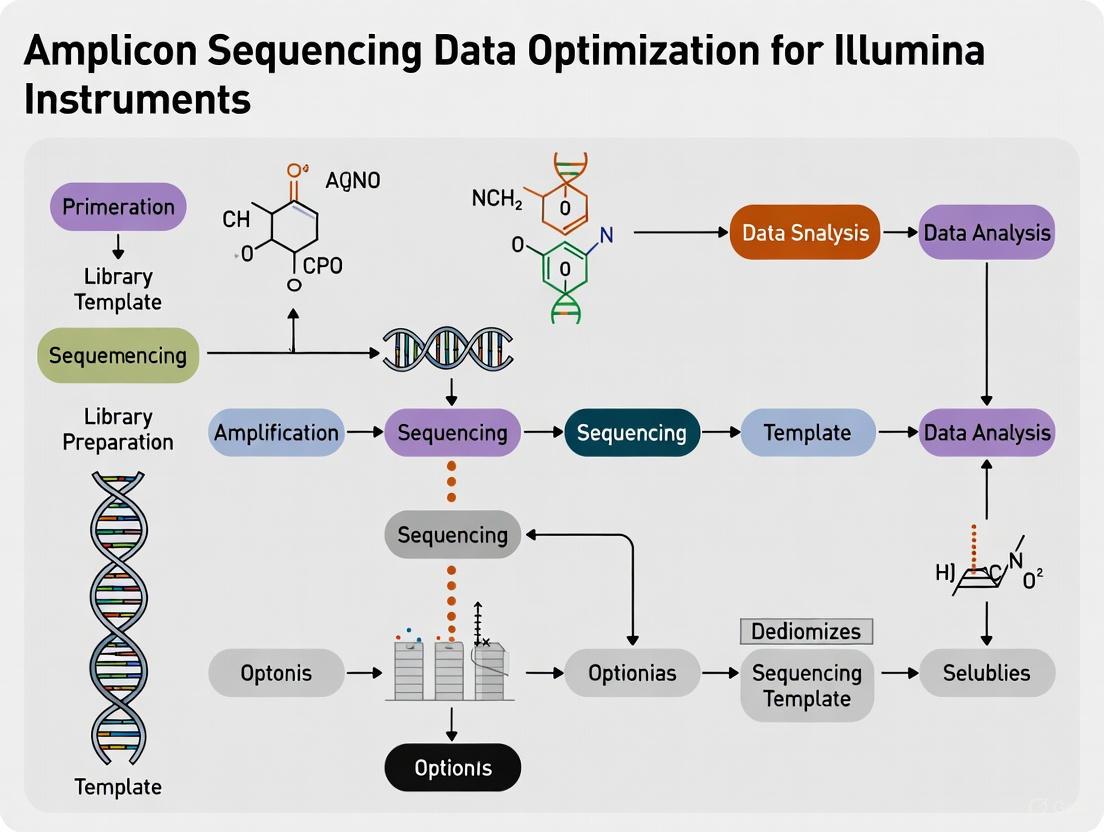
This guide provides a comprehensive roadmap for researchers and drug development professionals to optimize amplicon sequencing data on Illumina instruments.
A Practical Guide to Optimizing Amplicon Sequencing Data on Illumina Platforms
Abstract
This guide provides a comprehensive roadmap for researchers and drug development professionals to optimize amplicon sequencing data on Illumina instruments. Covering the entire workflow from foundational principles to advanced troubleshooting, it explores the targeted approach of amplicon sequencing for analyzing genetic variation in specific genomic regions. The article delivers actionable methodologies for library preparation, data analysis using modern pipelines like QIIME2 and DADA2, and solutions for common issues such as elevated PhiX alignment. Furthermore, it offers a comparative analysis of data processing algorithms and validation techniques to ensure high-quality, reproducible results for biomedical and clinical research applications.
Understanding Amplicon Sequencing: Principles, Advantages, and Illumina Ecosystem
What is Amplicon Sequencing? A Definition of the Highly Targeted Approach
Amplicon sequencing is a highly targeted next-generation sequencing (NGS) approach that enables researchers to analyze genetic variation in specific genomic regions by performing ultra-deep sequencing of PCR products (amplicons). This method uses oligonucleotide probes designed to target and capture regions of interest, followed by next-generation sequencing to efficiently identify and characterize variants [1] [2].
This technique supports a wide range of research applications, from discovering rare somatic mutations in complex samples like tumors to sequencing bacterial 16S rRNA genes for phylogeny and taxonomy studies in diverse metagenomics samples [1]. The approach is particularly valued for its ability to deliver highly targeted resequencing even in difficult-to-sequence areas such as GC-rich regions [1] [3].
Advantages of Amplicon Sequencing
Amplicon sequencing offers several distinct benefits that make it a preferred method for targeted genetic analysis:
- Cost and Time Efficiency: Significantly reduces sequencing costs and turnaround time compared to broader approaches like whole-genome sequencing [1] [4] [3]
- High Multiplexing Capability: Supports multiplexing of hundreds to thousands of amplicons per reaction to achieve high coverage [1] [4]
- Targeted Precision: Enables efficient discovery, validation, and screening of genetic variants with a highly focused approach [1] [4]
- Low Input Requirements: Requires minimal DNA input while providing higher on-target rates compared to hybridization capture methods [4]
- Application Flexibility: Amenable to a wide range of experimental designs, including allelic variant identification, structural variant analysis, and marker gene sequencing [4]
Amplicon Sequencing Workflow
The amplicon sequencing process follows a structured pathway from initial primer design to final data analysis. The diagram below illustrates this comprehensive workflow:
Primer Design
Effective primer design is critical for successful amplicon sequencing. Key parameters must be carefully optimized [5]:
- Melting Temperature (Tm): Ideal primer Tm values range from 55°C to 65°C, with a maximum difference of 5°C between forward and reverse primers
- GC Content: Should be between 40% and 60% to balance primer stability while minimizing secondary structure formation
- Specificity: Primers must be designed to avoid primer-dimer formation and 3'-end complementarity, which can cause nonspecific amplification
Commonly used tools include Primer3 for automated primer generation and BLAST for evaluating primer specificity by identifying potential off-target hybridization [5].
PCR Amplification
The PCR amplification process creates the amplicons through optimized thermal cycling conditions [5]:
- Denaturation: Conducted at 94-98°C for 15-30 seconds to separate double-stranded DNA
- Annealing: Performed at 50-65°C for 20-40 seconds for primer binding
- Extension: At 72°C with extension times typically set at 1 minute per kilobase of target DNA
High-fidelity polymerases like Phusion or Q5 are preferred for NGS library construction due to their proofreading activity, which minimizes errors during amplification [5].
Library Preparation
Library preparation involves purifying the amplicons and preparing them for sequencing [5]:
- Purification: Magnetic bead-based methods (e.g., SPRI beads) are preferred for their high recovery rates and excellent removal of impurities
- Adapter Ligation: Specific adapters containing sequencing primer binding sites are attached to both ends of purified amplicons
- Indexing: Unique Dual Indexing (UDI) strategies minimize index-hopping artifacts and allow precise sample identification
Sequencing Platforms
Amplicon sequencing can be performed on various platforms, each with distinct advantages [5]:
- Illumina: Provides short-read, high-accuracy sequencing with exceptional coverage depth, ideal for detecting low-frequency mutations
- Nanopore Technologies: Enables long-read sequencing, capable of reading thousands of bases in a single pass, better for detecting large structural variants
Research Reagent Solutions
The following table outlines essential reagents and their functions in amplicon sequencing workflows:
| Reagent Type | Examples | Function | Applications |
|---|---|---|---|
| Library Prep Kits | AmpliSeq for Illumina, Illumina DNA Prep, Nextera XT DNA Library Prep Kit [1] | Prepare sequencing libraries from DNA samples | Targeted resequencing, small genome sequencing |
| Custom Panels | DesignStudio Custom Assay Designer, xGen SARS-CoV-2 Amplicon Panels [1] [4] | Target specific genomic regions of interest | Cancer research, pathogen identification |
| Enzymes | High-fidelity polymerases (Q5, Phusion) [5] | Amplify target regions with minimal errors | PCR amplification for NGS library construction |
| Purification Systems | Magnetic bead-based purification (SPRI beads) [5] | Remove contaminants and purify amplicons | Post-PCR cleanup, size selection |
| Quality Control Tools | Bioanalyzer, Fragment Analyzer [6] | Assess library quality and fragment size | Pre-sequencing QC |
Performance Metrics for Amplicon Sequencing
The table below summarizes key performance metrics for amplicon sequencing on different Illumina platforms:
| Platform | Read Configuration | Q30 Score | Data Yield | Typical Applications |
|---|---|---|---|---|
| NovaSeq | 2x150bp | ≥85% of bases ≥Q30 [7] | Within 10% of total data target [7] | Large-scale studies, high-throughput screening |
| NovaSeq | 2x250bp | ≥80% of bases ≥Q30 [7] | Within 10% of total data target [7] | Applications requiring longer read lengths |
| MiSeq | 2x150bp | ≥80% of bases ≥Q30 [7] | Within 10% of total data target [7] | Small-scale targeted sequencing |
| MiSeq | 2x250bp | ≥75% of bases ≥Q30 [7] | Within 10% of total data target [7] | Medium-throughput microbial studies |
Troubleshooting Common Issues
FAQ: Addressing Amplicon Sequencing Challenges
1. How can I prevent adapter dimer formation in my libraries? Adapter dimers can form during library preparation and reduce sequencing efficiency. To prevent this, carefully optimize adapter concentration and use magnetic bead-based purification with appropriate size selection to remove dimer contaminants before sequencing. Regularly perform quality control using tools like the Bioanalyzer or Fragment Analyzer to detect adapter dimers early [6].
2. What causes low cluster density on MiSeq runs, and how can I avoid it? Low cluster density on MiSeq instruments can result from inadequate library quantification, improper normalization, or suboptimal library quality. Follow best practices for library quantification using fluorometric methods and ensure proper normalization of library concentrations before loading. Verify the quality and quantity of your libraries at each preparation step [8].
3. How can I improve sequencing performance in GC-rich regions? Amplicon sequencing is particularly effective for GC-rich regions compared to other NGS methods. However, for extremely challenging regions, consider optimizing PCR conditions with specialized buffers designed for high GC content, increasing denaturation time, or using polymerases specifically formulated for GC-rich templates [1] [5].
4. What are the common causes of low-quality scores in Read 2 of MiSeq runs? Decreased quality in Read 2 on MiSeq instruments can occur as the run progresses. This can be addressed by ensuring proper instrument maintenance, following recommended cleaning procedures, and using fresh, properly stored sequencing reagents. Monitor instrument performance metrics regularly to identify declining quality early [8].
5. How can I minimize amplification bias in amplicon sequencing? Amplification bias can be reduced by optimizing primer design to avoid secondary structures, using high-fidelity polymerases, and employing multiplexed primer pool designs as demonstrated in the ARTIC Network's SARS-CoV-2 sequencing protocol. Dividing primers into multiple pools targeting different genome regions reduces primer-primer interactions and improves amplification uniformity [5].
Data Analysis Pipeline
The DRAGEN Amplicon Pipeline provides a specialized solution for processing amplicon sequencing data on Illumina instruments. This pipeline includes unique features for amplicon data [2]:
- Primer Soft-Clipping: After mapping and alignment, the pipeline soft-clips primer sequences to ensure they do not contribute to variant calls
- Amplicon Tagging: Each alignment is tagged with the target amplicon information for downstream analysis
- Duplicate Handling: The pipeline turns off duplicate marking since amplicon assays naturally produce fragments with limited start and end positions
For microbial community analysis, tools like MetaAmp provide user-friendly pipelines that process 16S rRNA gene amplicon data through quality control, read merging, chimera removal, OTU clustering, and taxonomic classification using databases such as SILVA [9].
Applications in Research
Amplicon sequencing supports diverse research applications across multiple fields [1] [4] [3]:
- Cancer Research: Identifying somatic mutations in tumor genes and profiling genetic alterations
- Infectious Disease: Pathogen tracking, variant identification, and antimicrobial resistance detection
- Microbiome Studies: 16S rRNA sequencing for bacterial identification and community analysis
- Genetic Disorders: Carrier screening and detection of inherited disease mutations
- Agrigenomics: Animal breeding optimization and crop improvement through genotype-by-sequencing
- CRISPR Validation: Confirming gene editing efficiency and identifying off-target effects
The highly targeted nature of amplicon sequencing makes it particularly valuable for research requiring cost-effective, rapid, and precise analysis of specific genomic regions, from single genes to hundreds of targets simultaneously.
Troubleshooting Guide & FAQs
This technical support resource addresses common challenges in amplicon sequencing on Illumina platforms, providing targeted solutions to optimize data quality and workflow efficiency.
Frequently Asked Questions
What are the primary advantages of using amplicon sequencing over other NGS methods? Amplicon sequencing is a highly targeted approach that offers significant cost savings and faster turnaround times compared to broader methods like whole-genome sequencing. Its ultra-deep sequencing capability makes it exceptionally useful for discovering rare somatic mutations in complex samples (e.g., tumors) and for phylogenetic studies, such as bacterial 16S rRNA analysis across multiple species [10].
How can I improve low-quality sequencing data from amplicon runs? Low-quality data can stem from several sources. First, optimize your first-round PCR to avoid primer-dimer generation, which can consume sequencing output [11]. Second, ensure sufficient sequence diversity in your library. Amplicon libraries have low nucleotide diversity, which can impair base calling. For single-amplicon targets, you can add short, variable "diversity spacers" between the overhang and the locus-specific sequence in your primers to increase base diversity and improve sequencing accuracy [11].
My amplicon balance is uneven, leading to poor coverage. How can I fix this? Uneven amplicon coverage is often related to primer performance. Research into SARS-CoV-2 sequencing demonstrated that simply using tailed primers in a standard two-pool setup resulted in poor amplicon balance. However, splitting the primers into four optimized pools based on initial performance tests significantly improved balance and achieved coverage metrics comparable to established protocols [12]. This principle of optimizing primer pooling strategies can be applied to other amplicon sequencing projects.
What controls are essential for a trustworthy amplicon sequencing experiment? Implementing a comprehensive set of controls is critical for data confidence, especially to identify contamination and false positives [13].
- Negative Controls: Include both sampling blanks (to control for field contamination) and no-template controls (NTCs) in your PCR reactions. A practical threshold for a positive call in a sample is often set at three standard deviations above the mean aligned read count for that amplicon in the NTCs [13].
- Inhibition Control: Test for PCR inhibitors present in your sample matrix (e.g., soil, wastewater) by using internal amplification controls or dilution curves. This helps prevent false negatives [13].
- Positive Controls: Use synthetic controls with unique barcodes to verify primer performance and the overall workflow [13].
Which bioinformatics pipeline is recommended for fast and accurate amplicon analysis? Several pipelines are available, with trade-offs in speed, accuracy, and usability. The LotuS2 pipeline is noted for being ultrafast and highly accurate. In benchmarks, it was on average 29 times faster than other pipelines while better reproducing the diversity of technical replicates. It also recovered a higher fraction of correctly identified taxa in mock communities [14]. Illumina also offers integrated solutions like the DRAGEN Amplicon Pipeline and BaseSpace Apps for a streamlined, supported experience [10] [2].
Common Issues and Solutions
The table below summarizes specific problems and evidence-based solutions from the literature and technical documentation.
| Problem | Possible Cause | Recommended Solution | Reference |
|---|---|---|---|
| Adapter Dimers | Library prep issues, inefficient size selection | Clean up PCR reactions with SPRI beads (e.g., Ampure XP); optimize PCR cycle number to minimize byproducts. | [6] [11] |
| Low Sequence Diversity | Homogeneous sequence starts (single amplicon) | Use pooled primers with staggered "diversity spacers" (e.g., 0-7 random bases) between overhang and target sequence. | [11] |
| Uneven Amplicon Coverage | Suboptimal primer concentrations or pooling | Re-balance primer concentrations or split primers into multiple, optimized PCR pools. | [12] |
| False Positive Variants | Contamination, index hopping | Use uniquely dual-indexed (UDI) adapters; include robust negative controls (NTCs, sampling blanks). | [11] [13] |
| False Negative Results | PCR inhibition from sample matrix | Implement inhibition controls (e.g., internal amplification controls, dilution curves). | [13] |
| High PhiX Alignment Rates | Low library diversity | Spike-in PhiX is often required for low-diversity amplicon libraries; ensure adequate sequence diversity. | [6] [15] |
Experimental Protocol: Two-Step PCR for Multiplexed Amplicon Sequencing
This detailed methodology, adapted from an Illumina protocol, allows for flexible and cost-effective library construction without custom sequencing primers [11].
Overview: This protocol involves a first PCR to amplify the target loci and add universal adapter overhangs, followed by a second PCR to attach full Illumina adapter indices, creating sequencing-ready libraries.
Detailed Methodology:
First-Round PCR (Target Amplification)
- Primer Design: Design locus-specific forward and reverse primers with universal overhangs appended to their 5' ends.
- Forward Overhang (P5-tag):
5ʼ TCGTCGGCAGCGTCAGATGTGTATAAGAGACAG-[locus-specific sequence] 3ʼ - Reverse Overhang (P7-tag):
5ʼ GTCTCGTGGGCTCGGAGATGTGTATAAGAGACAG-[locus-specific sequence] 3ʼ
- Forward Overhang (P5-tag):
- Quality Control: Analyze primer sequences using a tool like the IDT Oligo Analyzer to avoid sequences with significant secondary structures (e.g., Delta G < -9) [11].
- PCR Optimization: Perform the PCR reaction with optimized conditions to minimize primer-dimer formation. The number of cycles should be determined empirically to provide sufficient product while reducing amplification artifacts [11].
- Primer Design: Design locus-specific forward and reverse primers with universal overhangs appended to their 5' ends.
PCR Clean-up
- Purify the first-round PCR products using SPRI beads (e.g., Ampure XP) to remove primers, enzymes, and salts. Elute the cleaned DNA in EB buffer or nuclease-free water [11].
Second-Round PCR (Indexing)
- Primers: Use low-cost, desalted oligonucleotides for the index primers. The sequences for the i5 and i7 indices are publicly available, allowing for combinatorial indexing of hundreds of samples [11].
- P5-PCR Index Primer:
5ʼ AATGATACGGCGACCACCGAGATCTACAC[i5]TCGTCGGCAGCGTC 3ʼ - P7-PCR Index Primer:
5ʼ CAAGCAGAAGACGGCATACGAGAT[i7]GTCTCGTGGGCTCGG 3ʼ
- P5-PCR Index Primer:
- Reaction: Use the cleaned-up first PCR product as the template. A typical concentration for the index primers in this reaction is 0.5 µM each [11].
- Primers: Use low-cost, desalted oligonucleotides for the index primers. The sequences for the i5 and i7 indices are publicly available, allowing for combinatorial indexing of hundreds of samples [11].
Library Pooling and Quantification
- Verify the final indexing PCR products on an agarose gel to ensure they are clean and of the expected size.
- Quantify the libraries fluorometrically (e.g., with Qubit) and pool them equimolarly for sequencing [11].
The Scientist's Toolkit: Research Reagent Solutions
| Item | Function | Example / Note |
|---|---|---|
| AmpliSeq for Illumina Panels | Ready-to-use and custom panels for targeted resequencing. | Provides simple, flexible targeted sequencing with high-quality data. [10] |
| Illumina DNA Prep | A fast, integrated library prep workflow for various applications, including amplicons. | Suitable for a range of inputs and applications. [10] |
| Nextera XT DNA Library Prep Kit | Rapid library preparation for small genomes and amplicons. | Prepares libraries in under 90 minutes. [10] |
| SPRI Beads | Magnetic beads for size-selective purification and clean-up of PCR reactions. | Critical for removing primer dimers and short fragments (e.g., Ampure XP). [11] |
| High-Fidelity Polymerase | PCR enzyme with high accuracy for amplification. | Essential for minimizing amplification errors during library construction. [13] |
| Uniquely Dual-Indexed (UDI) Adapters | Molecular barcodes for sample multiplexing. | Uniquely labels each sample to prevent index hopping and allow for high-level multiplexing. [11] |
| PhiX Control v3 | Sequencing quality control. | Spiked into low-diversity libraries like amplicons to improve cluster detection and base calling. [15] |
| DRAGEN Bio-IT Platform | Secondary analysis for NGS data. | The DRAGEN Amplicon Pipeline soft-clips primer sequences to prevent them from contributing to variant calls. [2] |
Amplicon sequencing is a highly targeted next-generation sequencing (NGS) approach that enables researchers to analyze genetic variation in specific genomic regions. This method involves the ultra-deep sequencing of PCR products (amplicons) to facilitate efficient variant identification and characterization [1]. The technique uses oligonucleotide probes designed to target and capture regions of interest, making it particularly valuable for discovering rare somatic mutations in complex samples and for microbial studies such as 16S rRNA sequencing [1] [16].
The integrated Illumina workflow simplifies the entire process, from library preparation to data analysis and biological interpretation, offering researchers a streamlined path from experimental design to actionable results [1].
Workflow Diagram
Troubleshooting Guides
Common Instrument Errors and Solutions
| Error Type | Possible Causes | Recommended Solutions | Citation |
|---|---|---|---|
| Cycle 1 Imaging Errors (Best focus not found; No usable signal) | - Expired reagents- Library quality issues- Over/under clustering- Poor primer hybridization | - Check reagent expiration dates- Verify library quality/quantification- Perform system check- Use 20% PhiX spike-in | [17] |
| Mid-Run Focus Errors (Best focus errors after cycle 1) | - Custom primer issues- Incorrect run setup- Temperature control issues | - Confirm custom primer compatibility- Verify run cycle compatibility- Ensure proper primer well placement | [18] |
| Low Cluster Density | - Library quantification errors- Poor NaOH quality (pH <12.5)- Contaminated wash tray | - Use fresh NaOH dilution (pH >12.5)- Follow recommended quantification methods- Check wash tray for contamination | [17] |
Library Preparation Troubleshooting
| Problem Area | Potential Issue | Resolution | Citation |
|---|---|---|---|
| PCR Amplification | Primer-dimer formationLow yield | Optimize PCR conditionsCheck oligo secondary structures (ΔG > -9) | [11] |
| Primer Design | Incompatible primersLow sequence diversity | Verify Illumina platform compatibilityAdd diversity spacers (for single amplicons) | [11] |
| Sample Pooling | Uneven coveragePoor data quality | Use fluorometry for quantification (Qubit) |
[11] |
Frequently Asked Questions (FAQs)
Workflow and Protocol Questions
Q: What are the key steps in the Illumina amplicon sequencing workflow? A: The integrated workflow consists of three main stages: (1) Content Selection and Library Prep using tools like DesignStudio Assay Designer and kits such as AmpliSeq for Illumina; (2) Sequencing on benchtop systems like MiSeq i100 Series; and (3) Data Analysis using BaseSpace Sequence Hub with specialized apps like the DNA Amplicon App and BaseSpace Variant Interpreter [1].
Q: What is the typical timeframe for completing an amplicon sequencing run? A: Library preparation can be completed in 5-7.5 hours, with sequencing requiring an additional 17-32 hours, making same-day results feasible with supported workflows [1].
Q: How should I prepare samples for multiplexed amplicon sequencing? A: Follow these key steps:
- Use a two-step PCR protocol with sequence-specific primers containing universal overhangs
- Employ dual indexing with combinatorial barcoding for multiplexing hundreds of samples
- Clean up PCR reactions with SPRI beads (e.g., Ampure XP)
- Verify fragment size via agarose gel electrophoresis
- Quantify via fluorometry (e.g., Qubit) and pool equimolarly [11]
Optimization Questions
Q: How can I improve sequencing accuracy for amplicon projects? A: For single amplicon targets, incorporate diversity spacers by adding 1-7 random bases between the overhang and locus-specific sequence in your primers. This increases base diversity at sequencing start sites, resulting in higher accuracy data. Pool multiple staggered primers equimolarly for best results [11].
Q: What are the advantages of amplicon sequencing compared to whole genome sequencing? A: Amplicon sequencing offers several key benefits:
- Cost-effectiveness: Lower sequencing costs and data storage requirements
- Higher sensitivity: PCR amplification enables detection of rare variants
- Simplified workflow: Less input DNA required and faster processing
- Targeted analysis: Focuses only on regions of interest, reducing irrelevant data [1] [16] [3]
Q: What should I do if my MiSeq run fails with cycle 1 errors? A: Follow this systematic approach:
- Perform system checks including motion tests, prime reagent lines, and thermal tests
- Inspect reagents for expiration dates and proper storage
- Verify library quality using Illumina-recommended quantification methods
- Check custom primer compatibility and placement in correct cartridge wells
- Use fresh NaOH with pH >12.5
- Repeat with 20% PhiX spike-in as a positive control [17]
Research Reagent Solutions
Essential Workflow Components
| Reagent Type | Specific Products | Function | Application Notes | |
|---|---|---|---|---|
| Library Prep Kits | AmpliSeq for IlluminaNextera XTIllumina DNA Prep | Target amplificationand library preparation | AmpliSeq: Custom panelsNextera XT: <90 min prepDNA Prep: Flexible applications | [1] |
| Targeted Panels | TruSight Tumor 15Custom AmpliSeq Panels | Focused gene contentfor specific applications | TruSight: 15 cancer genesCustom: User-defined targets | [1] |
| Sequencing Systems | MiSeq i100 SeriesiSeq 100 SystemMiniSeq System | Benchtop sequencingwith varied throughput | MiSeq i100: Fastest run timesiSeq 100: Most affordable option | [1] |
| Analysis Tools | BaseSpace Sequence HubDNA Amplicon App16S Metagenomics App | Data analysisand variant interpretation | DNA Amplicon: General analysis16S App: Microbial taxonomy | [1] |
Experimental Protocol: Two-Step PCR Amplicon Sequencing
For optimal results with multiplexed amplicon sequencing, follow this detailed protocol:
Step 1: First-Round PCR (Target Amplification)
- Design locus-specific primers with overhangs:
- Forward overhang: 5' TCGTCGGCAGCGTCAGATGTGTATAAGAGACAG-[locus-specific sequence] 3'
- Reverse overhang: 5' GTCTCGTGGGCTCGGAGATGTGTATAAGAGACAG-[locus-specific sequence] 3'
- Check all oligo sequences using IDT oligo analyzer to avoid secondary structures (avoid ΔG < -9)
- Optimize PCR conditions to minimize primer-dimer formation
- Clean up reactions with SPRI beads and resuspend in EB buffer [11]
Step 2: Second-Round PCR (Indexing)
- Use Nextera-style index primers:
- P5-PCR index primer: 5' AATGATACGGCGACCACCGAGATCTACAC[i5]TCGTCGGCAGCGTC 3'
- P7-PCR index primer: 5' CAAGCAGAAGACGGCATACGAGAT[i7]GTCTCGTGGGCTCGG 3'
- Use low-cost desalted oligos at 0.5 μM concentration each
- Prepare single-reaction aliquots of index primers to prevent cross-contamination [11]
Step 3: Pooling and Quality Control
- Verify PCR products via agarose gel electrophoresis for expected fragment sizes
- Quantify via fluorometry (Qubit) for accurate concentration measurement
- Pool samples equimolarly for balanced representation [11]
This protocol supports combinatorial indexing of up to 468 samples using available i7 (26) and i5 (18) index sequences, making it suitable for large-scale studies [11].
Next-generation sequencing (NGS) on Illumina platforms enables a wide array of targeted research applications. Each application—from microbial profiling to rare variant discovery—has unique experimental considerations and potential technical challenges. This technical support center provides targeted troubleshooting guides and FAQs to help you optimize your amplicon sequencing data, ensuring you achieve the most accurate and reliable results for your specific research goals.
The table below summarizes the primary applications, their common challenges, and the key metrics used to assess data quality in your experiments.
| Application | Primary Research Goal | Common Technical Challenges | Key Quality Metrics |
|---|---|---|---|
| 16S rRNA Sequencing | Profiling microbial community composition and diversity [1]. | Low targeted read percentage due to host/bacterial DNA; dataset contamination; sequencing and processing artifacts obscuring true diversity [19] [20]. | Percentage of on-target reads; alpha and beta diversity measures. |
| Viral Whole-Genome Sequencing (WGS) | Generating consensus genomes for viral pathogens [21]. | Low viral read abundance in clinical or environmental samples; missing genomic segments in report; divergence from reference sequences [22]. | Percentage of viral reads; number of detected amplicons/segments; % callable bases. |
| Cancer Gene Panels | Identifying somatic mutations in cancer-related genes [23]. | False-positive variant calls from sequencing artifacts (e.g., T>G substitutions); inflated tumor mutational burden (TMB) [23]. | Variant Allele Fraction (VAF); Tumor Mutational Burden (TMB). |
| Rare Variant Discovery | Identifying rare genetic variants associated with disease [24]. | Fragmented analysis tools; high variant curation burden; difficulty scaling services [24]. | Precision of variant calling (e.g., SNVs, CNVs, SVs). |
Frequently Asked Questions & Troubleshooting Guides
16S rRNA Sequencing
Q: The majority of my reads are removed in preprocessing as off-target reads. Is the amplicon panel working?
A: This is a common observation, especially with complex samples like those from clinical, wastewater, or environmental sources. Viral or bacterial DNA often constitutes only a tiny fraction of the total nucleic acids, which is dominated by host DNA or other non-target microbes. A low percentage of on-target reads can still represent a dramatic enrichment over what would be obtained without targeted sequencing [19]. Focus on whether the resulting profile is sufficient to answer your biological question.
Q: How can I ensure my Illumina-based 16S sequencing accurately reflects true microbial diversity?
A: Moving from older technologies like 454 pyrosequencing to Illumina requires careful data processing. A recommended analysis pipeline includes:
- Read Merging: Combine paired-end reads to create longer, higher-quality contigs [20].
- Contaminant Filtering: Be aware of low levels of dataset contamination that can affect highly sensitive analyses [20].
- OTU Clustering: Use a combination of reference-based clustering followed by de novo OTU clustering to prevent biases that can obscure certain taxa [20].
Viral Whole-Genome Sequencing (WGS)
Q: I don't see the virus I'm interested in listed in the reported microorganism summary. Does that mean it is not present?
A: Not necessarily. The absence could be due to:
- Low Abundance: The virus is present but has too few reads for the app to generate a consensus sequence. Using broader characterization tools like DRAGEN Metagenomics can help [22].
- Sequence Divergence: The virus in your sample is too genetically different from the reference sequences used by the analysis app. We recommend downloading the contig FASTA file from the report and submitting it to NCBI BLAST. If a match is found, you can provide that sequence as a custom reference genome in a subsequent analysis [19].
Q: For my Influenza sample, why does the "Detected Amplicons" column show 7 out of 8 segments, and what can I do?
A: If the assembler lacks sufficient data, it may not generate a contig for every segment. Shorter segments are more likely to be missed. Chimeric reads formed during library prep can also lead to chimeric contigs that cause an entire segment to be missed.
- Workaround: Filter chimeric reads from your FASTQ files before running the analysis app.
- Alternative Solution: Force the app to use all 8 segments by providing a custom reference FASTA file with all segment sequences and a corresponding custom BED file where the
genomeNamecolumn is set to the same value (e.g., "Influenza A"). This bypasses the assembly step [22].
Q: What is the difference between "Detected Amplicons" and "% Callable Bases"?
A: Both are quality metrics, but they measure different things:
- Detected Amplicons: The number of amplicons detected over the total number expected for that genome. This percentage is used to infer if the sample is of sufficient quality for variant calling and to filter out low-titer samples [19].
- % Callable Bases: The percentage of the selected reference genome where the read coverage depth meets or exceeds the minimum threshold (e.g., 10x) for consensus sequence generation. This is computed independently of amplicon coordinates [19].
Cancer Gene Panels
Q: I am observing an enrichment of low-VAF T>G substitutions in my targeted panel data. What is the cause?
A: This is a known systematic artifact associated with Illumina's two-color sequencing chemistry (used in NovaSeq and NextSeq platforms) [23]. In this chemistry, the base 'G' is interpreted by the absence of both fluorescent signals. Sporadic signal dropout can lead to the systematic overcalling of G bases, resulting in recurrent T>G artifacts at low variant allele fractions (VAFs), predominantly in specific trinucleotide contexts (NTG/NTT) [23].
Q: What is the impact of these T>G artifacts, and how can I mitigate them?
A: These artifacts can have direct clinical implications:
- False Positive Pathogenic Variants: They can generate spurious variants in key cancer genes like TP53 and KIT, mimicking clinically actionable mutations [23].
- Inflated Tumor Mutational Burden (TMB): These artifacts can increase the TMB estimate, potentially pushing it over the 10 mut/Mb threshold used for immunotherapy eligibility, which could alter patient management [23].
- Mitigation Strategy: Be aware that assays sequenced on two-color platforms are susceptible. When interpreting low-VAF T>G mutations, especially in an NTG/NTT context, exercise caution and consider platform-specific filtering.
Rare Variant Discovery
Q: What is the advantage of Whole Genome Sequencing (WGS) over Whole Exome Sequencing (WES) for rare variant discovery?
A: WGS provides a more complete picture of genetic variation. A large-scale study demonstrated that WGS captures nearly 90% of the genetic signal for complex traits, while WES explained only about 17.5% of the total genetic variance [25]. WGS is superior for detecting impactful variants in non-coding regions and recovering rare variant associations, offering researchers better insights for identifying disease mechanisms and drug targets [25].
Q: How can I streamline my rare variant analysis and interpretation workflow?
A: Fragmented tools can be a major bottleneck. An integrated solution like Emedgene with DRAGEN secondary analysis consolidates variant calling, prioritization, and reporting into a single workflow [24]. This approach leverages Explainable AI (XAI) to automatically and transparently prioritize putative causative variants, which can reduce total workflow time per subject by 50-75% [24].
Experimental Workflows
The following diagram illustrates the general optimized workflow for amplicon sequencing data generation and analysis on Illumina platforms, incorporating key quality control steps.
Research Reagent Solutions
The table below lists key reagents and tools for setting up optimized amplicon sequencing workflows on Illumina instruments.
| Item | Function/Application | Example Products |
|---|---|---|
| Assay Design Tool | Web-based custom assay design for optimal probe selection. | DesignStudio Assay Design Tool [1] |
| Targeted Panels | Ready-to-use and custom panels for targeted resequencing. | AmpliSeq for Illumina Panels [1] |
| Library Prep Kits | Preparation of sequencing libraries from various inputs. | Illumina DNA Prep, Nextera XT DNA Library Prep Kit [1] |
| Sequencing Systems | Benchtop sequencers for targeted sequencing applications. | MiSeq i100 Series, iSeq 100 System, MiniSeq System [1] |
| Analysis Software & Apps | Data analysis, management, and biological interpretation. | DRAGEN Secondary Analysis, BaseSpace Sequence Hub (e.g., DNA Amplicon App, 16S Metagenomics App), Emedgene [21] [1] [24] |
Troubleshooting FAQs for Illumina Benchtop Sequencers
What should I do if my MiSeq run fails with a "cycle 1" or "best focus" error?
These errors indicate the instrument cannot find sufficient focus due to cluster intensity issues, which can stem from the library, reagents, or the instrument itself [17] [18].
Troubleshooting Steps:
- Initial Instrument Check: Perform a full system check on the instrument to verify fluidics, temperature, and motion systems. This includes all motion tests, priming reagent lines, and thermal tests [17] [18].
- Inspect Reagents and Library:
- Check reagent kits for expiration dates and ensure proper storage [17] [18].
- Verify that your library design is compatible with Illumina platforms and that you have checked its quality and quantification using recommended methods [17] [18].
- If using custom primers, confirm they are compatible with the MiSeq and are added to the correct cartridge wells [17] [18].
- Confirm a fresh dilution of NaOH with a pH above 12.5 was used [17].
- Follow-up Run: If no issues are found, repeat the run with a 20% PhiX control spike-in. This acts as a positive control. If the error recurs, contact Illumina Technical Support [17].
How can I resolve a stalled or frozen run on my MiSeq i100 Series?
A stalled run can result from software, connectivity, or fluidics issues [26].
Troubleshooting Steps:
- Check the User Interface: For a slow or unresponsive touch screen, a simple restart may resolve the issue [26].
- Review Pre-Run Checks: Pay close attention to errors that occur at specific stages, such as fluidics pre-run check failures at 88% or cloud connectivity issues, which can prevent a run from starting or continuing [26].
- Verify External Storage: Ensure there is sufficient space on the external storage device and that the instrument can connect to it properly [26].
My MiSeq run is taking much longer than expected. What could be the cause?
Extended run times can be related to the instrument, the sequencing kit, or the set-up [8].
Troubleshooting Steps:
- Confirm Kit Compatibility: Ensure the total number of cycles selected for the run does not exceed what is supported by the reagent kit [18].
- Check for Fluidics Issues: A stalled flow rate check can significantly delay a run. Performing a system check can help identify underlying fluidics problems [8].
- Investigate Wash Cycles: If the issue is specific to post-run washes taking extended time, this may point to a different subset of fluidics or valve concerns [8].
Troubleshooting Guide for Common Issues
The table below summarizes frequent problems across MiSeq platforms and their solutions.
| Instrument | Problem Area | Specific Error/Symptom | Recommended Solution |
|---|---|---|---|
| MiSeq | Focus & Imaging | "Best focus not found", "No usable signal" [17] [18] | Perform system check; verify library quality/quantification; use fresh NaOH; spike-in 20% PhiX [17] [18]. |
| MiSeq | Run Setup & Files | "Sample Sheet will not Load", "Valid index kit must be provided" [8] | Check sample sheet formatting and ensure compatibility between the selected library prep kit and index kit [8]. |
| MiSeq | Fluidics & Hardware | "Reagent Valve errors", "Lane Pump Errors", "Cavro Pump Error" [8] | Perform a system check; if errors persist, contact Illumina Technical Support [8]. |
| MiSeq i100 Series | Software & Connectivity | "Stalled Cloud Login Screen", "Cloud Connectivity Pre Run Check Errors" [26] | Check network configuration and ensure the instrument is connected to the internet [26]. |
| MiSeq i100 Series | Hardware & Storage | "Touch Screen Not Responding", "Insufficient Space on External Storage" [26] | Restart the instrument; ensure external storage is connected and has sufficient free space [26]. |
| MiSeq i100 Series | Sequencing Run | "Clustering Failures", "Index Dropouts or No Reads" [26] | Review library quantification and normalization; ensure proper clustering chemistry [26]. |
Optimizing Your Amplicon Sequencing Workflow
Amplicon sequencing is a highly targeted method for analyzing genetic variation in specific regions. An optimized workflow is crucial for generating high-quality data [1]. The following diagram illustrates the key stages and decision points in an amplicon sequencing workflow, from initial design to data analysis.
Detailed Methodologies for Key Workflow Steps
1. Assay Design and Library Preparation (Two-Step PCR Protocol)
This protocol uses universal overhangs, allowing for flexibility and reagent re-use [11].
- First-Round PCR:
- Primer Design: Design locus-specific primers with added universal overhangs.
- Forward Overhang (P5-tag):
5’ TCGTCGGCAGCGTCAGATGTGTATAAGAGACAG-[locus-specific sequence] - Reverse Overhang (P7-tag):
5’ GTCTCGTGGGCTCGGAGATGTGTATAAGAGACAG-[locus-specific sequence][11]
- Forward Overhang (P5-tag):
- Optimization: Check primers for secondary structures and optimize PCR conditions to avoid primer-dimer formation [11].
- Primer Design: Design locus-specific primers with added universal overhangs.
- Purification: Clean up the first-round PCR products using SPRI beads (e.g., Ampure XP) and resuspend in EB buffer [11].
- Second-Round PCR (Indexing):
2. Library Quality Control and Pooling
- Verification: Confirm the size, quality, and purity of the final PCR products via agarose gel electrophoresis [11].
- Quantification: Quantify the libraries using a fluorometric method (e.g., Qubit) for accuracy [11].
- Pooling: Combine libraries in an equimolar ratio based on their quantified concentrations to ensure balanced representation in the sequencing run [11].
3. Advanced Optimization: Diversity Spacers
For single-amplicon studies, low sequence diversity can lead to poor data quality. To overcome this, incorporate diversity spacers (a set of random or defined bases) between the overhang and the locus-specific sequence in the first-round PCR primers. Using a pool of primers with 0 to 7 spacer bases increases base diversity, resulting in higher sequencing accuracy [11].
Research Reagent Solutions for Amplicon Sequencing
The following table details key materials used in amplicon sequencing workflows.
| Item | Function / Application | Example Products / Components |
|---|---|---|
| Assay Design Tool | Web-based software for designing custom probes and assays for targeted regions. | DesignStudio Custom Assay Designer [1] |
| Library Prep Kits | Targeted, multiplexed PCR-based workflow for sequencing from a few to hundreds of genes. | AmpliSeq for Illumina Panels [1] |
| Library Prep Kits | Fast, integrated workflow for amplicons, plasmids, and microbial genomes. | Illumina DNA Prep [1] |
| Library Prep Kits | Rapid preparation for small genomes, amplicons, and plasmids. | Nextera XT DNA Library Prep Kit [1] [27] |
| Index Primers | Oligonucleotides containing i5 and i7 indices for multiplexing samples in a single run. | Illumina Nextera Index Kit or custom-ordered desalted oligos [11] |
| Sequencing Systems | Benchtop sequencers for targeted and amplicon sequencing. | iSeq 100, MiSeq Series, MiSeq i100 Series [1] |
| Control | Balanced control library spiked into runs to monitor sequencing performance and compensate for low diversity. | PhiX Control Kit [17] |
| Data Analysis Apps | Cloud and on-premises software for analyzing sequencing data. | BaseSpace Sequence Hub (DNA Amplicon App, 16S Metagenomics App), Local Run Manager [1] |
Best Practices for End-to-End Amplicon Workflow: From Library Prep to Data Analysis
The Illumina Microbial Amplicon Prep (IMAP) kit provides a flexible, multiplexed PCR-based workflow for targeted sequencing of viral, bacterial, and fungal targets [28]. Achieving optimal data on Illumina instruments requires careful attention to library preparation, from input quality to final pool quantification. This technical support center addresses common challenges and provides proven solutions to ensure your amplicon sequencing research generates high-quality, publication-ready data, directly supporting robust microbial research and drug development projects.
Troubleshooting Guides
Frequently Asked Questions (FAQs)
Q1: My final library yield is low after the IMAP protocol. What should I check?
Low library yield is often traced to sample input quality or purification efficiency.
- Primary Causes & Solutions:
- Input Quality/Contaminants: Residual salts, phenol, or EDTA can inhibit enzymatic reactions. Re-purify input samples and verify purity using spectrophotometric ratios (260/280 ~1.8, 260/230 >1.8) [29].
- Quantification Errors: UV absorbance (e.g., NanoDrop) can overestimate concentration. Use fluorometric methods (e.g., Qubit) for accurate nucleic acid quantification [29] [30].
- Overly Aggressive Purification: Incorrect bead-based clean-up ratios can cause sample loss. Precisely follow recommended bead-to-sample ratios and avoid over-drying beads [29].
Q2: I see a high percentage of adapter dimers in my BioAnalyzer trace. How can I reduce this?
A sharp peak around 70-90 bp indicates adapter-dimer formation.
- Primary Causes & Solutions:
- Suboptimal Adapter Ligation: An excessive adapter-to-insert molar ratio promotes dimer formation. Titrate adapter concentrations to find the optimal ratio for your target amplicon size [29].
- Inefficient Clean-up: Incomplete removal of free adapters after ligation. Optimize post-ligation clean-up parameters; consider a double-sided size selection to exclude small fragments effectively [29].
Q3: My sequencing data shows uneven coverage or dropouts in specific amplicons. What might be the cause?
This often indicates amplification bias during the amplicon PCR step.
- Primary Causes & Solutions:
- Primer Design: Poorly designed primers with secondary structures or suboptimal annealing temperatures. Use tools like PrimalScheme3 for primer design and validate primer performance [28].
- PCR Inhibition: Carryover contaminants from the sample can inhibit the polymerase. Ensure input nucleic acid is clean and use a high-fidelity, robust PCR master mix.
- Over-Cycling: Excessive PCR cycles can skew representation. Use the minimum number of PCR cycles necessary for adequate yield [29].
Troubleshooting Quantitative Data Table
The following table summarizes critical metrics, common issues, and verification methods for key stages of the IMAP workflow.
| Troubleshooting Metric | Acceptable Range / Ideal Result | Common Issue if Out of Range | Verification Method |
|---|---|---|---|
| Input DNA/RNA Quality | 260/280: ~1.8; 260/230: >1.8 [29] | Enzyme inhibition, low yield | Spectrophotometry (NanoDrop), BioAnalyzer |
| Input DNA/RNA Quantity | Varies by sample source [28] | Failed amplification, low complexity library | Fluorometry (Qubit) [30] |
| Final Library Concentration | Platform-dependent (e.g., ~nM for MiSeq) | Under-clustering or over-clustering on flow cell | Fluorometry, qPCR |
| Library Size Profile | Single, sharp peak at expected amplicon size | Adapter dimer peak (~70-90 bp), smear | BioAnalyzer / Fragment Analyzer [29] |
| Adapter Dimer Presence | Minimal or absent (<5% of total profile) | Reduced on-target reads, poor data yield | BioAnalyzer / Fragment Analyzer |
Diagnostic Workflow for Failed IMAP Runs
This logical flowchart provides a step-by-step guide to diagnose the root cause of a failed or suboptimal IMAP library preparation run.
Experimental Protocols & Methodologies
The Illumina Microbial Amplicon Prep protocol is designed for a 96-well plate format and accommodates different input types, as outlined in the official protocol [31]. The key stages are visualized below.
Key Research Reagent Solutions
Successful execution of the IMAP protocol relies on several essential reagents and components.
| Reagent / Component | Function / Description | Key Consideration |
|---|---|---|
| Illumina Microbial Amplicon Prep Kit | Core kit containing enzymes, buffers, and indexes for 48 samples [28]. | Does not include primer oligos; these must be sourced separately. |
| Custom or Published Primer Sets | Target-specific oligonucleotides for multiplex PCR amplification [28]. | Critical for success; design using PrimalScheme3 or use validated, published sets. |
| DNA/RNA Purification Kits | To isolate high-quality nucleic acid from diverse sources (swabs, wastewater, cultures) [28]. | Ensure elution is free of common inhibitors like phenol or salts. |
| Clean-up Beads (SPRI) | For size selection and purification of amplicons and final libraries. | Precise bead-to-sample ratio is vital to prevent fragment loss or adapter dimer carryover [29]. |
| Quantification Standards (e.g., Qubit dsDNA HS Assay) | For accurate fluorometric measurement of DNA concentration at multiple steps. | Preferable over spectrophotometric methods for selective dsDNA quantification [30]. |
Mastering the Illumina Microbial Amplicon Prep protocol is a cornerstone for reliable microbial genomics research. By adhering to best practices in input quality control, meticulous primer design, and optimization of amplification and clean-up steps, researchers can consistently generate high-quality data. This guide provides a foundational resource for troubleshooting common issues, thereby enhancing the robustness and reproducibility of amplicon sequencing studies on Illumina platforms.
Within the context of optimizing amplicon sequencing data on Illumina instruments, robust primer design is a critical foundational step. The quality of your primers directly influences the specificity of amplification, the diversity of your sequencing library, and the ultimate quality and reliability of your data. This technical support center addresses common challenges and provides detailed protocols for leveraging advanced tools and strategies, such as Illumina's DesignStudio and the use of diversity spacers, to achieve primer design excellence.
Frequently Asked Questions (FAQs)
1. What is the primary function of diversity spacers (stagger sequences) in amplicon sequencing?
Diversity spacers, or heterogeneity spacers, are sequences of nucleotides with varying lengths that are added before a low-diversity region, such as the priming site. Their primary function is to introduce nucleotide diversity by offsetting the start position of sequencing reads. This offsets the reads, ensuring that the initial bases sequenced are not identical across all clusters, which is crucial for optimal cluster identification and data quality on Illumina sequencing systems. Depending on the overall library design, a phiX spike-in may still be required to provide sufficient base diversity for sequencing [32].
2. How do I choose the right tool for designing primers for my amplicon sequencing project?
The choice of tool depends on your specific application and the diversity of your target sequences.
- For Fixed Panels: Illumina's DesignStudio is an online tool specifically for designing AmpliSeq for Illumina panels. It is ideal for targeting specific, pre-defined genomic regions and is fully integrated with Illumina's sequencing workflow [33].
- For Diverse Templates and Degenerate Primers: When your target gene has significant sequence variation across different species (e.g., microbial functional genes), automated bioinformatics pipelines are more suitable. Tools like PMPrimer or ARDEP are designed for this purpose. They use algorithms to identify conserved regions across thousands of sequences and automatically design degenerate primers with broad coverage [34] [35].
3. What are the key parameters for designing high-quality PCR primers?
The following table summarizes the critical parameters and their optimal values for standard PCR primer design [36].
Table 1: Key Parameters for PCR Primer Design
| Parameter | Optimal Value or Characteristic | Rationale |
|---|---|---|
| Primer Length | 18 - 24 base pairs (bp) | Balances specificity and annealing efficiency. |
| Melting Temperature (Tm) | 50 - 60 °C; forward and reverse primers within 5 °C of each other. | Ensures both primers anneal simultaneously at the same temperature. |
| GC Content | 40 - 60% | Provides stable binding; too high can promote non-specific binding. |
| 3' End Sequence | 2-3 G or C bases (GC clamp) | Increases specificity of binding at the 3' end where elongation initiates. |
| Runs and Repeats | Avoid runs of 4+ identical bases or dinucleotide repeats. | Prevents mispriming and slippage. |
| Secondary Structures | Avoid hairpins, self-dimers, and cross-dimers. | Prevents primers from binding to themselves or each other instead of the template. |
Troubleshooting Guides
Issue 1: Elevated PhiX Alignment in Sequencing Run
Problem: The percentage of reads aligning to the PhiX control library is significantly higher than the volume that was spiked into the sequencing run.
Investigation & Interpretation: This issue indicates that the PhiX control is making up a larger proportion of the sequenced material than expected. You can use sequencing metrics to diagnose the root cause [37]:
- If you observe high Q30 scores, low error rates, and low cluster density/%Occupancy: This points to under-clustering. The likely cause is an issue with your library, such as inaccurate quantification, poor quality, or a loading concentration that is too low.
- If you observe lower Q30 scores, high error rates, and high cluster density/%Occupancy: This suggests over-clustering, potentially because the PhiX itself was loaded at a higher concentration than calculated.
- If PhiX alignment is >90%: This indicates a near-total failure of your library to cluster, often due to library design flaws or incompatibility with the flow cell chemistry [37].
Resolution:
- Verify Quantification: Re-quantify both your library pool and the PhiX control using a fluorometric method. Ensure your loading calculations are accurate [37].
- Adjust Library Loading: If quantification is correct but under-clustering is observed, increase the loading concentration of your library pool.
- Check PhiX Stock Concentration: If the PhiX stock concentration is higher than the expected 10 nM, adjust your dilution calculations accordingly. The PhiX can still be used [37].
- Redesign Library: If PhiX alignment is extremely high (>90%), the library itself may be flawed. Remake the library, ensuring adapter compatibility with Illumina flow cells, especially when using custom or third-party kits [37].
Issue 2: Low Product Yield or Non-Specific Amplification in PCR
Problem: The PCR reaction yields little to no product, or the product is not the specific target region.
Resolution:
- Check Primer Specificity: Always perform an in silico specificity check using tools like NCBI BLAST to ensure your primers are homologous only to your intended target [36].
- Optimize Annealing Temperature Empirically: Perform a gradient PCR. Calculate the theoretical annealing temperature (Ta) and run reactions at a range of temperatures (e.g., 5°C below and above the calculated Ta). The temperature that produces the strongest, cleanest band on a gel is the optimal Ta [36].
- Analyze Primer Secondary Structures: Use your primer design tool to check for stable secondary structures like hairpins or primer-dimers. These can be mitigated by re-designing the primers [36] [35].
- Consider Degenerate Primers: If you are attempting to amplify a set of similar target sequences from different organisms and mismatches are causing failure, design and use degenerate primers to account for sequence variation [36].
Experimental Protocols
Protocol: Designing a Targeted Amplicon Panel using DesignStudio
This protocol outlines the steps for designing a custom AmpliSeq panel using Illumina's DesignStudio online tool, which is integral to the AmpliSeq for Illumina workflow [33].
- Input Target Regions: Log in to DesignStudio and input your genomic regions of interest (e.g., specific genes, exons, SNP loci).
- Select Panel Settings: Choose the desired amplicon size range. DesignStudio will automatically tile amplicons across the specified regions.
- Review and Finalize Design: The tool will generate a list of primer pairs. Review the design, and the final primer sequences will be synthesized for your use.
- Library Preparation: Follow the Illumina protocol for the "AmpliSeq for Illumina Library Prep." This involves a multiplexed PCR amplification using the designed primers, followed by enzymatic digestion of primer sequences and the attachment of Illumina sequencing adapters [33].
The workflow for this process, from design to sequencing, is outlined below.
Protocol: Incorporating Diversity Spacers into Primer Design
This methodology details how to modify primer sequences to include heterogeneity spacers, a key strategy for improving data from low-diversity amplicon libraries [32].
- Design Primers: First, design your gene-specific forward and reverse primers according to standard guidelines (see Table 1).
- Modify Forward Primer: Synthesize the forward primer with an additional 5' extension. This extension is not homologous to your target and should consist of a "stagger sequence"—a series of nucleotides of varying lengths (e.g., a mix of 0, 1, 2, or 3 random bases). In practice, this means creating a pool of the same core primer but with different length spacers at the 5' end.
- Library Preparation and Sequencing: Use the modified primer pool in your library preparation PCR. During sequencing, the different spacer lengths will ensure that the start of each read is offset, thereby increasing nucleotide diversity in the initial cycles.
The logical relationship between the problem of low diversity and the solution with spacers is shown below.
The Scientist's Toolkit: Essential Research Reagents & Materials
Table 2: Key Reagents and Materials for Amplicon Sequencing
| Item | Function / Explanation |
|---|---|
| PhiX Control v3 Library (FC-110-3001) | A well-characterized control library spiked into runs (typically 1-5%) to act as a positive control for sequencing performance and to provide nucleotide diversity for low-diversity libraries [37]. |
| AmpliSeq for Illumina Panels | Pre-designed or custom-designed primer pools for multiplexed amplification of specific gene panels. They are optimized for Illumina sequencing workflows [33]. |
| DesignStudio Online Tool | Illumina's proprietary web application for designing custom AmpliSeq panels. It automates the selection of primer sequences to tile across a user-specified genomic region [33]. |
| ARDEP / PMPrimer Software | Bioinformatics tools for the rapid, automated design of degenerate primers. They are essential for designing primers that cover broad taxonomic groups, such as for microbial functional gene sequencing [35] [34]. |
| Fluorometric QC Kits (e.g., Qubit dsDNA HS Assay) | Essential for the accurate quantification of library DNA concentration. This is a critical step to ensure optimal loading concentrations and to avoid issues like elevated PhiX alignment [37]. |
Experimental Workflow
The two-step PCR protocol for multiplexed amplicon sequencing is an economical and flexible approach that enables high-throughput sample processing on Illumina instruments. This method separates target amplification from sample indexing, significantly improving multiplexing capability and reducing per-sample costs. The workflow ensures methodological consistency within a study, which is of utmost importance to the validity of any microbiome dataset and is essential for minimizing erroneous interpretations [38].
The following diagram illustrates the complete two-step PCR workflow, from initial template to a pooled, indexed library ready for sequencing:
Core Component Functions
Table 1: Essential Components of the Two-Step PCR Workflow
| Component | Function | Technical Specifications | Considerations |
|---|---|---|---|
| Overhang Sequences | Universal adapter sequences added to gene-specific primers; enable second-step indexing | 16-nt sequences (e.g., H1: 5′-GCTATGCGCGAGCTGC-3′); Nextera-style: P5: TCGTCGGCAGCGTCAGATGTGTATAAGAGACAG | Must be compatible with Illumina sequencing chemistry; avoid secondary structures [38] [11] |
| Barcodes/Indexes | Unique nucleotide sequences that identify individual samples | i5 and i7 indexes; typically 8-bp length; 96 unique combinations each enable 9,216 sample multiplexing [38] | Unique Dual Indexes (UDI) preferred over Combinatorial Dual Indexes (CDB) to mitigate index hopping [39] [40] |
| Gene-Specific Primers | Amplify target region of interest | 15-30 bases; 40-60% GC content; Tm 52-58°C; 3′ end should contain G or C [41] | Avoid self-annealing, primer dimers, and di-nucleotide repeats; verify specificity with BLAST [41] |
Detailed Experimental Protocols
First-Step PCR: Target Amplification
The initial PCR step amplifies the target gene region (e.g., V4 region of 16S rRNA gene) using primers that incorporate universal overhang sequences.
Materials and Reagents:
- DNA template (1-1000 ng)
- DreamTaq Green PCR Master Mix (or equivalent)
- Forward and reverse primers with overhangs (0.25 μM each)
- Nuclease-free water
Protocol:
- Reaction Setup: Set up triplicate 25 μL reactions for each sample to account for amplification variability [38].
- Thermal Cycling:
- Initial denaturation: 94°C for 3 minutes
- 25-35 cycles of:
- Denaturation: 94°C for 30 seconds
- Annealing: 50-60°C for 30 seconds (optimize based on primer Tm)
- Extension: 72°C for 30 seconds per kb
- Final extension: 72°C for 5 minutes
- Quality Control: Analyze 5 μL of PCR product by agarose gel electrophoresis to verify specific amplification and absence of primer dimers.
- Purification: Pool triplicate reactions and purify using SequalPrep Normalization Plate Kit or SPRI beads to remove fragments <100 bp and normalize DNA concentration [38].
Second-Step PCR: Indexing and Library Completion
The second PCR step adds unique dual indexes to the amplicons from the first step, enabling sample multiplexing.
Index Primer Design:
- P5-PCR index primer: 5′ AATGATACGGCGACCACCGAGATCTACAC[i5]TCGTCGGCAGCGTC 3′
- P7-PCR index primer: 5′ CAAGCAGAAGACGGCATACGAGAT[i7]GTCTCGTGGGCTCGG 3′ [11]
Protocol:
- Reaction Setup: Use 2-5 μL of purified first-step PCR product as template in a 25-50 μL reaction.
- Index Primer Concentration: Use 0.5 μM of each index primer [11].
- Thermal Cycling:
- Initial denaturation: 95°C for 3 minutes
- 8-12 cycles of:
- Denaturation: 95°C for 30 seconds
- Annealing: 55°C for 30 seconds
- Extension: 72°C for 30 seconds
- Final extension: 72°C for 5 minutes
- Library Purification: Clean up reactions with SPRI beads (e.g., Ampure XP) and resuspend in EB buffer [11].
- Pooling: Quantify libraries by fluorometry (e.g., Qubit) and pool equimolarly [11].
Troubleshooting Guides and FAQs
Frequently Asked Questions
Q1: What is the difference between unique dual indexes (UDI) and combinatorial dual indexes (CDI), and which should I use?
A: Unique dual indexes (UDI) use unique identifiers on both ends of each sample, with 96 unique i7 and 96 unique i5 indexes enabling 96 samples to be pooled with completely unique index combinations. Combinatorial dual indexes (CDI) reuse sequences across rows and columns of a well plate, typically limited to 8 unique dual pairs. For Illumina instruments with patterned flow cells (NovaSeq, HiSeq 3000/4000), UDIs are strongly recommended because they allow bioinformatic filtering of index-hopped reads, which occur at rates of 0.1-2% on these systems [39] [40] [42]. UDIs eliminate crosstalk between samples by ensuring that any read with an unexpected index combination can be discarded during demultiplexing.
Q2: How can I minimize index hopping in my multiplexed sequencing runs?
A: Index hopping (also known as index switching) causes misassignment of sequencing reads to the wrong sample and is particularly prevalent on instruments with patterned flow cells using Exclusion Amplification chemistry. To minimize its impact:
- Use unique dual indexing (UDI) rather than single or combinatorial indexing [40]
- Remove free adapters from library preparations through thorough clean-up [40]
- Store libraries individually at -20°C before pooling [40]
- Pool libraries just prior to sequencing rather than long in advance [40]
- For two-step PCR protocols, ensure complete purification between first and second PCR steps [38]
Q3: My first-step PCR shows primer-dimer formation or non-specific products. How can I optimize this?
A: Primer-dimer and non-specific amplification are common issues in two-step PCR protocols:
- Optimize annealing temperature using a thermal gradient [41]
- Reduce primer concentration (test 0.1-0.5 μM range) [41]
- Include PCR enhancers such as DMSO (1-10%), formamide (1.25-10%), or betaine (0.5-2.5 M) [41]
- Verify primer specificity using NCBI Primer-BLAST and check for secondary structures with IDT Oligo Analyzer [11] [41]
- Use hot-start DNA polymerases to minimize mispriming during reaction setup
- Optimize template DNA concentration and quality
Q4: How many samples can I multiplex in a single sequencing run using two-step PCR?
A: The multiplexing capacity depends on your indexing strategy:
- Basic combinatorial dual indexing: Up to 468 samples using 26 i7 and 18 i5 indexes [11]
- Unique dual indexing: 96 samples with standard 96-index plates [39]
- High-multiplexing combinatorial dual indexing: Theoretically up to 299,756 amplicon libraries using combinatorial dual barcoding [38] The practical limit depends on your sequencing platform output and the required sequencing depth per sample.
Troubleshooting Common Issues
Table 2: Troubleshooting Guide for Two-Step PCR Protocols
| Problem | Potential Causes | Solutions |
|---|---|---|
| Low yield after second-step PCR | Inefficient purification after first step; insufficient cycle number; poor quality index primers | Increase second-step cycles to 10-12; verify primer quality; ensure proper purification between steps; check bead:sample ratio in SPRI clean-up |
| Sequence crosstalk between samples | Index hopping on patterned flow cells; contamination during library prep; incomplete index uniqueness | Implement UDIs; pool libraries just before sequencing; improve laboratory technique; include negative controls |
| High percentage of undetermined indexes in sequencing | Index sequencing errors; poor quality index primers; cluster density too high | Verify index primer design and quality; check base balance in indexes; optimize cluster density; include PhiX spike-in for diversity |
| Uneven coverage across samples in pool | Inaccurate quantification before pooling; PCR inhibition in some samples | Use fluorometric quantification (Qubit) rather than spectrophotometry; include PCR facilitators like BSA (10-100 μg/mL) [41] |
The Scientist's Toolkit
Research Reagent Solutions
Table 3: Essential Reagents and Kits for Two-Step PCR Amplicon Sequencing
| Reagent/Kits | Function | Application Notes |
|---|---|---|
| Illumina Microbial Amplicon Prep (IMAP) | Streamlined amplicon-based library preparation | Built on COVIDSeq chemistry; <9 hr assay time; compatible with DNA and RNA; requires separate primer sourcing [28] |
| SequalPrep Normalization Plate Kit | PCR clean-up and normalization | Normalizes DNA to ~25 ng; removes primer dimers (<100 bp); critical between PCR steps [38] |
| Ampure XP Beads | SPRI-based size selection and clean-up | Removes short fragments; replaces traditional column-based purification; adjustable size selection by ratio manipulation [11] |
| IDT for Illumina UD Indexes | Pre-designed unique dual indexes | Ensures index uniqueness and color balance; compatible with various Illumina library prep kits [39] |
| DreamTaq Green PCR Master Mix | Robust PCR amplification | Contains optimized buffer and Taq polymerase; includes loading dye for direct gel visualization [38] |
Indexing Strategies Comparison
Table 4: Performance Characteristics of Different Indexing Approaches
| Parameter | Single Indexing | Combinatorial Dual Indexing (CDI) | Unique Dual Indexing (UDI) |
|---|---|---|---|
| Multiplexing Capacity | Limited by number of unique indexes | Moderate (e.g., 468 samples with 26i7 × 18i5) [11] | High (96-384 with standard sets) [39] |
| Index Hopping Mitigation | No protection | Partial protection | Complete protection through bioinformatic filtering [40] |
| Crosstalk Rate | Up to 0.3% reported [38] | Reduced compared to single indexing | Effectively eliminated [38] |
| Cost Considerations | Lowest reagent cost | Moderate cost | Higher initial index cost but reduced sequencing costs through better multiplexing |
| Recommended Applications | Low-plexity studies on non-patterned flow cells | Moderate-plex studies where index hopping is acceptable | All studies on patterned flow cells; sensitive applications requiring high accuracy [42] |
Advanced Optimization Strategies
Enhancing Sequence Diversity
For single amplicon targets, low sequence diversity in the initial cycles of sequencing can impair base calling and cluster identification. To address this:
Incorporating Diversity Spacers:
- Create staggered primer sets with added "N" bases (1-7 nucleotides) between overhangs and locus-specific sequences
- Pool equimolar amounts of staggered primers for first-step PCR [11]
- Examples:
- One base spacer: 5′ TCGTCGGCAGCGTCAGATGTGTATAAGAGACAG-X-[locus-specific sequence] 3′
- Three base spacer: 5′ TCGTCGGCAGCGTCAGATGTGTATAAGAGACAG-XXX-[locus-specific sequence] 3′
- Seven base spacer: 5′ TCGTCGGCAGCGTCAGATGTGTATAAGAGACAG-XXXXXXX-[locus-specific sequence] 3′ [11]
Benefits: Increased base diversity in initial sequencing cycles improves data quality and reduces the need for high PhiX spike-in concentrations.
Quantitative Performance Monitoring
Incorporating synthetic control sequences enables monitoring of library preparation efficiency and detection of amplification biases:
Strategy:
- Spike synthetic barcoded RNA or DNA controls (e.g., ERCC RNA controls) into samples before library preparation [43]
- Use molecular indexing to track individual molecules through library preparation [43]
- Monitor preparation efficiency by comparing expected vs. observed control abundances
Applications: Particularly valuable for quantitative applications like RNA-seq or when studying rare variants, as standard library preparations can have extremely low efficiency, leading to stochastic loss of low-abundance transcripts [43].
The following diagram illustrates the key decision points for selecting an appropriate indexing strategy based on experimental requirements:
FAQs and Troubleshooting Guides
FAQ: Platform Selection and Capabilities
Q1: Which Illumina sequencer is most cost-effective for a small number of amplicon samples?
The iSeq 100 System is the most cost-effective option for targeted amplicon sequencing when project scale is small. It can sequence 1–48 samples per run for targeted amplicon sequencing (up to 3,000 amplicons) and is ideal for low-throughput labs that need to run a few samples at a time without the commitment to a larger system [44]. However, note that Illumina has announced the obsolescence of the iSeq 100 System, with orders ending in September 2025 and full support continuing until the end of 2029 [45]. The MiSeq i100 Series is the recommended alternative.
Q2: Our core facility needs to sequence large gene panels. Which platform balances throughput and speed?
The NextSeq 550 System provides an excellent balance of throughput and speed for large gene panels. With an output of 20–120 Gb and a run time of 11–29 hours, it supports a broad range of applications, including exome and large panel sequencing [46]. Its mid-range cost per sample and higher throughput make it suitable for core facilities that need to process more samples efficiently without moving to a production-scale system [47].
Q3: What is the key advantage of the MiSeq systems for amplicon sequencing?
The key advantage of MiSeq systems, particularly the MiSeq i100 Series, is their combination of supported, same-day workflows and long read capabilities. The MiSeq i100 Plus System can achieve run times as low as 4 hours, making it possible to get accurate results very quickly [1] [46]. Furthermore, standard MiSeq platforms support a maximum read length of 2x300 bp, which is beneficial for longer amplicons and provides a better probability of spanning repeats in the DNA sequence [47] [44].
FAQ: Experimental Design and Optimization
Q4: How much PhiX control should be spiked in for 16S amplicon sequencing, and why?
For 16S amplicon sequencing on the NextSeq 1000/2000 systems using a 600-cycle kit, Illumina development has tested a loading concentration of 1000 pM with a 40% PhiX spike-in (by volume) [48]. This high spike-in is recommended because 16S amplicon libraries often have low diversity, which can adversely affect cluster detection and base calling. The PhiX spike-in increases library diversity, which is crucial for optimal sequencing performance on Illumina systems [48]. Each lab should use this as a starting point and may need to adjust the concentration and PhiX percentage based on their specific library characteristics.
Q5: What are the common sources of bias and error in amplicon sequencing?
The most significant sources of bias and error in amplicon sequencing are the library preparation method and the choice of primers [49]. These factors cause distinct error patterns. The dominant error type in Illumina sequencing is substitution errors, not indels [49]. Furthermore, specific sequence contexts can trigger errors; challenges have been reported with inverted repeats, GGC sequences, homopolymer stretches, and specific motifs like Dcm methylation sites (CC[A/T]GG) [30] [49].
Troubleshooting Common Amplicon Sequencing Issues
Issue 1: Low Library Yield After Preparation
Low library yield is a common failure point that wastes reagents and time.
- Symptoms: Final library concentration is well below expectations; electropherogram may show faint peaks or a high presence of small fragments [29].
- Diagnosis and Solutions:
- Root Cause: Poor Input Quality or Contaminants. Residual salts, phenol, or EDTA can inhibit enzymes in downstream steps like ligation and PCR [29].
- Root Cause: Overly Aggressive Purification. Incorrect bead-to-sample ratios or over-drying beads during clean-up steps can lead to significant sample loss [29].
- Fix: Precisely follow the recommended bead:sample ratios. Ensure bead pellets remain shiny during purification and do not become matte or cracked, which hinders resuspension [29].
Issue 2: Poor Data Quality or High Error Rates
- Symptoms: Low quality scores (Q30); excessive substitution errors in final data [49].
- Diagnosis and Solutions:
- Root Cause: Inadequate Data Processing. Raw sequencing data contains context-specific errors that must be corrected.
- Fix: Implement a bioinformatics pipeline designed for Illumina's error patterns. One study identified a successful strategy: perform quality trimming (with a tool like Sickle) combined with error correction (with a tool like BayesHammer), followed by read overlapping (with PANDAseq). This approach can reduce substitution error rates by an average of 93% [49].
- Root Cause: Low Sequence Diversity. This can lead to poor cluster detection and base calling.
- Fix: As per the recommendations for 16S sequencing, use a significant PhiX spike-in (e.g., 40%) to increase diversity [48].
- Root Cause: Inadequate Data Processing. Raw sequencing data contains context-specific errors that must be corrected.
Issue 3: Presence of Adapter Dimers or Small-Fragment Contamination
- Symptoms: A sharp peak around 70-90 bp in the electropherogram of the final library [29].
- Diagnosis and Solutions:
- Root Cause: Inefficient Ligation or Purification. Adapter dimers form when there is an imbalance in the adapter-to-insert molar ratio or if clean-up steps fail to remove small fragments [29].
- Fix: Titrate the adapter-to-insert ratio to find the optimal balance. Optimize size selection during library clean-up by adjusting bead ratios to exclude fragments that are too small [29].
- Root Cause: Inefficient Ligation or Purification. Adapter dimers form when there is an imbalance in the adapter-to-insert molar ratio or if clean-up steps fail to remove small fragments [29].
Technical Specifications at a Glance
Sequencing Platform Comparison
| Platform | Maximum Output | Run Time (Range) | Maximum Read Length | Samples per Run (Targeted Amplicon) | Relative Price per Sample |
|---|---|---|---|---|---|
| iSeq 100 System | 1.2 Gb [44] | 9.5 – 19 hr [44] | 2 × 150 bp [44] | 1 – 48 [44] | Higher Cost [47] |
| MiSeq Systems | 0.3 – 15 Gb [47] | 4 – 55 hr [47] [46] | 2 × 300 bp (MiSeq) [47] | 1 – 96 (Varies by specific system) [47] | Higher Cost [47] |
| NextSeq 550 System | 20 – 120 Gb [47] | 11 – 29 hr [47] | 2 × 150 bp [47] | 1 – 384 (Varies by application) [47] | Mid Cost [47] |
Key Research Reagent Solutions
| Item | Function in Workflow |
|---|---|
| AmpliSeq for Illumina Panels | Provides ready-to-use and custom targeted resequencing panels for simple, flexible workflows that deliver high-quality data [1]. |
| Illumina DNA Prep | A fast, integrated library preparation workflow suitable for a variety of applications, including amplicons [1]. |
| TruSight Tumor 15 | A focused sequencing research panel used to assess 15 genes commonly mutated in solid tumors in a single, rapid assay [1]. |
| PhiX Control v3 | A sequencing control used to spike into libraries, especially those with low diversity like 16S amplicons, to improve base calling accuracy [48]. |
| Local Run Manager | On-premises software for creating sequencing runs, monitoring status, and performing initial data analysis on the instrument [1]. |
| BaseSpace Sequence Hub | Illumina's cloud computing environment for NGS data analysis and management, hosting applications like the DNA Amplicon App [1]. |
Workflow and Decision Diagrams
Frequently Asked Questions
Q1: My DADA2 analysis on paired-end reads is resulting in very few merged reads. What is the most likely cause and how can I fix it?
A: This is often caused by insufficient overlap between your forward and reverse reads after trimming. To fix this:
- Verify Overlap: Your reads must overlap after truncation to be merged. For a 2x250 V4 dataset, a common truncation setting is
truncLen=c(240,160)[50] [51]. The required overlap is influenced by the amplicon length and biological variation [50]. - Adjust Truncation: If using a large region like V3-V4, you may need to decrease the minimum overlap parameter in DADA2 (e.g., to 6 base pairs) and carefully choose truncation lengths that maximize the number of reads passing through while maintaining sufficient overlap [52].
- Guided Trimming: Always base your truncation parameters on the quality profiles of your reads. Use
plotQualityProfile()on your forward and reverse reads to identify where quality drops significantly and truncate at those points [50] [51].
Q2: A large portion of my amplicon sequencing reads are aligning to the host genome (e.g., boar, human). What steps can I take to salvage the experiment and improve microbial detection?
A: High host contamination is a common challenge, especially in low-microbial-biomass samples. A multi-pronged approach is recommended:
- Pre-processing: Use cutadapt to rigorously remove PCR primer sequences, setting the
--p-discard-untrimmedflag to discard any read without a primer. This step alone can significantly reduce off-target reads [53] [54]. - Host Read Removal: After primer trimming, align reads to the host genome using a tool like Bowtie2 and retain only the unmapped reads for downstream analysis in QIIME2 or DADA2 [54].
- Future Mitigation: For future experiments, consider using blocking primers or peptide nucleic acids (PNAs) designed to bind to host DNA and inhibit its amplification during PCR [54].
Q3: Should I remove primers before running DADA2, and if so, what is the best method?
A: Yes, it is highly recommended to remove primers before denoising with DADA2.
- Best Practice: Use cutadapt to remove primers before running the DADA2 pipeline [54] [52].
- Why: This ensures all reads begin at the same relative position, which improves the accuracy of denoising. Using cutadapt's option to discard untrimmed reads also provides an immediate quality check by showing if primers are consistently found [52].
Q4: The DADA2 error model learning fails or is very slow with my PacBio data, which has low sequence replication within samples. What can I do?
A: DADA2 requires sufficient read replication to accurately learn the error model. A workaround for low-replication data is to use a mock community.
- Solution: Restrict the error model generation to samples with known, high replication, such as a mock community control or technical replicates from the same sequencing run. You can then apply this learned error model to your entire dataset [55].
- Rule of Thumb: A good rule of thumb is that your data should have at least 10% duplication for the error model to be effective [55].
Q5: When I assign taxonomy, a large number of my features are unassigned or assigned to non-target organisms. What are the potential causes?
A: This can stem from several issues, which should be investigated in sequence:
- Preprocessing Issues: Poor denoising results, often due to inadequate primer trimming or host read contamination, can produce erroneous sequences that fail to match the reference database [53] [54].
- Classifier and Database: The problem might lie in how the classifier was trained or the incompleteness of the reference database itself [53]. Ensure you are using a pre-trained classifier appropriate for your targeted gene region (e.g., V3-V4 of the 16S rRNA gene).
Troubleshooting Guides
Issue: Poor Quality Reverse Reads in Paired-End Data
Reverse reads often have lower quality at the end, which is common in Illumina sequencing [50]. The workflow below outlines the key decision points for troubleshooting.
Protocol: The following methodology is recommended for denoising paired-end amplicon data with DADA2 after primer removal.
- Inspect Quality Profiles: Visualize the quality profiles of both forward and reverse reads using
plotQualityProfile(fnFs[1:2])andplotQualityProfile(fnRs[1:2])to determine appropriate truncation lengths [50] [51]. - Filter and Trim: Apply the
filterAndTrimfunction. Standard parameters are a starting point and should be adjusted based on your quality profiles and required overlap [50]. - Learn Error Rates: Execute
learnErrorsseparately for forward and reverse reads to allow DADA2 to build its error model [50]. - Denoise: Apply the core sample inference algorithm with the
dadafunction [50]. - Merge Paired Reads: Merge the denoised forward and reverse reads with
mergePairs. The minimum overlap (e.g., 12 bp or as low as 6 bp for long amplicons) is critical here [50] [52]. - Remove Chimeras: Construct the sequence table and remove chimeric sequences using
removeBimeraDenovo[50].
DADA2 Standard Filtering Parameters
Table 1: Standard and optional parameters for the filterAndTrim function in DADA2.
| Parameter | Standard Setting | Function | When to Adjust |
|---|---|---|---|
truncLen |
e.g., c(240, 160) |
Truncates reads to specified lengths. | Guided by quality profiles; must maintain read overlap [50] [51]. |
truncQ |
2 | Truncates reads at the first instance of a quality score less than or equal to this value [50]. | Usually kept at default. |
maxEE |
c(2, 2) |
Sets the maximum number of "expected errors" allowed in a read [50]. | Relax (e.g., c(2,5)) if too few reads pass; tighten to speed up computation [50] [51]. |
maxN |
0 | Discards reads with any ambiguous nucleotides (N) [50]. | Required by DADA2. |
rm.phix |
TRUE | Removes reads that match the PhiX genome [50]. | Recommended for Illumina data. |
minOverlap |
12 | The minimum overlap required for merging pairs [52]. | Decrease (e.g., to 6) for long, variable amplicons [52]. |
The Scientist's Toolkit: Research Reagent Solutions
Table 2: Key reagents, software, and resources for amplicon sequencing analysis.
| Item | Function / Application |
|---|---|
| cutadapt | A tool for removing PCR primer sequences from sequencing reads, which is a critical pre-processing step before DADA2 [54] [52]. |
| Bowtie2 | A tool for aligning sequencing reads to a reference genome (e.g., host genome) to identify and remove contaminating reads [54]. |
| Mock Communities | Artificially constructed communities of known microbial composition. They are essential positive controls for benchmarking the accuracy and limit of detection of your wet-lab and computational workflows [54] [55]. |
| Pre-trained Classifiers | Taxonomic classification models (e.g., for V3-V4 16S regions) that are trained on reference databases like SILVA or Greengenes. They are used in QIIME2 for taxonomy assignment [54]. |
| Blocking Primers / PNAs | Oligonucleotides designed to bind to host DNA during PCR, inhibiting its amplification and thereby enriching for microbial sequences in challenging samples [54]. |
Solving Common Challenges: A Troubleshooting Guide for Optimal Data Quality
Diagnosing and Resolving Elevated PhiX Alignment (%) in Your Run
This guide helps you diagnose and resolve high PhiX alignment, a common issue indicating your library is under-represented in the sequencing run.
What is the PhiX Control and Why is it Used?
The PhiX Control v3 is a well-defined, small bacteriophage genome added to sequencing runs as a positive control. Its primary functions are to:
- Provide a quality and calibration control for cluster generation and sequencing [37].
- Help balance low-diversity libraries (e.g., amplicon panels) by adding base diversity that might be missing from your library, which is critical for stable sequencing on modern instruments [37] [56].
The %Aligned to PhiX metric should roughly match the volume you spiked in. Elevated PhiX alignment occurs when the PhiX library takes up a larger proportion of the sequenced material than expected [37].
How to Diagnose the Cause of Elevated PhiX Alignment
High PhiX alignment is typically a symptom of an issue with your primary library rather than a problem with the PhiX itself or the instrument [37]. The table below guides diagnosis based on your run's metrics.
| Observed Run Metrics | Likely Cause | Underlying Issue |
|---|---|---|
| High Q30 scores, low error rate, low cluster density/occupancy [37] | Under-clustering | The main library failed to cluster efficiently. PhiX, being robust, filled the available space. |
| Low Q30 scores, high error rate, high cluster density/occupancy, low Index 1 quality, high % of undetermined reads [37] | Over-clustering | The entire pool (including PhiX) was loaded at too high a concentration, but PhiX may have clustered more efficiently. |
| >90% PhiX Alignment [37] | Near-total library failure | The experimental library has a fundamental flaw preventing successful clustering. |
Troubleshooting and Resolution Steps
Case 1: Troubleshooting Under-Clustering
If your diagnostics point to under-clustering, follow these steps to identify the root cause.
Verify Quantification: Inaccurate quantification of your library pool is a common cause.
- Action: Re-quantify both your library pool and the PhiX stock using a recommended method (e.g., fluorometry) [37].
- If PhiX concentration is far from 10 nM: Contact Illumina Technical Support. You can still use it, but adjust your spike-in calculations based on the measured concentration [37].
- If library concentration is lower than expected: Adjust your dilution calculations to achieve the optimal loading concentration for your specific sequencer [37].
Check for Color Balance Issues (Especially for Amplicons): Amplicon libraries have low sequence diversity, making them vulnerable to "color imbalance" on modern 2-channel and 1-channel Illumina instruments (e.g., NextSeq, NovaSeq X, iSeq 100) [56]. If all libraries in a pool have the same "dark" base (like G) in the first few index cycles, the instrument can lose spatial registration, leading to poor cluster detection for your library and relative over-representation of PhiX.
Case 2: Addressing Severe Library Failure (>90% PhiX)
A PhiX alignment over 90% indicates a near-total failure of your experimental library to bind and cluster on the flow cell [37].
- Action: The library must be remade.
- Investigation: Ensure all required regions of the Illumina adapters are present in your library construct. If you are using custom primers or third-party kits, verify their full compatibility with Illumina sequencing chemistry [37].
The Scientist's Toolkit: Essential Research Reagents and Materials
The following table lists key items used for troubleshooting and optimizing runs where PhiX alignment is a concern.
| Item | Function / Explanation |
|---|---|
| PhiX Control v3 (FC-110-3001) [37] | Positive control library used for run calibration and to balance low-diversity samples. |
| Fluorometric Quantification Kits (e.g., Qubit dsDNA HS Assay) | Accurate quantification of library concentration is critical for calculating correct loading volumes and avoiding under- or over-clustering. |
| Unique Dual Index (UDI) Kits [56] | Pre-designed index adapters engineered to ensure color balance across sequencing cycles, preventing index misidentification on 2-channel systems. |
| Illumina Experiment Manager (IEM) [57] | Software for setting up sequencing runs that can check index uniqueness and, for some systems, color balance. |
| bcl-convert [56] | Command-line software for base calling and demultiplexing which includes a --validate-balance option to check for color balance. |
Experimental Protocol: Validating Library Concentration and Color Balance
This protocol helps prevent elevated PhiX issues in future runs.
Objective: To accurately quantify libraries and validate index pool color balance prior to sequencing.
Materials:
- Purified library pool
- PhiX Control v3
- Fluorometric quantification kit and instrument
- Illumina Experiment Manager software or access to a command line with
bcl-convert
Method:
- Library and PhiX Quantification:
- Dilute your library pool and PhiX stock to a concentration within the linear range of your fluorometer.
- Measure the concentration of each three times and use the average for loading calculations.
- Calculate the volume of library and PhiX needed for the desired loading concentration and spike-in percentage (typically 1-5%) [37].
- Color Balance Validation:
- Using IEM: Input your index sequences (e.g., i5 and i7) for all libraries in your pool. The software will provide warnings for HiSeq systems if there is a color balance issue [57].
- Using bcl-convert: Use the
--validate-balancecommand to programmatically check your sample sheet for color balance before starting the sequencer [56].
What to Do Next
- If you have already encountered high PhiX alignment, use the diagnostic table and flowchart to identify the most probable cause and apply the corresponding remediation steps.
- For future runs, incorporate the quantification and color balance validation protocol into your standard workflow to prevent recurrence.
- For persistent issues or if you need to confirm your library's compatibility, contact Illumina Technical Support for further assistance [37].
The Scientist's Toolkit: Essential Research Reagents
| Item Name | Primary Function | Key Application in Low-Diversity Context |
|---|---|---|
| PhiX Control v3 | A ready-to-use, adapter-ligated control library with a balanced genome [58]. | Added to low-diversity libraries to improve cluster detection and sequencing calibration [37] [58]. |
| Library Quantification Kit | Accurately measures the concentration of "functional" library molecules. | Critical for calculating the correct loading concentration; inaccurate quantification is a primary cause of failed runs [37]. |
| Qubit Fluorometer / qPCR | Provides highly accurate nucleic acid quantification methods [59]. | Verifies the concentration of both the PhiX control and the user's library pool to ensure precise spike-in ratios [37]. |
| Bioanalyzer / Fragment Analyzer | Assesses library size distribution and quality. | Provides the average library size, which is essential for converting mass-based concentration (ng/µL) to molarity (nM) for loading [37]. |
FAQs: Understanding PhiX and Its Application
What is the PhiX control and why is it critical for low-diversity libraries?
The PhiX Control v3 is a sequencing library derived from the small, well-characterized PhiX bacteriophage genome. Its nucleotide composition is perfectly balanced (approximately 25% each of A, T, G, and C). When sequenced on Illumina platforms, it generates high-quality data across all four channels, making it an ideal internal control [58].
For low-diversity libraries—such as those from amplicon sequencing, targeted panels, or genomes with extreme GC content—PhiX is essential for two main reasons:
- Sequence Diversity: Illumina's sequencing-by-synthesis technology relies on nucleotide diversity to accurately distinguish clusters during imaging. PhiX provides this necessary diversity, preventing issues with base calling and instrument calibration [58].
- Run Calibration: PhiX is used to calibrate the crosstalk matrix and calculate phasing and prephasing parameters, which are critical for generating high-quality base calls across the entire run [58].
What is the recommended spike-in concentration for PhiX?
The optimal spike-in concentration depends on the diversity of your library. Illumina provides the following general guidance [58]:
| Library Type | Recommended PhiX Spike-in |
|---|---|
| Standard, diverse genomes (e.g., whole-genome shotgun) | ~1% |
| Low-diversity libraries (e.g., amplicons, targeted panels) | 5% to 20% |
| Extremely low-diversity or problematic libraries | Up to 40% |
For a validation run intended to check instrument performance without a user library, a 100% PhiX load is used at specific loading concentrations that vary by platform [59].
Why does my run show a much higher percentage of PhiX alignment than I spiked in?
An elevated PhiX alignment percentage indicates that the PhiX library is making up a larger proportion of the sequenced material than expected. The most common root causes are [37]:
- Inaccurate Quantification of Your Library: If your library is quantified less accurately than the PhiX control, its effective concentration on the flow cell will be lower than calculated.
- Too Low of a Loading Concentration for Your Library Pool: Using a loading concentration below the optimal range for your sequencer can lead to under-clustering, allowing PhiX to occupy the available space.
- Library Design or Quality Issues: Problems during library preparation—such as incomplete adapter ligation, damaged fragments, or the presence of adapter dimers—can prevent your library from clustering efficiently. PhiX, being a high-quality control, clusters normally and thus dominates.
If you observe >90% PhiX alignment, this suggests a near-total failure of your library to bind to the flow cell, often due to a fundamental issue with library design or compatibility [37].
Troubleshooting Guide: Elevated PhiX Alignment
Use the following workflow to systematically diagnose and resolve issues with elevated PhiX alignment.
Step 1: Verify Quantification of Library and PhiX
Inaccurate quantification is the most frequent cause of issues.
- For your library: Use the KAPA Library Quantification Kit (qPCR) for the most accurate measurement of "cluster-able" molecules. Do not rely on spectrophotometers (Nanodrop) alone, as they overestimate concentration by detecting non-ligatable fragments and adapter dimers [37].
- For PhiX: Quantify the stock tube using Qubit or qPCR to confirm it is at the expected 10 nM concentration. If it deviates significantly, adjust your dilution calculations accordingly [37] [59].
Step 2: Check Library Quality and Design
- Fragment Analysis: Run your library on a Bioanalyzer or Fragment Analyzer to check for a clean profile, correct average size, and the absence of a large adapter-dimer peak.
- Library Compatibility: If PhiX alignment is >90%, your library may have fundamental design flaws. Ensure all required adapter sequences are present and correct, especially when using custom primers or third-party kits [37].
Step 3: Adhere to Platform-Specific Loading Concentrations
Use the optimal loading concentration for your sequencing platform to achieve correct cluster density. The table below lists the recommended final loading concentrations for a 100% PhiX validation run [59]. For a spiked-in run, the total molarity of your library pool and PhiX combined should target these values.
| Sequencing Platform | Optimal PhiX Loading Concentration |
|---|---|
| iSeq 100 | 100 pM |
| MiSeq (v3 reagents) | 20 pM |
| NextSeq 500/550 | 1.5 pM |
| NextSeq 1000/2000 (P1/P2) | 650 pM |
| NovaSeq 6000 (Standard Workflow) | 250 pM |
| NovaSeq X | 140 pM |
Best Practices to Prevent PhiX Contamination in Public Databases
A study screening over 18,000 public microbial genomes found more than 1,000 genomes contaminated with PhiX sequences, some of which had been published [60]. This occurs when PhiX reads are not adequately filtered out during bioinformatic processing before the data is submitted to public repositories.
To prevent this:
- Implement Rigorous QC Filtering: Always use tools like FastQC for initial quality checks and DeconSeq, Kraken2, or BBMAP's filterbyname.sh to identify and remove PhiX reads from your sequencing data before assembly or public submission [60].
- Screen Final Assemblies: Before publication or submission, BLAST suspicious contigs, especially small ones (~5,386 bp) with 100% coverage and identity to the PhiX genome [60].
Overcoming Under-Clustering and Over-Clustering Issues on Patterned and Non-Patterned Flow Cells
Cluster generation is a critical first step in Illumina sequencing, where library fragments are amplified on a flow cell to create clonal clusters. Achieving the optimal number of clusters—avoiding both under-clustering and over-clustering—is essential for maximizing data quality and yield. This guide addresses how to diagnose and troubleshoot these issues within the context of amplicon sequencing optimization, providing specific guidance for both patterned and non-patterned flow cell technologies.
FAQ & Troubleshooting Guide
What are the fundamental differences between clustering issues on patterned versus non-patterned flow cells?
The core difference lies in how clusters are physically confined. Non-patterned flow cells have a uniform surface where clusters grow freely. Overclustering occurs when too many clusters grow too close together, impairing optical resolution and data quality. Underclustering provides too few clusters, reducing data output [61].
Patterned flow cells contain billions of nano-wells that physically separate clusters. While this prevents clusters from merging, overloading (loading too high a library concentration) or underloading (loading too low a concentration) still negatively impacts data output and quality [62] [61] [63].
How can I diagnose suboptimal clustering during a run?
The diagnostics differ by flow cell type. Monitor the following key metrics, which typically become available after cycle 25.
Diagnosing Patterned Flow Cells (e.g., NovaSeq X/X+, iSeq 100)
The table below summarizes how to interpret key run metrics for patterned flow cells [62].
| Metric | Underloaded | Optimal | Overloaded |
|---|---|---|---|
| % Occupancy | Low | High | High |
| % PF (Passing Filter) | Low | High | Low |
| % ≥ Q30 | High | High | Variable |
| % Duplicates | High | Medium | Low |
- % Occupancy: The percentage of nanowells that contain a cluster. This is a primary indicator of loading efficiency [62].
- Relationship between %PF and %Occupancy: In an optimal load, high occupancy coincides with a high % of clusters passing filter. Overloading results in high occupancy but a low %PF, as multiple clusters within a single well are incorrectly imaged and filtered out [62].
Diagnosing Non-Patterned Flow Cells (e.g., MiSeq, MiniSeq, NextSeq)
For non-patterned flow cells, overclustering is the primary concern. It is diagnosed by monitoring a combination of run metrics and reviewing the thumbnail images generated by the instrument's software (e.g., Sequencing Analysis Viewer) [64]. Key indicators include:
- Reduced % PF and low Q30 scores due to poor image resolution from overly dense clusters [65].
- Thumbnail images will show clusters that are merged and lack clear definition between them.
What are the root causes of clustering failures and how can I prevent them?
The most common causes are related to library preparation and quantification.
| Root Cause | Effect on Clustering | Prevention Strategy |
|---|---|---|
| Inaccurate Library Quantification | Most common cause of over/under-clustering [65]. | Use qPCR-based quantification for most accurate results, as it only amplifies fragments with intact adapters [65]. |
| Poor Library Quality | Adapter dimers or contaminants over-inflate concentration, leading to under-clustering [65]. | Use a microfluidic analyzer (e.g., Bioanalyzer, TapeStation) for quality control and employ bead-based clean-up [65]. |
| Low Sequence Diversity | Can lead to biased cluster generation and poor data quality [65]. | For low-diversity libraries (like amplicons), spike in 1-10% PhiX control to increase diversity [65]. |
| Fluidics Issues | Clogs can cause localized clustering failures and low %PF across entire lanes [66]. | Follow instrument maintenance protocols. If suspected, contact Illumina Technical Support with low-level diagnostic files [66]. |
What are the specific loading concentrations and optimal cluster densities for my instrument?
The following table summarizes Illumina's recommendations for various instruments. Note that these are general guidelines, and optimal density may vary by application [65].
| Illumina Instrument | Flow Cell Type | Recommended Loading Concentration | Optimal Cluster Density (K/mm²) |
|---|---|---|---|
| HiSeq X / 3000 / 4000 | Patterned | 250+ pM | 1255 - 1524 |
| NovaSeq 6000 | Patterned | Follow kit specifications | Monitor % Occupancy and %PF [62] |
| MiSeq (v3 chemistry) | Non-patterned | 6 - 20 pM | 1200 - 1400 |
| NextSeq 500/550 (v2) | Non-patterned | 1.8 pM | 170 - 220 |
| MiniSeq | Non-patterned | 1.8 pM | 170 - 220 |
A step-by-step protocol for optimizing cluster density for amplicon sequencing
This protocol is designed to help you systematically achieve optimal clustering for amplicon libraries, which are prone to low-diversity issues.
Step 1: Library QC and Quantification
- Quantity by qPCR: Use a kit like the Kapa Library Quantification Kit for the most accurate measurement. This is critical for amplicon libraries [65].
- Assess Quality and Size: Run the library on a Bioanalyzer or TapeStation to confirm the expected amplicon size and ensure the absence of primer dimers [65].
Step 2: Calculate and Dilute Library
- Based on the qPCR concentration, dilute the library to the recommended loading concentration for your instrument (see table above).
- For amplicon libraries, consider a 10-20% reduction in the loading concentration to account for lower sequence diversity [65].
Step 3: Include PhiX Control
- Spike in 5-10% PhiX control library to your amplicon library. This enhances nucleotide diversity during initial cycles, improving cluster detection and data quality [65].
Step 4: Load Flow Cell and Monitor
- Load the prepared library onto the sequencer.
- After cycle 25, monitor the key metrics for your flow cell type (%Occupancy and %PF for patterned; thumbnail images and %PF for non-patterned) to confirm optimal loading [62] [64].
Step 5: Post-Run Analysis
- Analyze the final data. If %Duplicates are high and cluster density was low, increase the loading concentration for the next run. If %PF was low and clusters appear over-merged (non-patterned) or occupancy was very high with low %PF (patterned), decrease the loading concentration.
The Scientist's Toolkit: Research Reagent Solutions
| Item | Function | Example Products |
|---|---|---|
| qPCR Quantification Kit | Accurately quantifies only library fragments competent for cluster generation. | Kapa Biosystems Library Quantification Kit |
| Microfluidic Analyzer | Assesses library fragment size distribution and detects contaminants like adapter dimers. | Agilent Bioanalyzer, LabChip GX, Fragment Analyzer |
| Size Selection Beads | Purifies the library by removing short-fragment contaminants. | SPRIselect beads, AMPure XP beads |
| PhiX Control v3 | Balanced control library spiked into low-diversity samples to improve cluster detection and alignment. | Illumina PhiX Control Kit |
| Illumina DNA Prep Kits | Integrated library preparation workflows for a variety of applications, including amplicons. | Illumina DNA Prep, AmpliSeq for Illumina |
Key Takeaways
Success in overcoming clustering issues hinges on three main principles:
- Know Your Flow Cell: Diagnose issues using the correct metrics for your patterned or non-patterned flow cell.
- Quality is King: Accurate qPCR quantification and high-quality library preparation are the most effective preventive measures.
- Respect Diversity: Amplicon and other low-diversity libraries require special consideration, including PhiX spiking and potentially lower loading concentrations.
Frequently Asked Questions
1. What is the most common cause of low merging rates in DADA2? Insufficient overlap after truncation is the most frequent cause. Your forward and reverse reads must still overlap after quality trimming for successful merging. The required overlap is typically "20 + biological.length.variation" nucleotides [50]. If you truncate too aggressively, the overlap is lost. Furthermore, variable read lengths in your input data can significantly disrupt the process [67].
2. How do I choose between a regular or anchored adapter in Cutadapt?
Use anchored adapters (e.g., -g ^ADAPTER) when you expect the adapter sequence to be present in full at the very start of the read, such as with a forward PCR primer. Use regular adapters when the adapter may be degraded or appear internally within the read sequence [68] [69].
3. My DADA2 pipeline yields very few reads after filtering. What should I check?
First, verify your truncation parameters (truncLen) by visually inspecting the quality profiles with plotQualityProfile() to ensure you are not trimming too many high-quality bases [50]. Second, consider relaxing the maxEE (maximum expected errors) parameter, as overly strict values can discard many valid reads [50]. Finally, confirm that your input data has not been pre-processed by another tool that may have introduced variable read lengths, which can cause issues [67].
4. When should I use UCHIME in de novo mode versus reference database mode? Use de novo mode when you lack a comprehensive, high-quality reference database for your specific samples. This mode uses your own more abundant sequences as a reference to detect chimeras. Use reference database mode when a trusted, chimera-free database is available, which can sometimes provide more sensitive detection [70] [71].
5. Why do I still see adapter sequences in my data after running Cutadapt?
This can happen if you used the wrong adapter type. For example, using a regular adapter (-a ADAPTER) for a primer that is always at the 5' end will also remove internal matches. You should likely use an anchored adapter (-g ^ADAPTER) in this case [68] [69]. Additionally, check for high error rates; you may need to adjust the -e error tolerance parameter or use --no-indels to disallow gaps in the alignment [69].
Troubleshooting Guides
Cutadapt: Adapter Trimming Failures
- Problem: Adapters are not trimmed, or are only partially trimmed from reads.
- Diagnosis:
- Identify the correct adapter type for your data using the table below.
- Run Cutadapt with the
--debugflag on a small subset of reads to see which sequences are being recognized.
- Solutions:
| Adapter Type | Command-Line Option | Best Used For | Example Read (Adapter in UPPERCASE) |
|---|---|---|---|
| Anchored 5' | -g ^ADAPTER |
PCR primers at read start | ADAPTERmysequence |
| Regular 5' | -g ADAPTER |
Degraded 5' adapters | TERmysequence |
| Anchored 3' | -a ADAPTER$ |
Adapters at the very end of a read | mysequenceADAPTER |
| Regular 3' | -a ADAPTER |
Traditional 3' adapters | mysequenceADAP |
| Non-internal | -a ADAPTERX |
3' adapters that must be at the end (allows partial) | mysequenceADAP |
DADA2: Low Read Retention and Merging Rates
- Problem: A high percentage of reads are lost during the
filterAndTrimstep, or very few reads successfully merge. - Diagnosis:
- Solutions:
- Optimize truncation length (
truncLen):- Forwards: Truncate at the position where the median quality score drops below a threshold (e.g., Q30).
- Reverse: Truncate more aggressively where the quality crashes, but ensure the remaining lengths still overlap. For a 300bp amplicon with 250bp paired-end reads, a common starting point is
truncLen=c(240, 160)[50].
- Relax filtering parameters: Loosen the
maxEEparameter, which sets the maximum number of "expected errors" allowed in a read. Start withmaxEE=c(2,2)and increase if needed [50]. - Iterate and test: As noted in community discussions, "I usually run dada2 a few times to see what works best... It's a guess and check strategy!" [67]. Don't hesitate to run the pipeline multiple times with different parameters.
- Optimize truncation length (
UCHIME: High Chimera Reports or False Positives
- Problem: An unexpectedly large number of sequences are flagged as chimeric, potentially removing true biological variants.
- Diagnosis:
- Check the abundance of the flagged sequences. True chimeras are often less abundant than their "parent" sequences.
- Use the
chimealnsparameter to output alignment details and manually inspect a few cases [71].
- Solutions:
- Adjust sensitivity parameters:
- Choose the right mode: If your dataset has high biological diversity and no good reference,
de novomode (usingreference=self) is often more robust [70] [71]. - Verify with a different method: If in doubt, try a second chimera detection tool to see if the results are consistent.
Workflow and Error Profiles
The following diagram illustrates the standard amplicon data preprocessing workflow and the critical decision points for optimization.
Understanding Illumina Error Profiles for Better Trimming Systematic errors in Illumina sequencing significantly impact preprocessing. Key errors include phasing/pre-phasing (leading to insertions/deletions) and substitution errors, which are the dominant type in MiSeq data [49] [72]. One study found that the average error rate can be around 0.24% per base, with a strong tendency for errors to occur at the end of reads [72]. This knowledge directly informs where to truncate reads in DADA2. The following table summarizes major error types and their impact on preprocessing.
| Error Type | Cause | Impact on Data | Mitigation Strategy |
|---|---|---|---|
| Substitutions | Signal cross-talk, dye incorporation issues [49]. | Major source of sequence variants; inflates diversity. | Quality trimming (e.g., in DADA2), error correction algorithms (e.g., DADA2's core denoising). |
| Phasing/Pre-phasing | Incomplete nucleotide termination or incorporation [72]. | Quality score degradation along read length; insertions/deletions. | Truncate reads before quality crashes (see DADA2 workflow). |
| PCR Errors | Polymerase mistakes during amplification [72]. | Introduces artificial sequences that are not biological variants. | Minimize PCR cycles; use high-fidelity polymerases. |
| Adapter Contamination | Read-through of short fragments [29]. | Prevents proper merging and analysis. | Aggressive and correct trimming with Cutadapt. |
| Item | Function in Workflow | Technical Notes |
|---|---|---|
| High-Fidelity DNA Polymerase | Amplification during library prep. | Minimizes PCR-introduced errors, which can be misinterpreted as biological variants [72]. |
| Fluorometric Quantification Kit (e.g., Qubit) | Accurate DNA concentration measurement. | Critical: Photometric methods (NanoDrop) frequently overestimate concentration, leading to failed sequencing attempts [30]. |
| Validated Primer Set | Target amplification (e.g., 16S rRNA gene). | Primer choice is a significant source of bias and can cause distinct error patterns [49]. |
| Size Selection Beads | Purification and removal of primer dimers. | An incorrect bead-to-sample ratio is a common cause of low yield or adapter-dimer contamination [29]. |
| Trusted Reference Database (e.g., SILVA, Greengenes) | Chimera detection and taxonomic assignment. | Essential for reference-based chimera checking with UCHIME; quality of database directly impacts results [70] [71]. |
Primer-template mismatches occur when the designed primer sequence is not fully complementary to its binding site on the target template. These mismatches, particularly those located in the 3'-end region of the primer (the last 5 nucleotides), can significantly disrupt polymerase activity and primer extension efficiency [73]. For viral detection and surveillance, where genomes constantly evolve, these mismatches can lead to false-negative results, inaccurate quantification, and compromised data quality in sequencing workflows [74]. This guide provides troubleshooting and best practices for identifying and avoiding these mismatches to ensure robust amplicon sequencing data on Illumina instruments.
Frequently Asked Questions (FAQs)
Q1: Why do primer-template mismatches negatively impact my amplicon sequencing results? Mismatches reduce the thermal stability of the primer-template duplex and can severely inhibit the polymerase's ability to extend the primer, especially when located near the 3' terminus [73]. This can lead to PCR failure, amplicon dropouts, and consequently, incomplete or biased genome sequences. This is a significant issue in viral sequencing, as seen with SARS-CoV-2, where mutations in primer binding sites have caused amplicon dropouts, leading to gaps in genome assemblies [74] [75].
Q2: Which types of mismatches have the most severe effect? The impact of a mismatch depends on both the specific nucleotides involved and its position. Research on real-time PCR has shown that certain single mismatches, such as A-A, G-A, A-G, and C-C, can cause a severe impact (>7.0 cycle threshold delay), while others like A-C, C-A, T-G, and G-T have a more minor effect (<1.5 cycle threshold) [73]. This positional and compositional effect has also been observed in isothermal amplification methods like Recombinase Polymerase Amplification (RPA) [76].
Q3: How can I check if my current primers are affected by mutations in circulating strains? You can use public genomic databases like GISAID to align your primer sequences against recent viral isolates. One study analyzed over 1.2 million SARS-CoV-2 samples to identify mutations in the target regions of common PCR primer sets [74]. A proactive strategy is to design primers targeting ultra-conserved elements (UCEs) within the viral genome, which show little to no mutation over time [77].
Q4: What is a "primer system" and why should I use a multi-target approach? A primer system refers to the collection of forward and reverse primers (and often a probe) designed to amplify a single genomic region. A primer set is a group of multiple primer systems used concurrently in a single test [74]. Using a multi-target primer set as a fail-safe is highly recommended, as it reduces the risk that a mutation in one target region will lead to a false-negative result [77].
Troubleshooting Guides
Problem: Amplicon Dropouts or Incomplete Genome Coverage
Potential Cause: Mutations in the primer-binding regions of circulating viral strains prevent primer annealing, leading to failed amplification of specific genomic regions [75].
Solutions:
- Redesign Primers: Identify the specific mutation causing the dropout and redesign the primer to accommodate it. For example, during the Delta variant wave, a specific mutation (C→T at position 27,807) caused a common dropout in amplicon 28 when using Midnight primers. Adding a custom primer with the corresponding base substitution resolved the issue [75].
- Use Long-Range Primers: Consider using a smaller set of long-range PCR primers that generate larger amplicons (e.g., ~4,500 bp). This reduces the number of primer binding sites and the overall probability of a dropout. A study on SARS-CoV-2 showed that designing primers flanking the entire S-gene minimized dropouts in this highly variable region [75].
- Target Ultra-Conserved Elements: For new assay design, prioritize genomic regions with very low mutation rates. One group developed a duplex RT-PCR assay targeting two ultra-conserved elements in the SARS-CoV-2 genome, which successfully detected all tested variants of concern, including Omicron sub-lineages [77].
Problem: High Error Rates or Low-Quality Sequencing Data
Potential Cause: Inaccurate quantification of your amplicon library can lead to suboptimal clustering on the flow cell. This may manifest as high error rates and an unexpectedly high alignment percentage to the PhiX control library [37].
Solutions:
- Re-quantify Libraries: Precisely quantify your final amplicon pool using fluorometric methods (e.g., Qubit, PicoGreen) as recommended by Illumina. Avoid relying solely on spectrophotometry [37].
- Optimize Loading Concentration: If your run shows high PhiX alignment (>50-90%), low cluster density, and high error rates, adjust the loading concentration of your library pool for subsequent runs [37].
- Verify Primer/Adapter Compatibility: Ensure that all custom primers and adapters in your library preparation kit are fully compatible with Illumina sequencing chemistry. Incompatible sequences can cause priming failures and require library reconstruction [37].
Quantitative Impact of Primer-Template Mismatches
The table below summarizes the quantitative effects of single nucleotide mismatches at the 3'-end of a primer, as demonstrated in a systematic study using a 5'-nuclease assay [73].
Table 1: Impact of Single Mismatches on PCR Efficiency (Cycle Threshold Shift)
| Mismatch Type | Nucleotides Involved | Example | Impact on Ct | Severity |
|---|---|---|---|---|
| High Impact | A-A, G-A, A-G, C-C | Forward Primer 3'-A...5' Template ...A | > 7.0 Ct | Severe |
| Low Impact | A-C, C-A, T-G, G-T | Forward Primer 3'-A...5' Template ...C | < 1.5 Ct | Minor |
Note: The overall impact can vary up to sevenfold depending on the master mix used, and the effect is consistent between DNA and RNA templates [73].
Experimental Protocol: In Silico Primer Validation
Before ordering primers, it is crucial to validate them in silico against a database of current viral sequences. The following protocol is adapted from methods used to validate SARS-CoV-2 assays [74] [77].
Objective: To identify potential primer-template mismatches in circulating viral strains.
Procedure:
- Retrieve Consensus Sequences: Download a representative set of consensus genome sequences for the viral lineages you wish to detect from a database like GISAID [74] [77].
- Perform In Silico PCR: Use a software tool like
thermonucleotideBLASTto simulate PCR amplification with your primer sequences against the collected consensus sequences [77]. - Analyze Outputs: Parse the output to determine the number and location of mutations within the primer-target regions for each lineage. Specifically check the 3'-terminal 5 nucleotides [74].
- Filter and Categorize: Categorize your results. A sample with any variant in a primer target region may be "prone to misclassification," while one with no variants is "likely to be correctly detected" [74].
- Assay Validation: Only consider primer systems that successfully detect at least 95% of the consensus sequences in your in silico simulation for further experimental testing [77].
Workflow Visualization
The following diagram illustrates the logical workflow for designing and validating primers to avoid mismatches with circulating viral strains.
The Scientist's Toolkit: Research Reagent Solutions
Table 2: Key Reagents and Tools for Robust Amplicon Design
| Item | Function | Example Use Case |
|---|---|---|
| Ultra-Conserved Element (UCE) Assays | Primer sets targeting genomic regions with extremely low mutation rates to ensure long-term assay viability. | Detecting diverse SARS-CoV-2 variants, including future lineages, with a single duplex RT-PCR assay [77]. |
| Long-Range PCR Primers | Primers designed to generate large amplicons (e.g., 4.5 kb), reducing the number of primer binding sites and potential dropout points. | Sequencing the entire SARS-CoV-2 S-gene in a single amplicon to avoid dropouts common in highly variable regions [75]. |
| DesignStudio Assay Designer | An online software tool that provides dynamic feedback to optimize custom probe and primer designs for Illumina systems [1]. | Designing targeted custom research panels for amplicon sequencing on Illumina sequencers. |
| In Silico PCR Tools (e.g., thermonucleotideBLAST) | Software for simulating PCR amplification against a set of template sequences to predict mismatches and amplification efficiency [77]. | Validating primer specificity and identifying potential mismatches against a database of circulating viral strains before synthesis. |
| Multi-Target Primer Set | A group of primer systems targeting different regions of the viral genome used concurrently as a fail-safe mechanism. | Ensuring detection of a viral infection even if mutations compromise one of the primer systems in the set [74] [77]. |
Ensuring Accuracy: Benchmarking Algorithms and Validating Your Protocol
This technical support center provides guidance on two primary methods for analyzing 16S rRNA amplicon sequencing data: Operational Taxonomic Units (OTUs) and Amplicon Sequence Variants (ASVs). Focusing on the widely used algorithms UPARSE (for OTU clustering) and DADA2 (for ASV denoising), this resource helps you select and optimize your methodology to ensure high-quality, reproducible results for your Illumina-based microbiome studies [78] [79].
Frequently Asked Questions (FAQs)
What is the fundamental difference between an OTU and an ASV?
- OTU (Operational Taxonomic Unit): Generated by clustering sequences based on a fixed similarity threshold (typically 97%). This approach assumes that sequencing errors can be mitigated by grouping similar sequences into a single taxon. UPARSE is a popular algorithm that uses a greedy clustering method to construct OTUs [78].
- ASV (Amplicon Sequence Variant): Generated by denoising algorithms that attempt to correct sequencing errors, resulting in biological sequences that are resolved to a single-nucleotide difference. ASVs (also called zOTUs or ESVs) are considered more reproducible across studies as they do not require re-clustering. DADA2 is a leading denoising algorithm that uses an iterative process of error estimation to produce ASVs [78] [79].
Should I choose UPARSE (OTU) or DADA2 (ASV) for my project?
The choice depends on your priorities for error reduction versus taxonomic resolution. The table below summarizes the key performance differences based on independent benchmarking studies [78] [79].
Table 1: Performance Comparison of UPARSE (OTU) and DADA2 (ASV) Methods
| Feature | UPARSE (OTU) | DADA2 (ASV) |
|---|---|---|
| Primary Output | Clusters at 97% similarity | Single-nucleotide variants |
| Error Rate | Lower | Higher than UPARSE |
| Taxonomic Resolution | Lower (over-merging of distinct taxa) | Higher (over-splitting of gene copies) |
| Output Consistency | Less consistent across studies | Highly consistent |
| Resemblance to Expected Community | Closest, especially in diversity analyses | Closest, especially in diversity analyses |
| Best For | Lower error rates, standard diversity analyses | High-resolution taxonomy, cross-study comparison |
My alpha-diversity indices look very different between OTU and ASV methods. Is this normal?
Yes, this is an expected outcome. The number of ASVs/OTUs and the resulting alpha-diversity indices (such as richness) can vary considerably between methods because they operate on fundamentally different principles. However, despite these numerical differences, the overall taxonomic profiles and biological conclusions regarding group differences (e.g., healthy vs. disease) have been shown to be broadly similar and lead to comparable conclusions in study cohorts like colorectal cancer [79].
All 16S rRNA amplicon sequencing is prone to technical errors that your analysis pipeline must correct, including:
- PCR point errors: Nucleotide substitutions introduced during amplification.
- Chimeric sequences: Artificial sequences formed from two or more biological sequences.
- Sequencing errors: Platform-dependent errors; Illumina sequencing primarily exhibits nucleotide substitutions [78].
My amplicon sequencing yield is low. What is the most likely cause?
The most common reason for failed or low-yield amplicon sequencing is inaccurate DNA concentration measurement. Photometric measurements (e.g., Nanodrop) frequently overestimate concentration by detecting contaminants, salts, and free nucleotides.
- Solution: Always use fluorometric measurements (e.g., Qubit) for double-stranded DNA quantification, as they are significantly more accurate. Ensure your sample meets the required concentration (typically ≥ 30 ng/μL) [30].
Troubleshooting Guides
Low-Quality Sequencing Data or Failed Run
- Symptoms: Insufficient read count, poor quality scores, failed library preparation.
- Checklist:
- Quantify DNA accurately: Use a fluorometric method (Qubit), not photometry (Nanodrop) [30].
- Verify sample purity: Run a gel or Bioanalyzer to check for a single, clean band of the expected size and to rule out primer dimers or genomic DNA contamination [30].
- Check sequencing metrics: For Illumina MiSeq 2x250bp runs, expect ≥75% of bases to have a quality score of Q30 or higher [80].
Discrepancies Between Biological Replicates or Unexpected Results
- Symptoms: High variation between replicates, consensus sequence does not match expected reference.
- Checklist:
- Review the preprocessing steps: Inconsistent results can stem from variations in read filtering, merging, or chimera removal. Use unified preprocessing steps for a fair comparison between algorithms [78].
- Confirm the denoising/clustering parameters: Ensure you are using standard parameters for your algorithm (e.g., 97% identity for UPARSE).
- Investigate low-confidence bases: In Nanopore data, lower confidence is common in homopolymer stretches or specific motifs (e.g., Dcm methylation sites CCTGG/CCAGG). Higher coverage (e.g., >20x) generally improves consensus accuracy [30].
Experimental Protocols & Workflows
Unified Preprocessing Protocol for Comparative Studies
To objectively compare OTU and ASV methods, a consistent preprocessing workflow is essential [78].
Detailed Protocol Steps
- Sequence Quality Check: Use FastQC (v.0.11.9) to assess raw read quality [78].
- Primer Trimming: Remove primer sequences using tools like cutPrimers (v2.0) [78].
- Read Merging: Merge paired-end reads. For non-DADA2 workflows, USEARCH
fastq_mergepairscan be used. (Note: DADA2 performs merging later in its own pipeline) [78]. - Length Trimming: Use PRINSEQ (v0.2.4) or FIGARO to trim reads to a consistent length [78].
- Orientation and Filtering: Align reads to a reference database (e.g., SILVA Release 132) and filter out incorrectly oriented reads using
screen.seqsin mothur [78]. - Quality Filtering: Use
fastq_filterin USEARCH to discard reads with ambiguous characters and enforce a maximum expected error rate (fastq_maxee_rate) of 0.01 [78]. - Subsampling: To standardize sequencing depth across samples, subsample to 30,000 reads per sample using tools like
sub.samplein mothur [78].
Downstream Analysis: OTU vs. ASV Generation
After preprocessing, the workflow diverges to generate either OTUs or ASVs.
- UPARSE (OTU Clustering) Workflow:
- After preprocessing, UPARSE implements a greedy clustering algorithm to group sequences into OTUs at a 97% identity threshold [78].
- DADA2 (ASV Denoising) Workflow:
- DADA2 uses an iterative process of error estimation and partitioning sequences based on a statistical model to correct errors and output ASVs [78]. It typically performs read merging within its own pipeline.
The Scientist's Toolkit
Table 2: Essential Research Reagents & Computational Tools
| Item Name | Function / Description | Use Case / Note |
|---|---|---|
| SILVA Database | A comprehensive, curated database of ribosomal RNA sequences [78]. | Used for aligning and filtering reads, and for taxonomic assignment. |
| QIIME2 Platform | A powerful, extensible, and community-supported microbiome analysis platform [79]. | Serves as a framework for running DADA2, Deblur, and other plugins. |
| mothur Software | A comprehensive open-source software package for microbial ecology analysis [78]. | Used for preprocessing steps like orientation filtering, subsampling, and contains clustering algorithms. |
| USEARCH | A tool for sequence analysis, merging, filtering, and OTU clustering (UPARSE) [78]. | Essential for running the UPARSE pipeline and other sequence manipulation tasks. |
| Mock Community (HC227) | A complex control community of 227 bacterial strains from 197 species [78]. | The "ground truth" for benchmarking and validating the performance of analysis algorithms. |
| Fluorometric Quantitation Kit | For accurate DNA concentration measurement (e.g., Qubit dsDNA HS Assay). | Critical: Prevents sequencing failure due to overestimation of DNA concentration by photometers [30]. |
Within amplicon sequencing research, a rigorous benchmarking analysis is fundamental for achieving high-quality data. This involves the systematic evaluation of error rates to ensure base call accuracy, the assessment of compositional accuracy to confirm proper representation of sample variants, and the optimization of computational efficiency for timely results. [81] This technical support center provides targeted troubleshooting guides and FAQs, framed within this benchmarking context, to help researchers, scientists, and drug development professionals identify and resolve specific issues encountered during their experiments on Illumina platforms like the MiSeq. [8] [15]
Troubleshooting Guides & FAQs
Instrument-Related Issues (MiSeq)
Q: How do I troubleshoot MiSeq runs taking longer than usual or expected? [8]
- A: This can be caused by a stalled flow rate check. Verify that the system's fluidics are not obstructed and that all reagents are within their expiration dates. Monitoring system pressure logs can help identify blockages.
Q: What does a "Low Cluster Density" error mean, and how can I resolve it? [8]
- A: Low cluster density occurs when the number of clusters on the flow cell is below the optimal range, leading to low data yield. This is often due to issues with the library quantification or loading amount. Follow best practices for accurate library quantification using fluorometric methods and ensure proper loading concentration.
Q: How do I address a "Bubble in the MiSeq Flow Cell"? [8]
- A: Bubbles can disrupt sequencing by interfering with the imaging process. It is crucial to ensure that the flow cell is properly primed and loaded according to the manufacturer's protocol, avoiding the introduction of air into the system.
Q: What should I do if I encounter "FASTQ generation not occurring automatically" after a run? [8]
- A: This issue often relates to software or disk space. First, check that there is sufficient free disk space for primary analysis. If space is adequate, try manually starting the FASTQ generation from the instrument's software interface or consult the system logs for more specific errors.
Data Quality Issues
Q: My run completed, but I have no intensity for the index read. What could be wrong? [8]
- A: This typically indicates a problem with the library preparation, specifically the indexing PCR. Ensure that the index primers were added correctly and that the PCR amplification was successful. Verify the integrity of your index primers.
Q: How can I troubleshoot elevated PhiX alignment rates? [6]
- A: Elevated PhiX alignment (typically >1-5%) often indicates low library complexity or issues with your own library. This can occur with amplicon libraries due to their low diversity. Ensure your amplicon library is quantified accurately and is not degraded. For amplicon sequencing, a higher-than-usual PhiX spike-in (e.g., 10-20%) is sometimes used to compensate for low diversity. [15]
Q: What are the expected data quality metrics for a successful MiSeq amplicon run? [80]
- A: Adherence to established data quality benchmarks is a key part of performance evaluation. The following table summarizes expected metrics:
Table 1: Benchmarking Data Quality Standards for MiSeq Amplicon Runs
| Metric | MiSeq 2x150bp | MiSeq 2x250bp |
|---|---|---|
| Percentage of bases ≥ Q30 | ≥ 80% | ≥ 75% |
| Per Sample Data Yield | Within 20% of target yield | Within 20% of target yield |
Library Preparation Issues
Q: How can I prevent and remove adapter dimers? [6]
- A: Adapter dimers are a common cause of low-quality sequencing data. They can be minimized by using clean-up procedures like bead-based size selection (e.g., AMPure XP beads) to remove short fragments after library construction. Always check your final library on a Bioanalyzer or Fragment Analyzer to confirm the absence of an adapter dimer peak (~120-130 bp). [6] [82]
Q: What are the best practices for preventing PCR contamination in my amplicon experiments? [82]
- A: Implement strict physical separation of pre- and post-PCR areas. Use dedicated equipment, aerosol-resistant pipette tips, and UV decontamination of workstations. Include negative controls (no-template controls) in your library preparation workflow to monitor for contamination.
Experimental Protocols & Workflows
Detailed Methodology: Two-Step PCR Multiplexing for Amplicon Sequencing
For sequencing larger numbers of amplicons, or those exceeding MiSeq read length limitations, a two-step PCR multiplexing protocol is highly effective and can be adapted for PacBio Sequel systems. [83]
First PCR (Target Amplification):
- Primers: Use sequence-specific oligonucleotides that are tagged on their 5'-ends with universal adapter sequences (e.g., Forward Tag U1: 5'-GCAGTCGAACATGTAGCTGACTCAGGTCAC-3' and Reverse Tag U2: 5'-TGGATCACTTGTGCAAGCATCACATCGTAG-3'). [83]
- Modification: These first-round primers should be amino-modified at the 5'-end to prevent the conversion of unbarcoded amplicons into sequencing library molecules. [83]
- Validation: Optimize PCR conditions to avoid primer-dimer generation. Verify PCR products for all samples are clean and of the expected size via agarose gel electrophoresis. [83]
Second PCR (Indexing and Library Construction):
Sequencing: The pooled library can then be submitted for a single library preparation and sequencing run. [83]
Optimization Workflow Diagram
The following workflow outlines a systematic approach for optimizing amplicon sequencing data, integrating best practices from experimental design to data analysis. [15] [82]
Diagram 1: Amplicon Sequencing Optimization Workflow
The Scientist's Toolkit: Research Reagent Solutions
The following table details key materials and reagents essential for successful amplicon sequencing experiments. [82] [83]
Table 2: Essential Research Reagents for Amplicon Sequencing
| Item | Function / Explanation |
|---|---|
| AmpliSeq for Illumina Panels | Targeted amplicon panels designed for specific gene regions, providing a streamlined workflow from sample to data on Illumina systems. [82] |
| Sequence-Specific Primers with Universal Tags | Used in the first PCR to amplify the target regions while appending universal sequences necessary for the second, indexing PCR. [83] |
| Indexing Primers (Barcodes) | Sample-specific primers containing unique barcode sequences. They bind to the universal tags in the second PCR, allowing multiple samples to be pooled (multiplexed) and sequenced together. [83] |
| AMPure XP Beads | Magnetic beads used for post-PCR clean-up and size selection. They are critical for removing unwanted byproducts like primer dimers and short fragments, ensuring a high-quality library. |
| Agilent Bioanalyzer / Fragment Analyzer | Instruments for capillary electrophoresis that provide precise assessment of library concentration and size distribution, a crucial QC step before sequencing. [82] |
| PhiX Control Library | A standardized control library spiked into runs (typically 1-20%).\ |
| For amplicon sequencing, a higher PhiX spike-in is often used to add nucleotide diversity, which improves cluster identification and alignment on low-diversity amplicon runs. [15] [6] |
In amplicon sequencing, particularly for 16S rRNA-based studies, the reference database used for taxonomic assignment is a critical determinant of the accuracy, resolution, and reproducibility of your results. The three most widely used databases—SILVA, Greengenes, and the Ribosomal Database Project (RDP)—each have distinct strengths, update frequencies, and underlying taxonomies. Selecting the appropriate one is not a trivial decision; it directly influences downstream biological interpretations. Framed within the context of optimizing amplicon sequencing data on Illumina instruments, this guide provides a technical comparison and troubleshooting support to help researchers make an informed choice that aligns with their experimental goals.
The table below summarizes the core characteristics of SILVA, Greengenes, RDP, and one newer integrated option to facilitate a direct comparison.
Table 1: Key Features of SILVA, Greengenes, and RDP Databases
| Database | Latest Version & Year | Update Frequency | Primary Taxonomic Source | Notable Features & Best Use Cases |
|---|---|---|---|---|
| SILVA | SSU 138.2 (July 2024) [84] | Regularly updated [85] | Comprehensive, quality-checked aligned rRNA sequences for all domains of life [84]. | Ideal for: Broad taxonomic studies (Bacteria, Archaea, Eukarya). Offers aligned sequences and guide trees [84] [85]. |
| Greengenes2 | 2024.09 (replaced 2022.10) [86] | Updated every 6 months [87] | Genome Taxonomy Database (GTDB) & Living Tree Project (LTP) [86] [87]. | Ideal for: Directly integrating 16S rRNA and shotgun metagenomic data. Uses a unified reference phylogeny [86] [87]. |
| RDP | RDP 11.1 (October 2013) [88] | - | Based on Bergey's Taxonomic Outline, updated with literature and nomenclature lists [88]. | Ideal for: Classifying bacterial and fungal sequences. Known for user-friendly tools like the RDP Classifier [88] [85]. |
| GSR-DB | 2024 [89] | - | Manually curated integration of Greengenes, SILVA, and RDP, unified with NCBI taxonomy [89]. | Ideal for: Enhancing species-level resolution and overcoming annotation inconsistencies in individual databases [89]. |
Frequently Asked Questions (FAQs) and Troubleshooting
FAQ 1: How do I choose the right database for my project?
Selecting a database depends on your sample type, target organism, and required resolution. The workflow below outlines the key decision points.
FAQ 2: I am using non-V4 16S data (e.g., V1-V3, V3-V5). How can I use Greengenes2?
Greengenes2 provides a non-v4-16s action in its QIIME2 plugin (q2-greengenes2) that performs a closed-reference OTU picking against the full-length 16S sequences in its database [86].
Protocol: Using Greengenes2 with Non-V4 Data in QIIME2
Obtain Inputs: You will need:
- Your feature table (
FeatureTable[Frequency]). - Your feature sequences (
FeatureData[Sequence]). - The Greengenes2 backbone sequences (
2022.10.backbone.full-length.fna.qza) [86].
- Your feature table (
Run the
non-v4-16sCommand:This will output a new feature table and sequences that have been mapped to Greengenes2.
Classify Taxonomy: Use the output to generate taxonomy.
Note: These commands may require 8-10 GB of memory [86].
FAQ 3: I encountered a memory error when training a classifier. How can I resolve this?
Training a Naive Bayes classifier, especially on a large database, can be memory-intensive. A MemoryError indicating the inability to allocate an array (e.g., 8.00 GiB) is a common issue [90].
Troubleshooting Steps:
- Check Available Memory: Ensure your server or workstation has sufficient RAM for the operation. Training on full databases may require 16GB of RAM or more.
Use a Subset of the Database: Instead of training on the entire database, extract the region that matches your amplicon. This reduces the complexity and memory footprint.
Then, train the classifier using this extracted set of reads.
- Optimize Chunk Size: The
fit-classifier-naive-bayescommand in QIIME2 has a--p-classify-chunk-sizeparameter. Try reducing this value (e.g., 1000, 500, or even 100) to process the data in smaller, more manageable chunks [90].
FAQ 4: How can I create a custom, region-specific database for optimal results?
For the most accurate taxonomic assignment, it is best practice to use a reference database that has been trimmed to the exact same region you amplified and sequenced. This can be done using the RESCRIPt and feature-classifier plugins in QIIME2 [91].
Protocol: Creating a Region-Specific Database with QIIME2
Obtain and Import Reference Data: Download and import the SILVA (or other) database in QIIME2 format.
Dereplicate the Data: Remove redundant sequences to speed up downstream processing.
Extract Your Target Amplicon Region: Use your specific primer sequences to in silico extract the region from the full-length references.
Train the Classifier: Fit a Naive Bayes classifier on your custom, region-specific database.
The Scientist's Toolkit: Essential Research Reagent Solutions
The following table lists key resources and tools for performing robust taxonomic analysis within the Illumina amplicon sequencing ecosystem.
Table 2: Key Reagents, Tools, and Software for Illumina Amplicon Analysis
| Item Name | Function / Application | Specific Example / Note |
|---|---|---|
| AmpliSeq for Illumina | Targeted custom research panels for high-plex PCR amplicon sequencing [1]. | Designed for simple, flexible targeted resequencing on Illumina systems. |
| MiSeq i100 Series | Benchtop sequencer optimized for speed and simplicity for amplicon sequencing [1]. | Enables same-day results for targeted sequencing runs [1]. |
| BaseSpace Sequence Hub | Illumina's cloud genomics environment for NGS data analysis and management [1]. | Hosts the 16S Metagenomics App for taxonomic classification. |
| QIIME 2 | A powerful, extensible, and decentralized microbiome analysis platform [86] [91]. | The q2-feature-classifier plugin is the standard for taxonomic assignment. |
| RESCRIPt QIIME 2 Plugin | A plugin for reference database curation and manipulation [91]. | Essential for curating, filtering, and formatting custom reference databases. |
| DADA2 & DEBLUR | Algorithms for inferring exact amplicon sequence variants (ASVs) from sequencing data [87] [85]. | Provides higher resolution than traditional OTU clustering [85]. |
| Silva, Greengenes2, RDP | Curated 16S rRNA reference databases for taxonomic assignment. | The core subject of this guide. See Table 1 for selection guidance. |
For researchers aiming to optimize amplicon sequencing data on Illumina instruments, validating your wet-lab and bioinformatics pipeline is a critical step. A mock microbial community, comprising a known set of bacterial strains, serves as an indispensable ground-truth control. It allows you to benchmark your entire workflow—from DNA extraction and library preparation to sequencing and bioinformatic analysis—by comparing your results against the expected composition. This guide details how to use complex mock communities, such as the HC227 (227 bacterial strains across 197 species), to identify biases, troubleshoot errors, and ensure the accuracy and reliability of your microbiome data [78] [92].
FAQ: Mock Community Fundamentals
What is a mock community and why is it needed?
A mock community is a manufactured sample containing genomic DNA from a known set and proportion of microbial strains. It is used as a gold-standard control because its true composition is predefined. Unlike real samples with unknown compositions, mock communities provide a ground truth that allows you to objectively evaluate the error rates, taxonomic accuracy, and quantitative performance of your 16S rRNA amplicon sequencing pipeline. This helps identify technical artifacts like chimera formation, sequencing errors, and biases introduced during amplification [78] [92].
What makes the HC227 community a good choice for validation?
The HC227 mock community is one of the most complex publicly available benchmarks, consisting of 227 bacterial strains from 197 different species [78] [92]. Its high complexity more closely mirrors the microbial diversity found in natural environments, providing a rigorous stress-test for your protocol. Using such a comprehensive community helps reveal limitations in bioinformatic algorithms that might be missed with simpler mocks. The dataset is available under accession number PRJNA975486 [92].
At what stage should I incorporate a mock community in my workflow?
You should include a mock community in every sequencing run as a positive control. It should be processed simultaneously with your experimental samples—using the same reagents, from DNA extraction through to sequencing—to control for batch effects and technical variability across runs.
Troubleshooting Guide: Interpreting Discrepancies
Unexpected results from your mock community analysis are diagnostic of specific issues in your workflow. Use the following table to identify and correct potential problems.
| Observed Problem | Potential Causes | Corrective Actions |
|---|---|---|
| Over-splitting (One strain is erroneously split into multiple ASVs) | Overly sensitive denoising in ASV algorithms (e.g., DADA2); natural 16S rRNA copy number variation within a single strain [78]. | This is often algorithmic. Confirm if the splitting impacts your biological conclusions. For higher-level (genus) analysis, this may be less critical. |
| Over-merging (Multiple distinct strains are clustered into a single OTU/ASV) | Insufficient resolution from clustering-based OTU algorithms (e.g., UPARSE); region of the 16S gene cannot distinguish between closely related strains [78]. | Consider switching to a denoising algorithm (like DADA2) or using a different hypervariable region that provides better taxonomic resolution. |
| Inaccurate Relative Abundances | Bias from DNA extraction kit (e.g., inefficient lysis of Gram-positive bacteria); PCR amplification bias; primer mismatches [93]. | Validate your DNA extraction kit with a mock community. Use a high-fidelity polymerase and optimize PCR cycle numbers to reduce amplification bias [94]. |
| High Error Rates or Unusual Taxa | PCR errors; chimeric sequences generated during amplification; index hopping or sample cross-contamination [78]. | Ensure robust chimera removal in your bioinformatic pipeline (common in tools like DADA2, UNOISE3). Use uniquely dual-indexed (UDI) adapters to minimize index hopping [11]. |
Experimental Protocol: Implementing the HC227 Benchmark
This section provides a detailed methodology for using the HC227 mock community to validate your 16S rRNA amplicon sequencing protocol on Illumina systems.
Sample Preparation and Library Construction
The goal is to process the mock community identically to your experimental samples.
- Recommended Primer Set: The Earth Microbiome Project 515F–806R primer pair targeting the V4 region is widely used and allows for cross-study comparisons [94].
- Primer Sequences with Overhangs:
- Forward Primer (56mer):
ACA CTC TTT CCC TAC ACG ACG CTC TTC CGA TCT NNNN GTG YCA GCM GCC GCG GTA A[94] - Reverse Primer (41mer):
AGA CGT GTG CTC TTC CGA TCT GGA CTA CNV GGG TWT CTA AT[94] - The
NNNNin the forward primer represents a diversity spacer to increase nucleotide heterogeneity, which improves base-calling accuracy on Illumina flow cells [11].
- Forward Primer (56mer):
- PCR Protocol: Use a high-fidelity DNA polymerase (e.g., Q5 Hot-Start High-Fidelity DNA Polymerase from NEB) to minimize amplification errors. A two-step PCR protocol is recommended:
- Library Cleanup: Purify PCR products using solid-phase reversible immobilization (SPRI) beads, such as Ampure XP, to remove primer dimers and small fragments [11] [94].
- Quality Control: Quantify the final library concentration using a fluorometric method (e.g., Qubit) instead of a spectrophotometer (e.g., Nanodrop), as the latter can overestimate concentration due to single-stranded DNA and contaminants [30] [94].
Sequencing on Illumina Systems
Optimal loading and sequencing are key to high-quality data.
- System Selection: Benchtop systems like the MiSeq i100 Series or NextSeq 1000/2000 are well-suited for amplicon sequencing [1] [48].
- PhiX Spike-in: Due to the low nucleotide diversity of amplicon libraries, a 40% PhiX spike-in is recommended for the NextSeq 1000/2000 600 cycle kits. PhiX provides a balanced nucleotide distribution that enhances base-calling accuracy. Each lab should adjust the loading concentration and PhiX percentage for optimal cluster density and data output [48].
- Loading Concentration: A starting loading concentration of 1000 pM is a tested benchmark for 16S libraries on NextSeq 1000/2000 systems, but this should be optimized for your specific library and instrument [48].
Bioinformatic Analysis and Benchmarking
Once sequencing is complete, process the mock community data through your bioinformatic pipeline to evaluate performance.
- Key Metrics for Evaluation:
- Error Rate: The proportion of bases in your reads that do not match the expected reference sequences.
- Taxonomic Fidelity: How closely the identified taxa and their relative abundances match the known composition of the HC227 community.
- Over-splitting vs. Over-merging: The tendency of algorithms to either split one strain into multiple ASVs or merge multiple strains into one cluster [78].
- Algorithm Selection: A 2025 benchmarking study using the HC227 community found that:
- ASV algorithms (e.g., DADA2) produce consistent, high-resolution outputs but can suffer from over-splitting of genuine biological variants [78].
- OTU algorithms (e.g., UPARSE) generate clusters with lower error rates but are more prone to over-merging distinct strains [78].
- The study concluded that DADA2 and UPARSE showed the closest resemblance to the intended mock community in terms of alpha and beta diversity metrics [78].
The following workflow summarizes the key experimental and analytical steps for using a mock community.
Research Reagent Solutions
The following table lists key materials and their functions for setting up a mock community validation experiment.
| Item | Function / Explanation | Example / Source |
|---|---|---|
| HC227 Mock Community | Gold-standard ground truth with 227 known bacterial strains for rigorous pipeline benchmarking. | Accession PRJNA975486 [92]. |
| High-Fidelity Polymerase | Reduces PCR errors during amplification, ensuring sequence accuracy. | Q5 High-Fidelity DNA Polymerase (NEB) [94]. |
| Dual-Indexed Adapters | Allows sample multiplexing and prevents index hopping, which can cause cross-contamination. | Illumina Nextera-style indexes [11] [94]. |
| SPRI Beads | For post-PCR cleanup; size-selects desired amplicons and removes primer dimers. | Ampure XP Beads [11]. |
| PhiX Control | Balanced control library spiked into runs to improve base-calling for low-diversity amplicon libraries. | Illumina PhiX Control v3 [48]. |
Integrating a complex mock community like HC227 into your routine is a hallmark of robust and reproducible microbiome research. It transforms your sequencing pipeline from a "black box" into a transparent and validated process. By systematically identifying where biases and errors are introduced—be it during sample preparation, sequencing, or data analysis—you can make informed decisions to optimize your protocol, leading to more accurate and trustworthy biological conclusions in your research.
Amplicon sequencing on Illumina platforms enables researchers to perform highly targeted analysis of genetic variation in specific genomic regions. This targeted approach allows for the efficient discovery and characterization of variants, making it particularly valuable for applications in cancer research, microbiology, and genetic disease studies [1]. The process involves ultra-deep sequencing of PCR products (amplicons), which provides a cost-effective method for analyzing hundreds of target genomic regions in a single assay compared to broader approaches like whole-genome sequencing [1]. Success in amplicon sequencing depends heavily on selecting appropriate analytical tools and methodologies that align with specific research objectives and experimental designs. This guide provides comprehensive troubleshooting and methodological frameworks to optimize amplicon sequencing data on Illumina instruments, ensuring researchers can maximize data quality and biological insights from their experiments.
Core Principles of Amplicon Sequencing
Amplicon sequencing represents a highly targeted methodology that enables researchers to focus on specific genomic regions of interest. This technique utilizes oligonucleotide probes designed to capture and sequence targeted regions through next-generation sequencing (NGS) [1]. The fundamental process begins with multiplexed PCR amplification of genomic regions of interest, which can be performed with minimal input DNA or cDNA—as low as 1 nanogram in many applications [95]. Following PCR amplification, remaining primers are digested, and the resulting amplicons are used to prepare sequencing libraries compatible with Illumina NGS systems [95].
A key advantage of amplicon sequencing is its flexibility in experimental design, supporting the multiplexing of hundreds to thousands of amplicons per reaction to achieve high coverage [1]. This capability makes it particularly valuable for discovering rare somatic mutations in complex samples, such as tumors mixed with germline DNA, and for phylogenetic studies through 16S rRNA sequencing across multiple bacterial species [1]. The technology delivers highly targeted resequencing even in challenging genomic regions, such as GC-rich areas, while significantly reducing sequencing costs and turnaround time compared to whole-genome approaches [1].
Illumina offers integrated workflows that simplify the entire amplicon sequencing process, from library preparation to data analysis and biological interpretation. Library preparation can be completed in as little as 5–7.5 hours, with sequencing times ranging from 17–32 hours depending on the specific Illumina system employed [1]. This streamlined process enables researchers to sequence targets ranging from a few to hundreds of genes simultaneously, accelerating research by assessing multiple genes in a single run [1].
Troubleshooting Common Amplicon Sequencing Issues
FAQ: Addressing Frequent Challenges
What causes adapter dimers in amplicon sequencing libraries, and how can I remove them? Adapter dimers occur when sequencing adapters ligate to themselves rather than to target amplicons. These artifacts can consume significant sequencing throughput and reduce library complexity. To prevent adapter dimers, ensure proper purification steps after library preparation to remove unincorporated adapters. Implement rigorous quality control using the Bioanalyzer or Fragment Analyzer systems to detect adapter dimers before sequencing [6]. If present, they can often be removed using bead-based size selection methods with adjusted sample-to-bead ratios to exclude fragments shorter than your target amplicons.
How do I troubleshoot low cluster density on my MiSeq system? Low cluster density can result from several factors, including inadequate library concentration, improper denaturation, or issues with the flow cell. Follow these steps to resolve this issue:
- Verify library quantification using fluorometric methods rather than spectrophotometry for greater accuracy.
- Ensure proper dilution of the library before loading and confirm denaturation conditions.
- Check the flow cell for manufacturing defects or improper storage.
- Confirm that the PhiX control library is properly added and mixed when required [8]. Regular system maintenance and calibration are essential to prevent cluster density issues.
Why is my MiSeq run taking longer than expected, and how can I address this? Extended run times often indicate instrument performance issues. Check for the following:
- Fluidics system obstructions or air bubbles in the flow cell
- Reagent cartridge problems, including potential piercing failures
- Environmental factors such as room temperature fluctuations
- Software glitches or communication errors between system components [8] Monitor run progress through the instrument software and perform regular preventive maintenance, including system washes and updates, to minimize these issues.
How can I prevent contamination in my amplicon sequencing workflow? Contamination prevention requires both procedural and physical controls:
- Implement strict physical separation of pre- and post-PCR workspaces
- Use dedicated equipment and reagents for each processing stage
- Incorporate negative controls in every library preparation batch
- Employ UV irradiation of workspaces and equipment when possible
- Use filter tips for all liquid handling steps [6]
What does "elevated PhiX alignment" indicate, and how should I respond? Higher-than-expected PhiX alignment percentages (typically >10-20%) suggest issues with library complexity or concentration. This may result from:
- Insufficient input DNA leading to low diversity libraries
- Over-amplification during PCR
- Significant adapter dimer formation
- Poor library quality or degradation To address this, optimize input DNA quantities, verify library quality before sequencing, and ensure appropriate amplification cycles during library preparation [6].
Algorithm Selection Framework for Amplicon Data Analysis
Selecting appropriate algorithms is critical for extracting meaningful biological insights from amplicon sequencing data. The choice of analytical tools should align with your specific research goals, experimental design, and sample types. Illumina provides several integrated solutions, but researchers may also consider third-party algorithms based on their specific needs.
The following decision framework outlines key considerations for algorithm selection based on research objectives:
Quantitative Algorithm Performance Metrics
Table 1: Algorithm Selection Guidelines Based on Research Applications
| Research Goal | Recommended Algorithm/Tool | Key Performance Metrics | Optimal Use Cases | Data Input Requirements |
|---|---|---|---|---|
| Targeted DNA Variant Discovery | DRAGEN DNA Amplicon Pipeline [95] | Sensitivity >99%, Specificity >99.5% for SNVs | Rare variant detection in cancer research; inherited disease screening | Minimum 50-100x coverage; 1ng DNA input [95] |
| 16S rRNA Taxonomic Profiling | 16S Metagenomics App with GreenGenes Database [1] | Genus-level resolution; >95% classification accuracy | Microbiome studies; bacterial identification in diverse samples | 96 samples per MiSeq run; 300-600 cycles [27] |
| RNA Amplicon Analysis | DRAGEN RNA Amplicon [95] | Differential expression accuracy; fusion detection sensitivity | Gene expression profiling; fusion transcript discovery | cDNA from 1ng RNA; 24-96 samples per run [95] |
| Variant Annotation & Interpretation | BaseSpace Variant Interpreter [1] | Annotation comprehensiveness; filtering efficiency | Clinical research; candidate variant prioritization | VCF files from variant callers |
| Data Visualization | Integrative Genomics Viewer [1] | Visualization clarity; navigation performance | Complex variant analysis; data quality assessment | BAM/VCF file formats |
Implementation Protocols for Key Analytical Workflows
Protocol 1: Targeted Variant Calling Using DRAGEN Amplicon Pipeline
The DRAGEN (Dynamic Read Analysis for GENomics) Amplicon Pipeline is specifically optimized for targeted sequencing data. This protocol outlines the steps for effective variant discovery:
Input Data Preparation: Begin with FASTQ files from your sequencing run. Ensure data quality meets minimum thresholds (Q-score ≥30 for >75% of bases).
Reference Genome Alignment: The pipeline aligns reads against designated reference genomes using hardware-accelerated algorithms for speed and accuracy [95].
Variant Calling: The system calls small variants (SNPs and indels) with high sensitivity, even in difficult-to-sequence regions [95].
Output Generation: The pipeline produces VCF files containing variant calls, ready for further annotation and interpretation.
For optimal results with the DRAGEN Amplicon Pipeline, ensure uniform coverage across amplicons (≤5-fold variation in coverage depth) and minimum 50x coverage for confident variant calling [95].
Protocol 2: 16S rRNA Analysis Using the 16S Metagenomics App
For microbiome studies, the 16S Metagenomics App provides a streamlined workflow:
Data Upload and Preprocessing: Upload amplicon sequencing data to BaseSpace Sequence Hub. The app automatically performs quality trimming and filtering.
Taxonomic Classification: The algorithm compares sequences against a curated version of the GreenGenes taxonomic database to assign taxonomic classifications [1].
Diversity Analysis: The app generates alpha and beta diversity metrics to compare microbial communities across samples.
Visualization and Reporting: Results include interactive charts and tables showing taxonomic abundance, which can be exported for further statistical analysis.
This workflow supports multiplexing of up to 96 samples per MiSeq run, making it cost-effective for large-scale microbiome studies [27].
Experimental Design and Workflow Optimization
A well-designed amplicon sequencing experiment requires careful planning at each step to ensure high-quality results. The following workflow illustrates the complete process from experimental design to data interpretation:
Essential Research Reagent Solutions
Table 2: Key Research Reagents and Materials for Amplicon Sequencing Workflows
| Reagent/Material | Function | Application Specificity | Performance Metrics |
|---|---|---|---|
| AmpliSeq for Illumina Panels [95] | Targeted amplification of genes of interest | Flexible content selection from ready-to-use or custom panels | High coverage uniformity; works with 1ng DNA input [95] |
| Nextera XT DNA Library Prep Kit [1] | Library preparation for small genomes and amplicons | Rapid workflow (<90 minutes) for diverse sample types | Effective with challenging samples including FFPE [1] |
| MiSeq Reagent Kits [27] | Sequencing chemistry for benchtop systems | Pre-filled, ready-to-use cartridges for 300-600 cycle runs | Supports 2 × 300 bp read length for 16S sequencing [27] |
| TruSight Tumor 15 [1] | Focused sequencing of cancer-associated genes | Targets 15 commonly mutated genes in solid tumors | Simple, rapid workflow for cancer research [1] |
| Illumina DNA Prep [1] | Fast, integrated workflow for multiple applications | Suitable for whole genome, amplicon, and microbial sequencing | Flexible input requirements; rapid processing [1] |
Advanced Applications and Future Directions
Amplicon sequencing continues to evolve with emerging applications that leverage its targeted nature and cost-effectiveness. In cancer research, focused panels like TruSight Tumor 15 enable efficient screening of known cancer-associated mutations in solid tumors [1]. For infectious disease research, 16S rRNA sequencing provides culture-free identification and comparison of bacteria from complex microbiomes [27]. In genetic disease studies, targeted sequencing panels facilitate the efficient identification of causative variants associated with rare and inherited disorders, overcoming the limitations and costs of traditional methods [1].
Emerging methodologies in amplicon sequencing include single-cell applications, improved handling of difficult samples such as FFPE tissues, and integration with other omics technologies. The flexibility of custom panel design through tools like DesignStudio allows researchers to adapt quickly to new research questions [95]. As algorithm development advances, we can expect improved sensitivity for variant detection, enhanced capabilities for analyzing structural variations, and more sophisticated integration of multi-omics data within amplicon sequencing workflows.
Selecting the appropriate analytical tools and optimizing experimental workflows are fundamental to successful amplicon sequencing research. By aligning algorithm selection with specific research goals—whether for variant discovery, taxonomic profiling, or gene expression analysis—researchers can maximize the value of their amplicon sequencing data. The frameworks and troubleshooting guides presented here provide practical pathways for addressing common challenges in amplicon sequencing on Illumina platforms. As the technology continues to advance, maintaining awareness of emerging tools and methodologies will ensure researchers can adapt their strategies to leverage the full potential of targeted sequencing approaches in their scientific investigations.
Conclusion
Optimizing amplicon sequencing on Illumina platforms is a multi-faceted process that integrates a deep understanding of the technology, meticulous wet-lab practices, and robust bioinformatic analysis. By adhering to foundational principles, implementing methodological best practices from library prep to data analysis, proactively troubleshooting common issues like PhiX alignment, and rigorously validating results with benchmarking studies, researchers can generate highly reliable and reproducible data. The continued evolution of protocols, such as those for RSV and other pathogens, alongside advancements in denoising algorithms like DADA2, promises even greater precision. These optimized approaches will profoundly impact biomedical and clinical research, enhancing capabilities in pathogen surveillance, microbiome analysis, cancer genomics, and the discovery of novel biomarkers and therapeutic targets.
References
- 1. Amplicon Sequencing Solutions [https://www.illumina.com/techniques/sequencing/dna-sequencing/targeted-resequencing/amplicon-sequencing.html]
- 2. DRAGEN Amplicon Pipeline [https://support-docs.illumina.com/SW/DRAGEN_v40/Content/SW/DRAGEN/Amplicon_Pipeline.htm]
- 3. Amplicon Sequencing Simplified Guide [https://www.paragongenomics.com/amplicon-sequencing-simplified-a-comprehensive-guide-to-targeted-genetic-analysis/]
- 4. Targeted NGS Amplicon Sequencing [https://eu.idtdna.com/pages/technology/next-generation-sequencing/dna-sequencing/targeted-sequencing/amplicon-sequencing]
- 5. How Amplicon Sequencing Works: From Primer Design ... [https://www.cd-genomics.com/resource-how-amplicon-sequencing-works.html]
- 6. Troubleshooting [https://knowledge.illumina.com/library-preparation/general/library-preparation-general-troubleshooting-list]
- 7. Long-Read Amplicon Sequencing [https://web.genewiz.com/faqs/long-read-amplicon-sequencing]
- 8. Troubleshooting [https://knowledge.illumina.com/instrumentation/miseq/instrumentation-miseq-troubleshooting-list]
- 9. Fast and Simple Analysis of MiSeq Amplicon Sequencing ... [https://pmc.ncbi.nlm.nih.gov/articles/PMC5540949/]
- 10. Amplicon Sequencing Solutions [https://emea.illumina.com/techniques/sequencing/dna-sequencing/targeted-resequencing/amplicon-sequencing.html]
- 11. How to prepare samples for multiplexed amplicon sequencing ... [https://dnatech.ucdavis.edu/faqs/how-to-prepare-samples-for-multiplexed-amplicon-sequencing-on-illumina-systems]
- 12. A rapid, cost-effective tailed amplicon method for ... [https://pmc.ncbi.nlm.nih.gov/articles/PMC7716288/]
- 13. Amplicon Sequencing Minimal Information (ASqMI) [https://pmc.ncbi.nlm.nih.gov/articles/PMC10472743/]
- 14. LotuS2: an ultrafast and highly accurate tool for amplicon ... [https://microbiomejournal.biomedcentral.com/articles/10.1186/s40168-022-01365-1]
- 15. How do I optimize amplicon sequencing data? Part 1 [https://www.illumina.com/company/video-hub/s79pgik8XbA.html]
- 16. 5 Key Benefits of Amplicon Sequencing - Cmbio [https://insights.cmbio.io/5-key-benefits-of-amplicon-sequencing]
- 17. Troubleshooting cycle 1 errors on the MiSeq [https://knowledge.illumina.com/instrumentation/miseq/instrumentation-miseq-troubleshooting-list/000001430]
- 18. Troubleshooting best focus errors occurring mid run on the ... [https://knowledge.illumina.com/instrumentation/miseq/instrumentation-miseq-troubleshooting-list/000001849]
- 19. Frequently asked questions (FAQ) [https://help.idm.illumina.com/dragen-microbial-amplicon/dragen-microbial-amplicon/faq]
- 20. Analysis, Optimization and Verification of Illumina-Generated 16S rRNA Gene Amplicon Surveys | PLOS One [https://journals.plos.org/plosone/article?id=10.1371/journal.pone.0094249]
- 21. Frequently Asked Questions (FAQ) [https://help.idm.illumina.com/dragen-microbial-enrichment-plus/dragen-microbial-enrichment-plus/frequently-asked-questions-faq]
- 22. Frequently Asked Questions (FAQ) [https://help.connected.illumina.com/infectious-disease/dragen-targeted-microbial/dragen-targeted-microbial/frequently-asked-questions-faq]
- 23. Systematic artifacts from Illumina two-color chemistry ... [https://www.medrxiv.org/content/10.1101/2025.10.17.25338254v1.full]
- 24. Rare Variant Analysis and Interpretation [https://www.illumina.com/informatics/biological-interpretation/variant-analysis/rare-variants.html]
- 25. Press Release [https://www.illumina.com/company/news-center/press-releases/press-release-details.html?newsid=a44f62cc-87c4-4b53-adad-466cfe17c9f8]
- 26. Troubleshooting [https://knowledge.illumina.com/instrumentation/miseq-i100-series/instrumentation-miseq-i100-series-troubleshooting-list]
- 27. MiSeq Sequencing System applications and methods [https://www.illumina.com/systems/sequencing-platforms/miseq/applications.html]
- 28. Illumina Microbial Amplicon Prep [https://www.illumina.com/products/by-type/sequencing-kits/library-prep-kits/microbial-amplicon-prep.html]
- 29. How to Troubleshoot Sequencing Preparation Errors (NGS ... [https://www.cd-genomics.com/resource-sequencing-preparation-troubleshooting.html]
- 30. Troubleshooting & result interpretation [https://eurofinsgenomics.eu/en/next-generation-sequencing/applications/clonal-amplicon-sequencing/linear-amplicon-data-interpretation/]
- 31. Protocol [https://support-docs.illumina.com/LP/IMAP/Content/LP/IMAP/Protocol(LibPrep)_IMAP.htm]
- 32. How do stagger sequences or heterogeneity spacers ... [https://knowledge.illumina.com/library-preparation/custom-third-party-library-prep/library-preparation-custom-third-party-library-prep-faq-list/000005581]
- 33. AmpliSeq for Illumina Illumina Repertoire Panel Training [https://support.illumina.com/sequencing/sequencing_kits/ampliseq-for-illumina-immune-repertoire-panel/training.html]
- 34. A tool to automatically design multiplex PCR primer pairs ... [https://pmc.ncbi.nlm.nih.gov/articles/PMC10542359/]
- 35. ARDEP, a Rapid Degenerate Primer Design Pipeline ... [https://www.mdpi.com/1660-4601/17/16/5958]
- 36. How to design primers for PCR - Integra Biosciences [https://www.integra-biosciences.com/united-states/en/blog/article/how-design-primers-pcr]
- 37. Troubleshooting elevated PhiX alignment in sequencing runs [https://knowledge.illumina.com/library-preparation/general/library-preparation-general-troubleshooting-list/000009236]
- 38. An Economical and Flexible Dual Barcoding, Two-Step ... [https://pmc.ncbi.nlm.nih.gov/articles/PMC8173057/]
- 39. Dual Index Sequencing | Reduce Per-Sample Costs ... [https://www.illumina.com/techniques/sequencing/ngs-library-prep/multiplexing/unique-dual-indexes.html]
- 40. Index Hopping | Intro & how to minimize it [https://www.illumina.com/techniques/sequencing/ngs-library-prep/multiplexing/index-hopping.html]
- 41. Polymerase Chain Reaction: Basic Protocol Plus ... [https://pmc.ncbi.nlm.nih.gov/articles/PMC4846334/]
- 42. Characterization and remediation of sample index swaps ... [https://pmc.ncbi.nlm.nih.gov/articles/PMC5941783/]
- 43. Molecular indexing enables quantitative targeted RNA ... [https://pmc.ncbi.nlm.nih.gov/articles/PMC3918775/]
- 44. iSeq 100 Sequencing System specifications [https://www.illumina.com/systems/sequencing-platforms/iseq/specifications.html]
- 45. iSeq 100 Sequencing System [https://www.illumina.com/systems/sequencing-platforms/iseq.html]
- 46. Sequencing Platforms | Illumina NGS platforms [https://www.illumina.com/systems/sequencing-platforms.html]
- 47. Sequencing Platform Comparison Tool [https://emea.illumina.com/systems/sequencing-platforms/comparison-tool_msm_moved_msm_moved.html]
- 48. Recommendations for sequencing Illumina 16S libraries ... [https://knowledge.illumina.com/library-preparation/amplicon-library-prep/library-preparation-amplicon-library-prep-reference_material-list/000007461]
- 49. Insight into biases and sequencing errors for amplicon ... [https://pmc.ncbi.nlm.nih.gov/articles/PMC4381044/]
- 50. DADA2 Pipeline Tutorial (1.16) [https://benjjneb.github.io/dada2/tutorial.html]
- 51. Amplicon analysis with Dada2 - GitHub Pages [https://usda-ars-gbru.github.io/Microbiome-workshop/tutorials/amplicon/]
- 52. Analysis with DADA2 - User Support [https://forum.qiime2.org/t/analysis-with-dada2/29593]
- 53. Help troubleshooting for defining best dada2 parameters [https://forum.qiime2.org/t/help-troubleshooting-for-defining-best-dada2-parameters/16349]
- 54. Best workflow for samples with high off-target (host) ... [https://forum.qiime2.org/t/best-workflow-for-samples-with-high-off-target-host-amplification/33362]
- 55. Creating a DADA2 Error Model from PacBio data with low ... [https://github.com/benjjneb/dada2/issues/2032]
- 56. Color Balance in Illumina Sequencing: Why It Still Matters [https://www.revvity.com/blog/color-balance-illumina-sequencing-why-it-still-matters]
- 57. Color Balance [https://support-docs.illumina.com/SHARE/IndexAdaptersPooling/Content/SHARE/IndexAdaptersPooling/ColorBalance.htm]
- 58. PhiX Controls [https://www.illumina.com/products/by-type/sequencing-kits/cluster-gen-sequencing-reagents/phix-control-v3.html]
- 59. PhiX loading concentrations for validation runs on Illumina ... [https://knowledge.illumina.com/instrumentation/general/instrumentation-general-reference_material-list/000001536]
- 60. Large-scale contamination of microbial isolate genomes by ... [https://pmc.ncbi.nlm.nih.gov/articles/PMC4511556/]
- 61. Common Clustering Issues and Prevention [https://support-docs.illumina.com/SHARE/ClusterOptimize/Content/SHARE/ClusterOptimize/CommonCausesPrevention.htm]
- 62. Diagnosing Suboptimal Clustering (Patterned Flow Cells) [https://support-docs.illumina.com/SHARE/ClusterOptimize/Content/SHARE/ClusterOptimize/DiagnosingSuboptimalPatterned.htm]
- 63. Diagnosing Suboptimal Clustering in Patterned Flow Cells [https://www.illumina.com/company/video-hub/jp9fNcR3O20.html]
- 64. Diagnosing Suboptimal Clustering (Nonpatterned Flow Cells) [https://support-docs.illumina.com/SHARE/ClusterOptimize/Content/SHARE/ClusterOptimize/DiagnosingSuboptimalNonPatterned.htm]
- 65. Cluster Density Optimization on Illumina Sequencing ... [https://genohub.com/loading-concentrations-optimal-cluster-density/]
- 66. How to troubleshoot clustering failures on the NovaSeq X ... [https://knowledge.illumina.com/instrumentation/novaseq-x-x-plus/instrumentation-novaseq-x-x-plus-troubleshooting-list/000008328]
- 67. Dada2 Parameters choice - General Discussion [https://forum.qiime2.org/t/dada2-parameters-choice/29565]
- 68. User guide — cutadapt 1.9.1 documentation [https://cutadapt.readthedocs.io/en/v1.9.1/guide.html]
- 69. User guide — Cutadapt 5.2 documentation - Read the Docs [https://cutadapt.readthedocs.io/en/stable/guide.html]
- 70. UCHIME improves sensitivity and speed of chimera detection [https://pmc.ncbi.nlm.nih.gov/articles/PMC3150044/]
- 71. chimera.uchime [https://mothur.org/wiki/chimera.uchime/]
- 72. Systematic evaluation of error rates and causes in short ... [https://www.nature.com/articles/s41598-018-29325-6]
- 73. The Effect of Primer-Template Mismatches on the Detection ... [https://pmc.ncbi.nlm.nih.gov/articles/PMC2797725/]
- 74. Identification of mutations in SARS-CoV-2 PCR primer ... [https://www.nature.com/articles/s41598-022-21953-3]
- 75. Genomic surveillance of SARS-CoV-2 using long-range ... [https://www.frontiersin.org/journals/microbiology/articles/10.3389/fmicb.2024.1272972/full]
- 76. Characterizing the Impact of Primer-Template Mismatches ... [https://www.sciencedirect.com/science/article/pii/S1525157822002458]
- 77. New RT-PCR Assay for the Detection of Current and Future ... [https://pmc.ncbi.nlm.nih.gov/articles/PMC9863853/]
- 78. The unresolved struggle of 16S rRNA amplicon sequencing: a benchmarking analysis of clustering and denoising methods | Environmental Microbiome | Full Text [https://environmentalmicrobiome.biomedcentral.com/articles/10.1186/s40793-025-00705-6]
- 79. Frontiers | An independent evaluation in a CRC patient cohort of microbiome 16S rRNA sequence analysis methods: OTU clustering, DADA2, and Deblur [https://www.frontiersin.org/journals/microbiology/articles/10.3389/fmicb.2023.1178744/full]
- 80. Amplicon-EZ Frequently Asked Questions [https://web.genewiz.com/faqs/amplicon-ez]
- 81. Essential guidelines for computational method benchmarking - PMC [https://pmc.ncbi.nlm.nih.gov/articles/PMC6584985/]
- 82. AmpliSeq for Illumina Comprehensive Panel v3 Training [https://support.illumina.com/sequencing/sequencing_kits/ampliseq-for-illumina-comprehensive-panel-v3/training.html]
- 83. How to prepare samples for multiplexed amplicon sequencing ... [https://dnatech.ucdavis.edu/faqs/how-to-prepare-samples-for-multiplexed-amplicon-sequencing-on-the-pacbio-sequel]
- 84. SILVA: Silva [https://www.arb-silva.de/]
- 85. How to Analyze Amplicon Sequencing Data: Tools, Tips, ... [https://www.cd-genomics.com/resource-how-analyze-amplicon-sequencing-data.html]
- 86. Introducing Greengenes2 2022.10 [https://forum.qiime2.org/t/introducing-greengenes2-2022-10/25291]
- 87. Greengenes2 unifies microbial data in a single reference tree [https://www.nature.com/articles/s41587-023-01845-1]
- 88. Ribosomal Database Project: data and tools for high ... [https://pmc.ncbi.nlm.nih.gov/articles/PMC3965039/]
- 89. GSR-DB: a manually curated and optimized taxonomical ... [https://pmc.ncbi.nlm.nih.gov/articles/PMC10946287/]
- 90. RDP Reference Database in QIIME2 format - User Support [https://forum.qiime2.org/t/rdp-reference-database-in-qiime2-format/15146]
- 91. Training Silva 132 classifier for qiime2-amplicon-2023.9 [https://forum.qiime2.org/t/training-silva-132-classifier-for-qiime2-amplicon-2023-9/29651]
- 92. Unlocking Reliable 16S rRNA Analysis: A Benchmarking Gold ... [https://communities.springernature.com/posts/unlocking-reliable-16s-rrna-analysis-a-benchmarking-gold-standard-ground-truth]
- 93. Evaluation of V3–V4 and FL-16S rRNA amplicon ... [https://pmc.ncbi.nlm.nih.gov/articles/PMC12379586/]
- 94. Illumina Dual Index Amplicon Sequencing Sample ... [https://www.protocols.io/view/illumina-dual-index-amplicon-sequencing-sample-pre-g7ukbznux.html]
- 95. AmpliSeq for Illumina Sequencing Solution [https://www.illumina.com/products/by-brand/ampliseq.html]